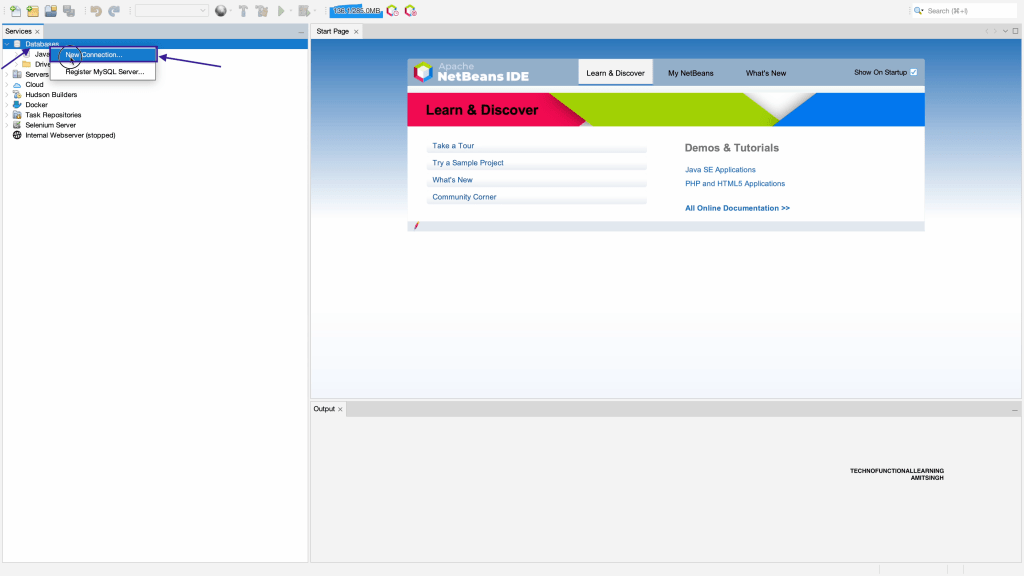
Step 01: right click on databases and then new connections
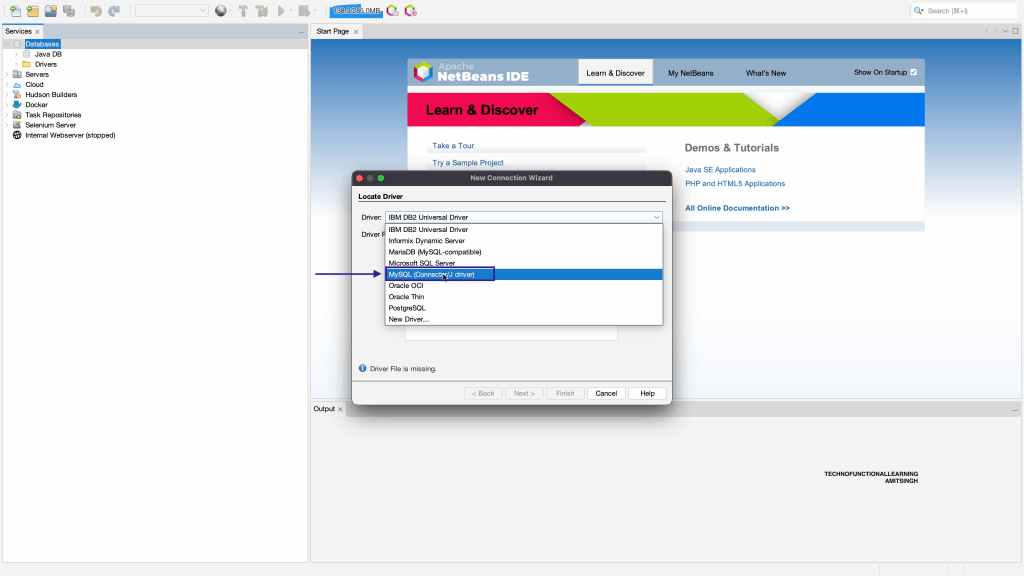
Step 02: Choose MySQL Connector
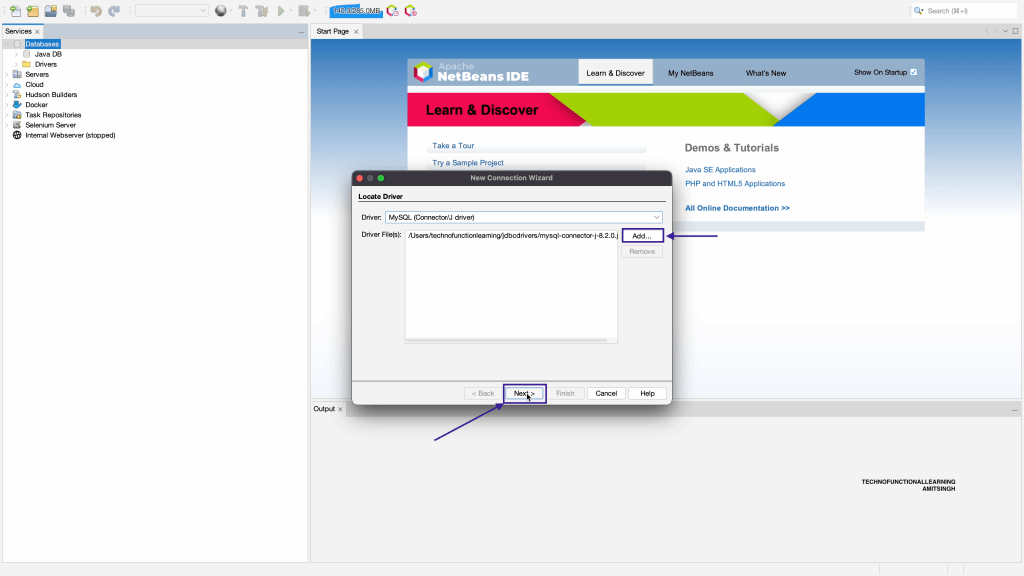
Step 03: Add JDBC Driver and click on Next
Step 04: Add port as 47335
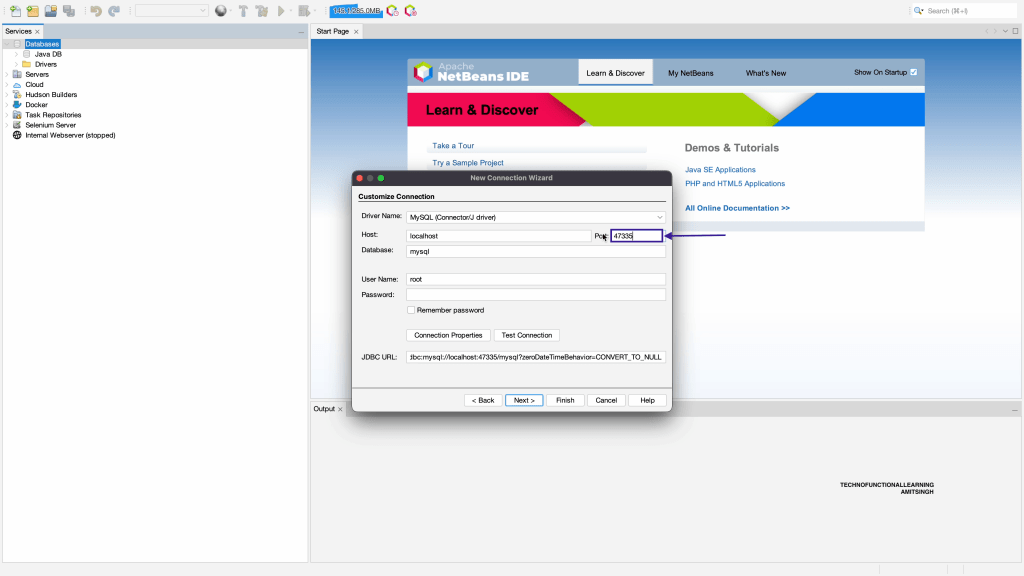
Step 05: Add database as mindsdb
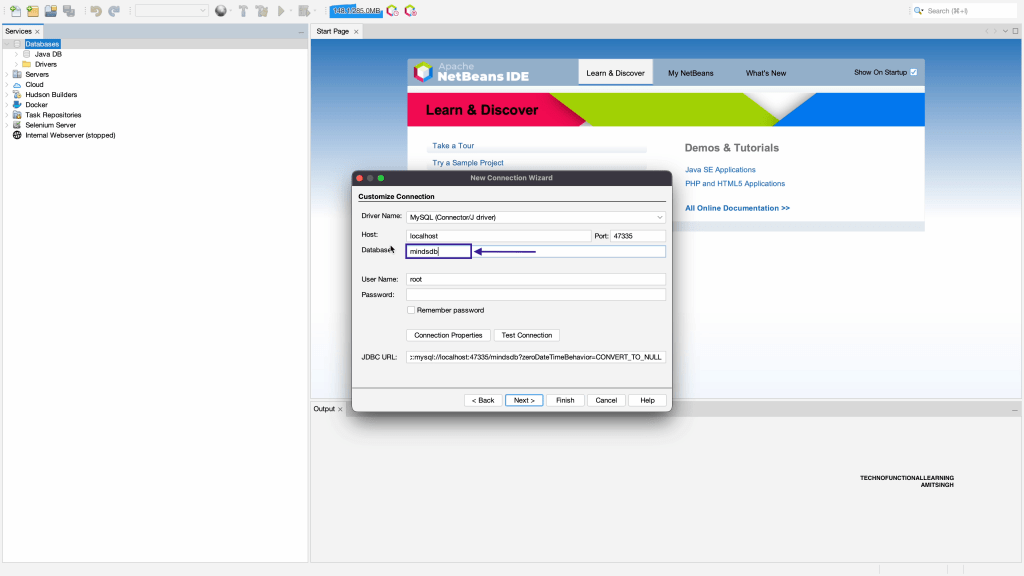
Step 06: Add username as mindsdb and leave password as blank because we have not assigned any password in mindsdb.
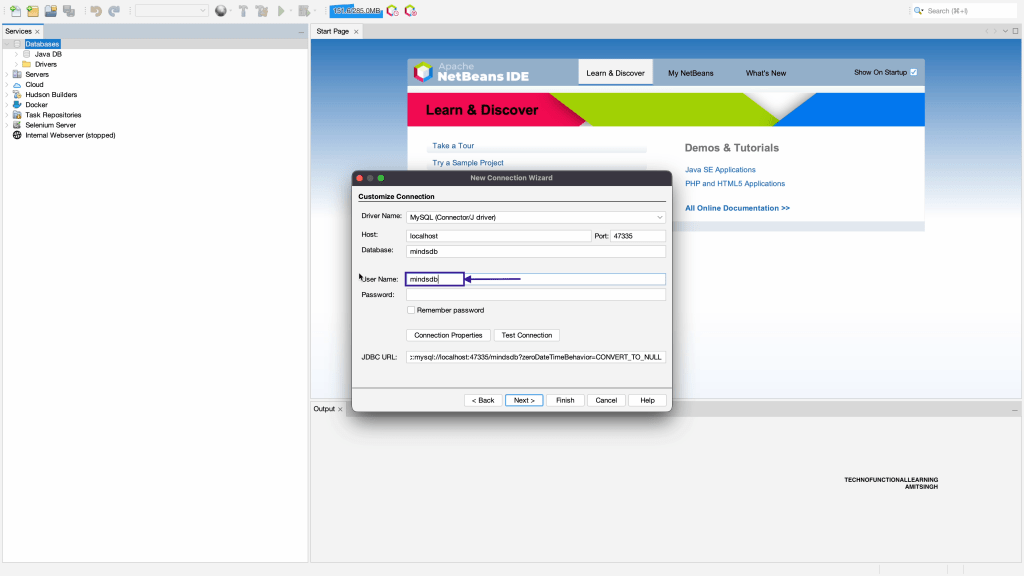
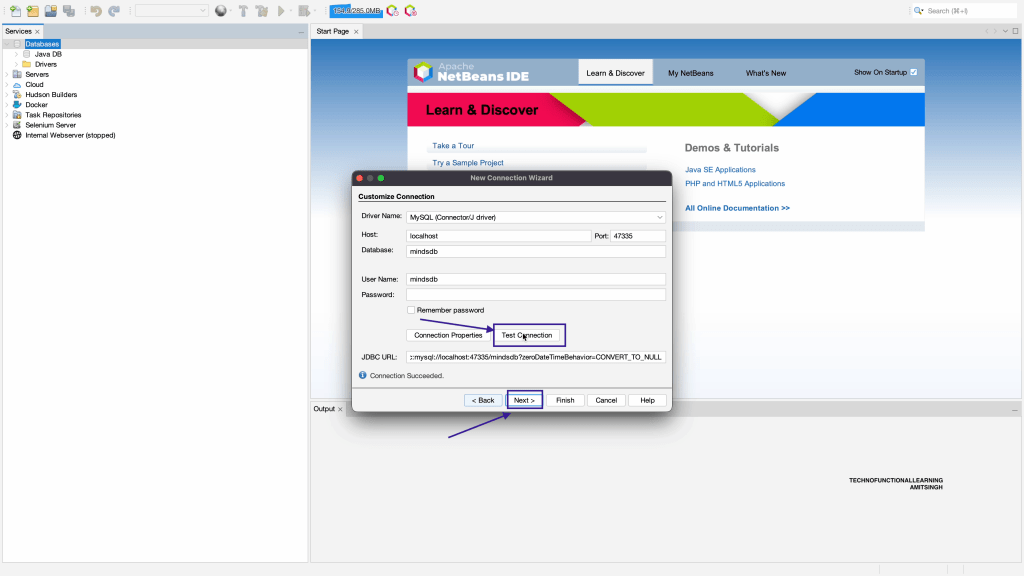
Step 07: Click on Test connection, it should show as connection succeeded and then click on next
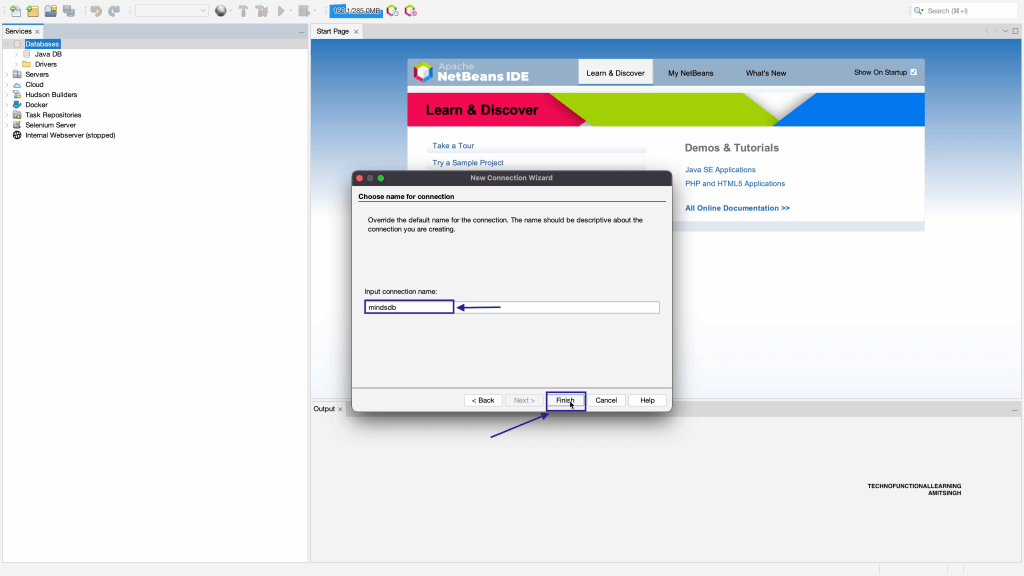
Step 08: Enter Input Connection name as mindsdb and click on finish
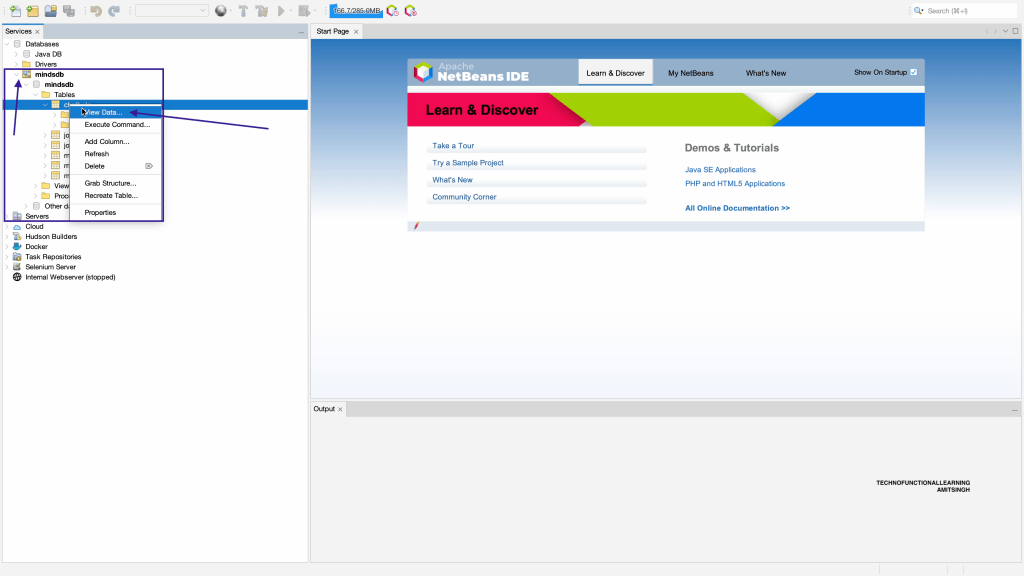
Step 09: Now expand mindsdb database and at table level right click and click on view data
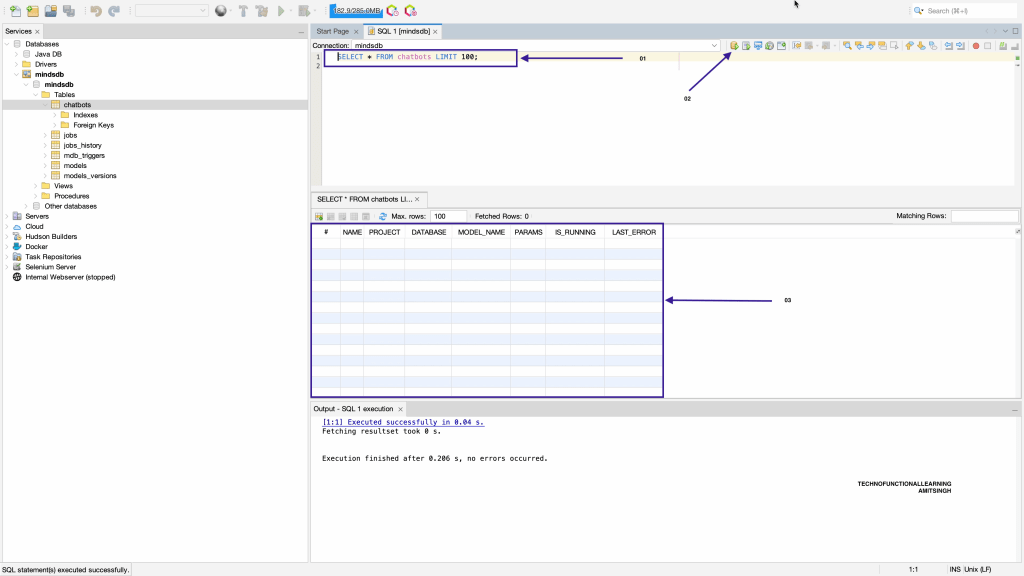
Step 10: Now you can see SQL query after you run execution button and its result.
 TechnoFunctionalLearning
You must be logged in to post a comment.