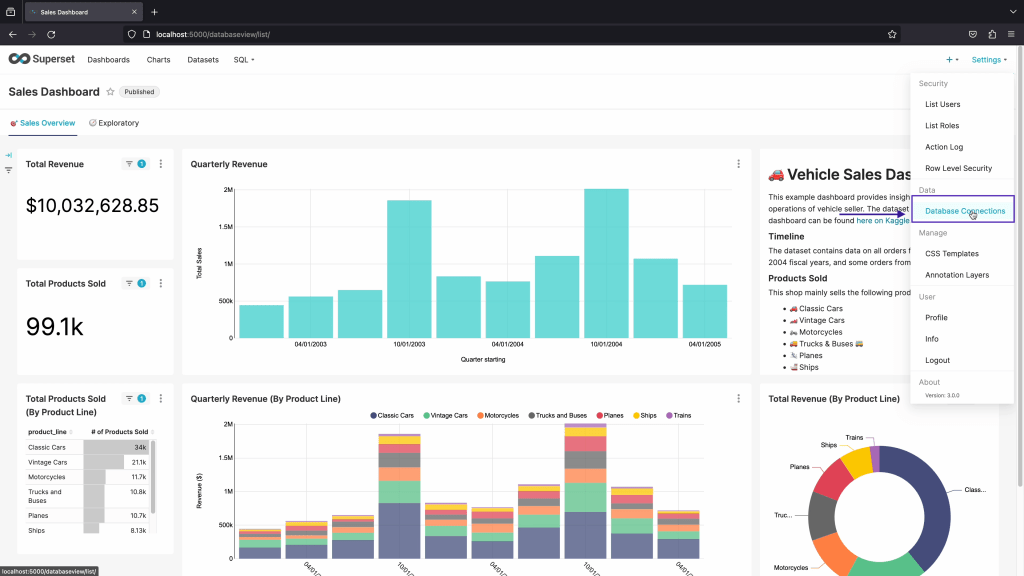
Step 01 : Click on Database Connections
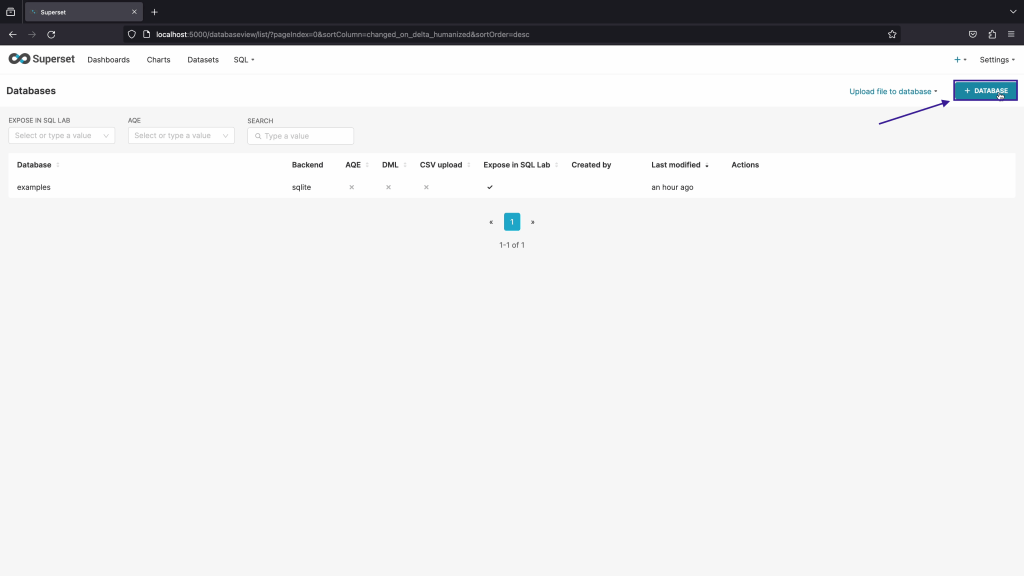
Step 02: Click on +Database
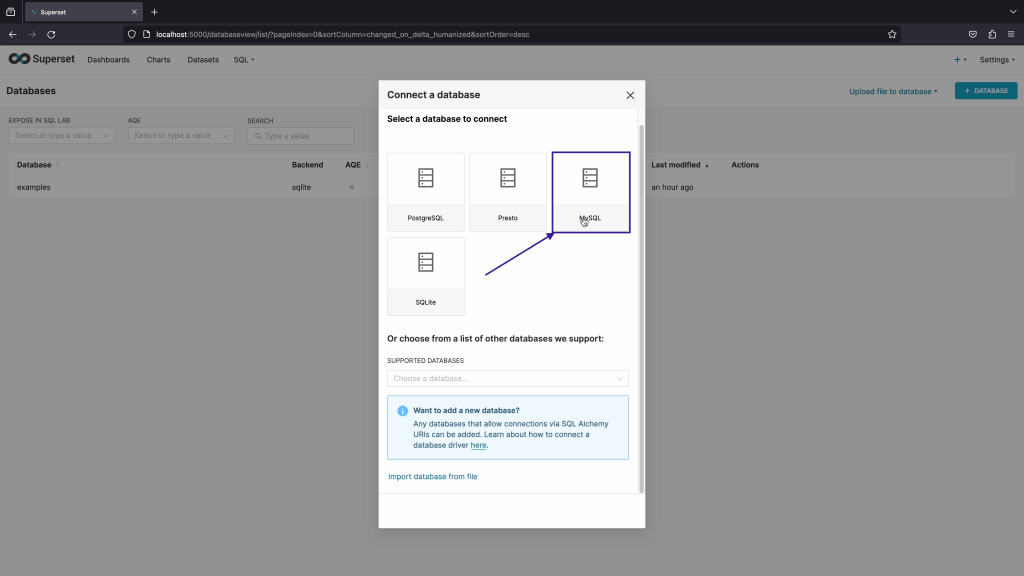
Step 03: Click on My SQL
Make sure to Install Apache Superset database driver as per below link from Apache Superset.
or you can type below command
pip install mysqlclient
and
pip install pymysql
Step 04: Click as show on below screenshot
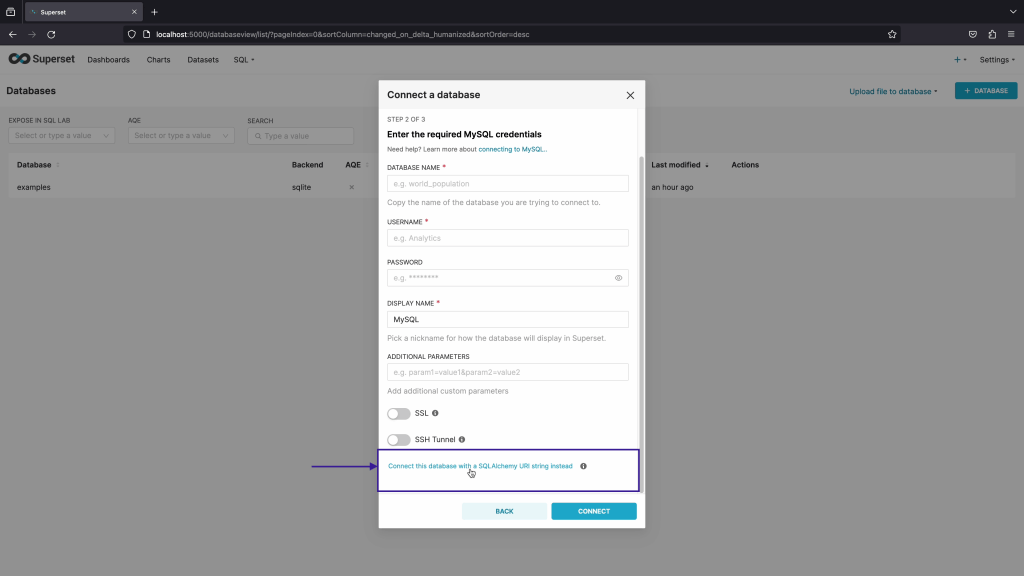
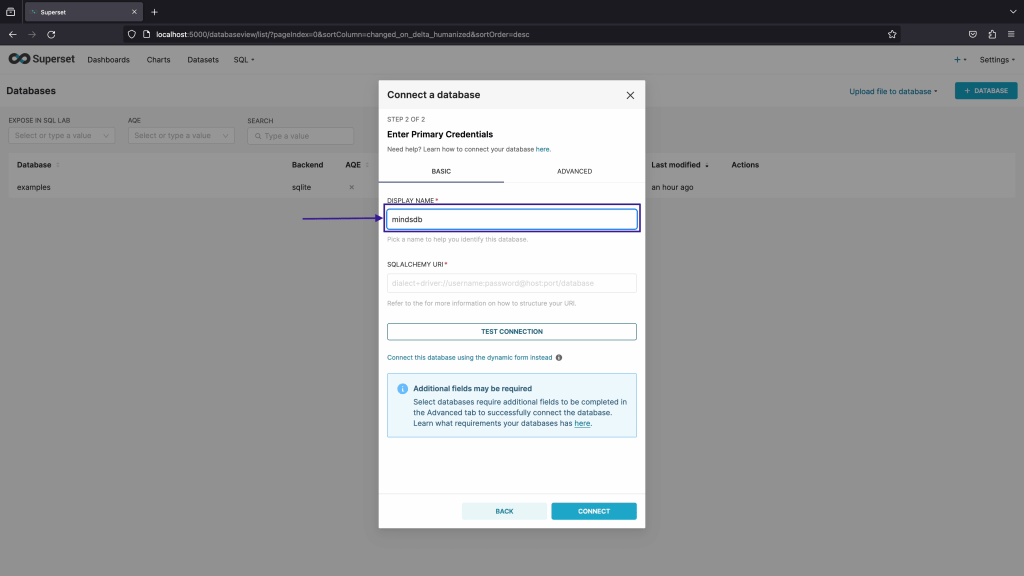
Step 05: Enter Display name as MindsDB as shown in screenshot
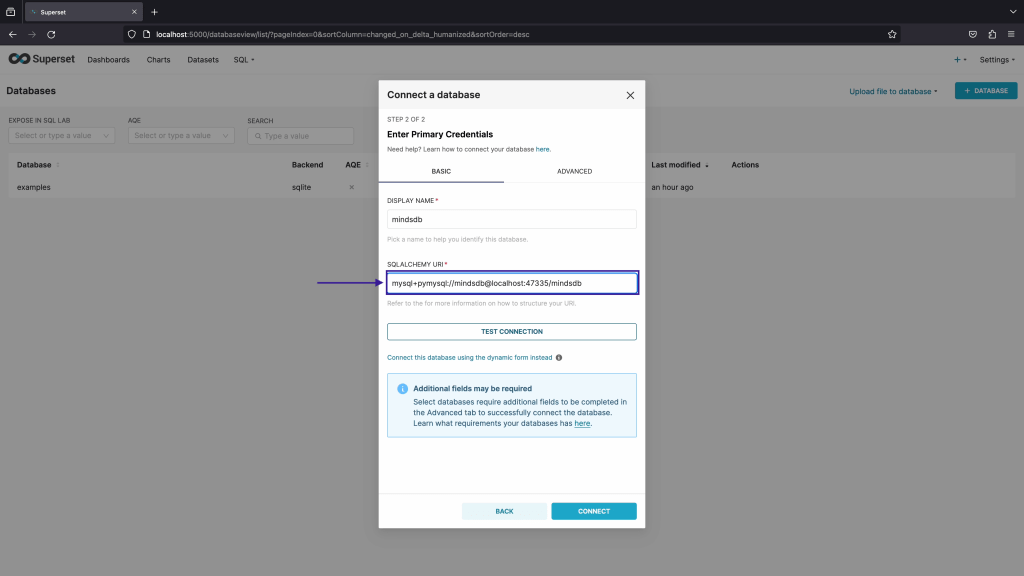
Step 06: Enter now SQLAlchemy URL as show below
mysql+pymysql://mindsdb@localhost:47335/mindsdb
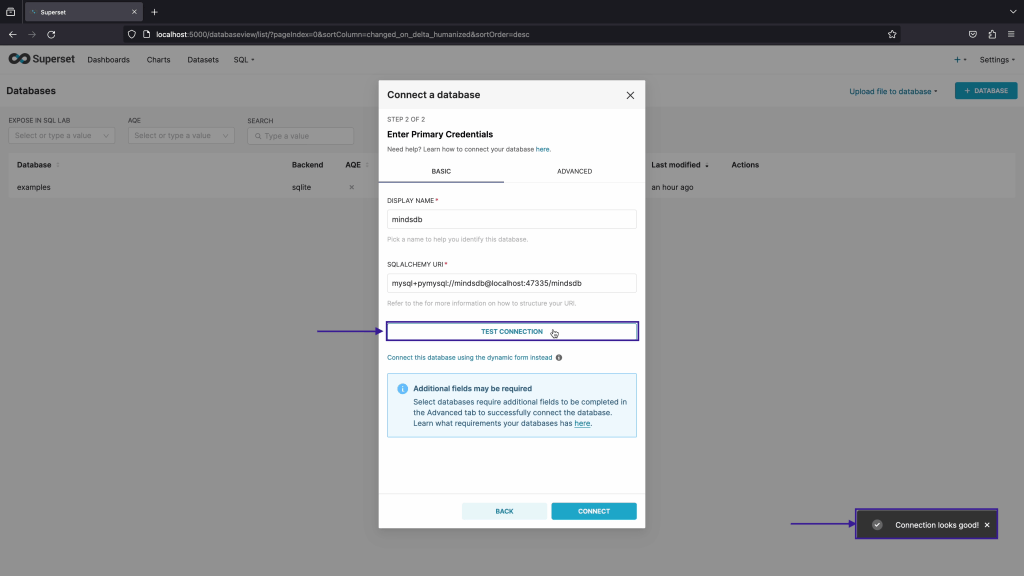
Step 07: Click on Test Connection, if there is no issue then it will show connection looks good.
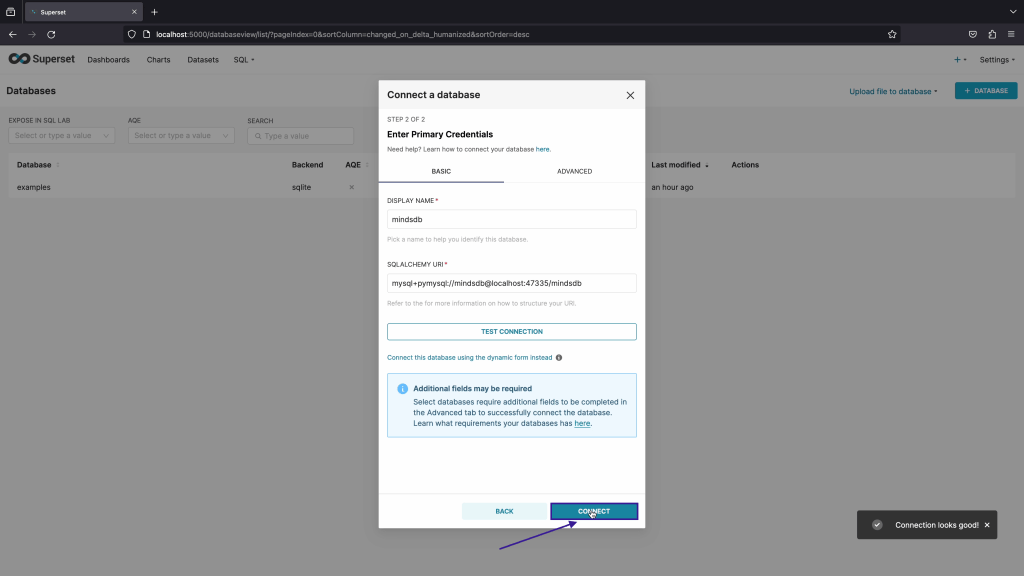
Step 08: Click on Connect
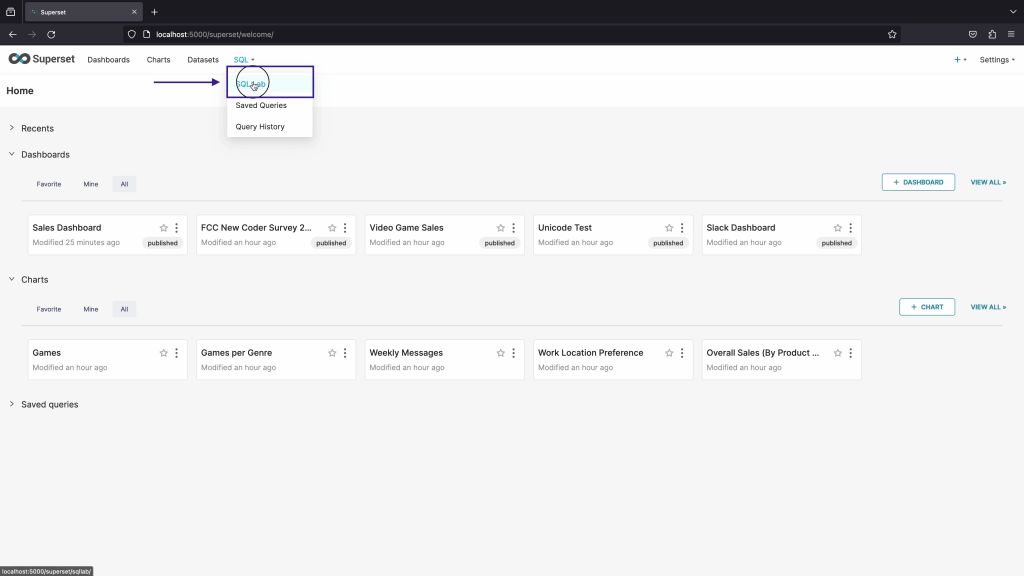
Step 09: Now click on SQL Lab to see connected database and it’s table.
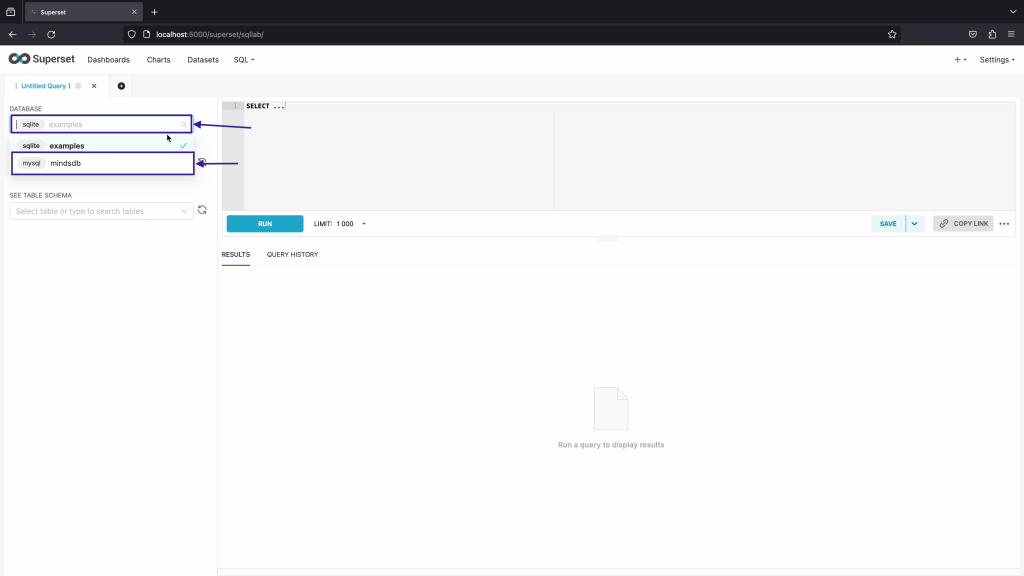
Step 10: First choose the database selection and then choose mindsDB database.
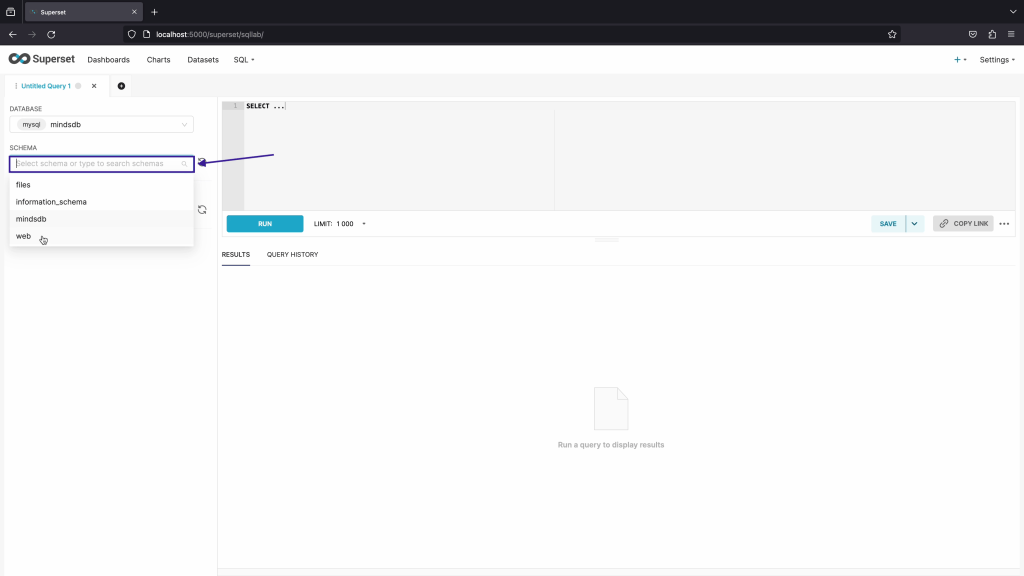
Step 11: Once you click on Schema, You can see all schema in MindsDB.
 TechnoFunctionalLearning
You must be logged in to post a comment.