Step 01: Click on New

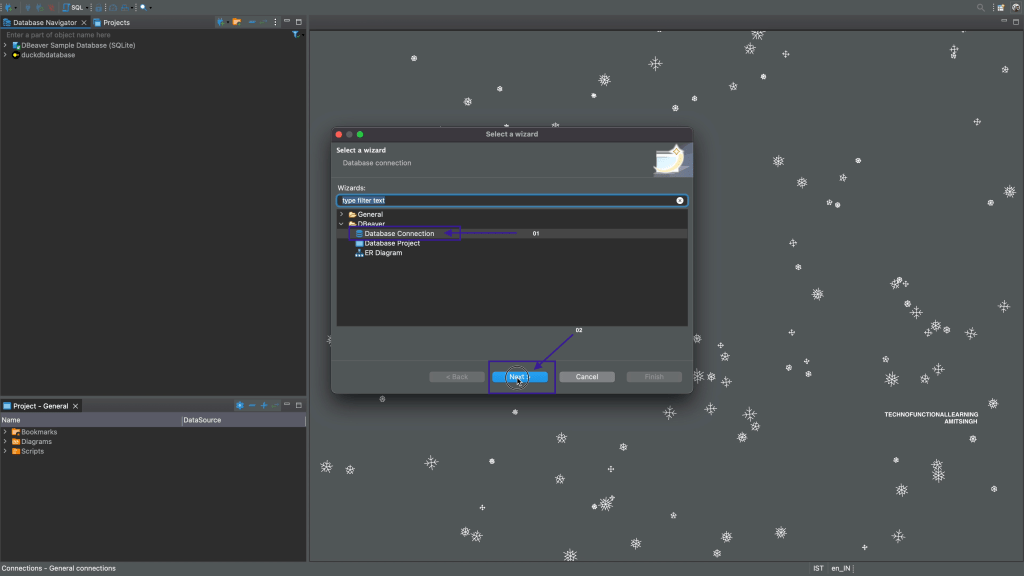
Step 02: Click on Database connection and then click on next
Step 03: Click on MySQL
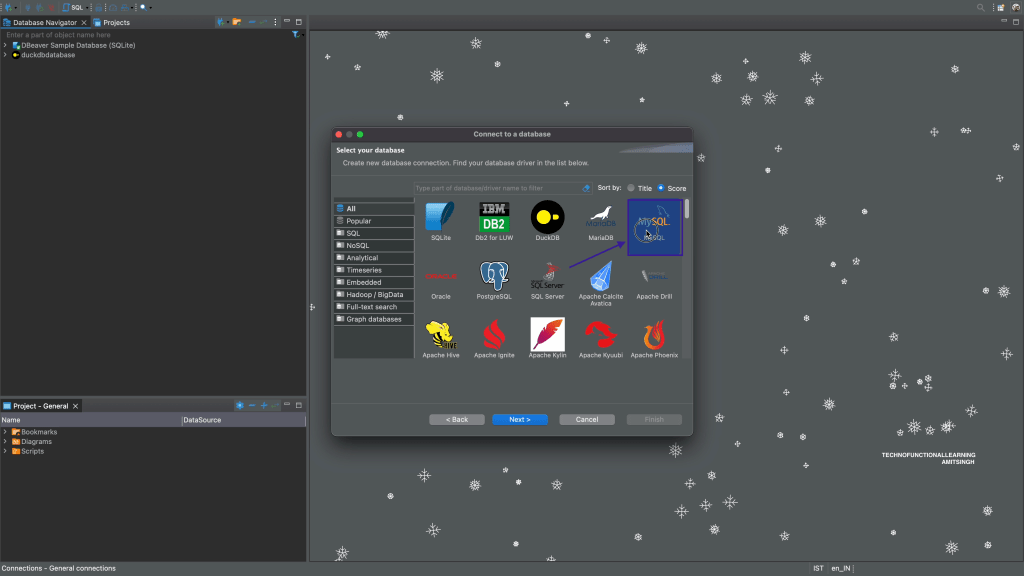
Step 04: Click on Next

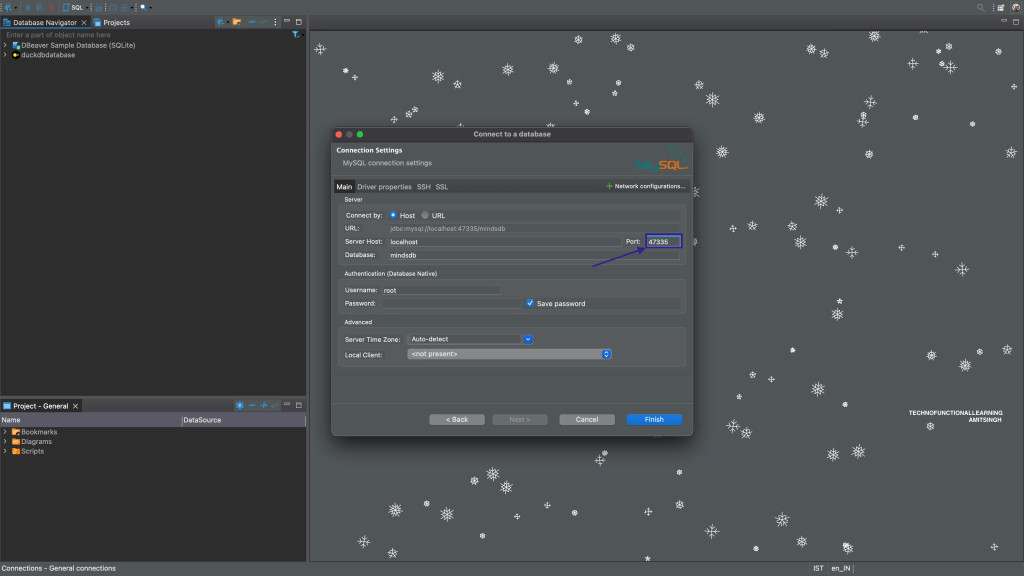
Step 05: Type Database name as mindsdb

Step 06: Enter Port as 47335
Step 07: Enter username as mindsdb
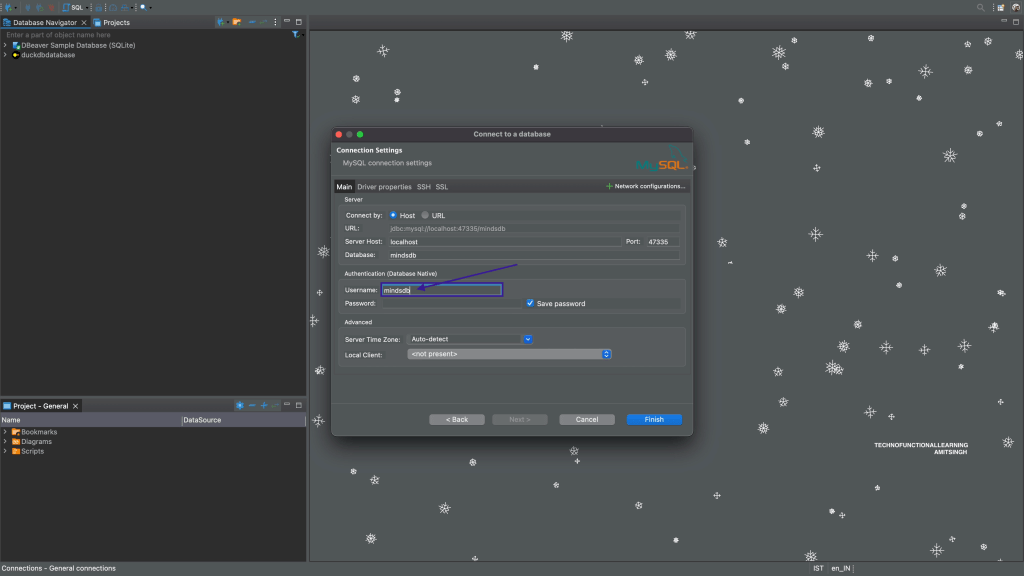
Step 08: Click on Finish

Step 09: Click on Expand Database arrow.

Step 10: Expand the database icon to see databases.

 TechnoFunctionalLearning
You must be logged in to post a comment.