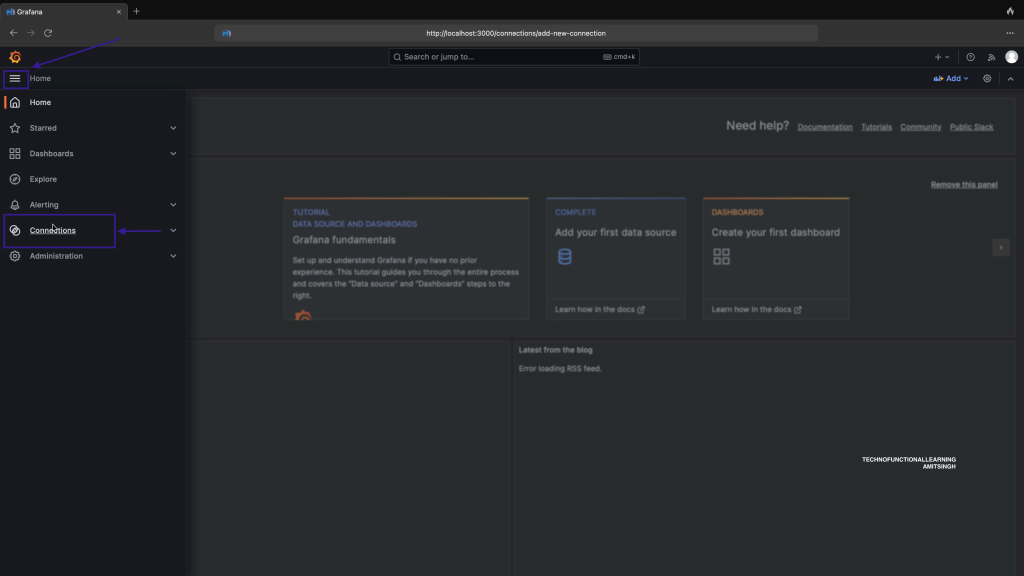
Step:01 Click on Main menu and click on connections.
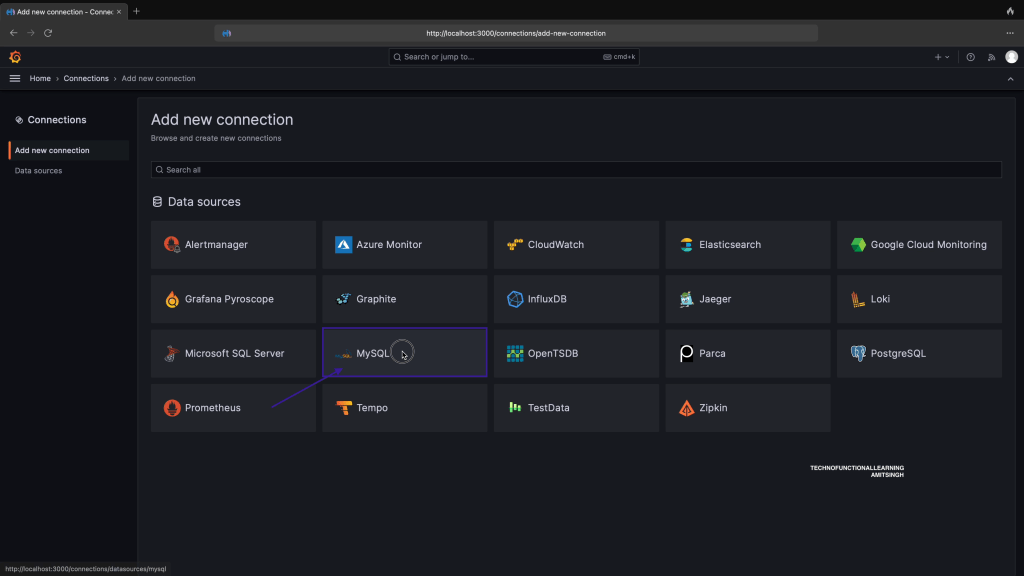
Step 02: In Connections tab, Click on MySQL
Step 03: Now click on create data source for MySQL

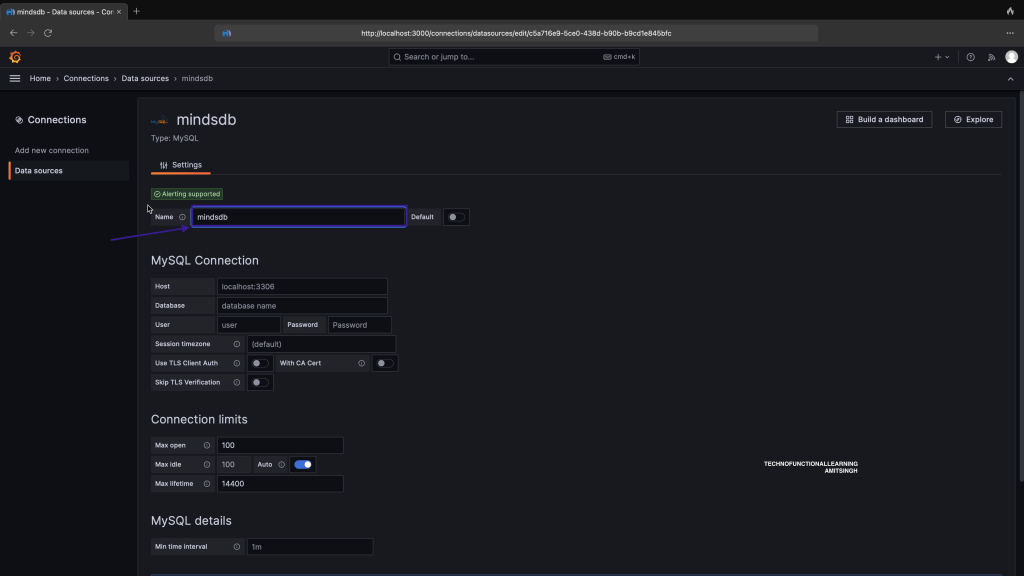
Step 04: Enter data source name as mindsdb
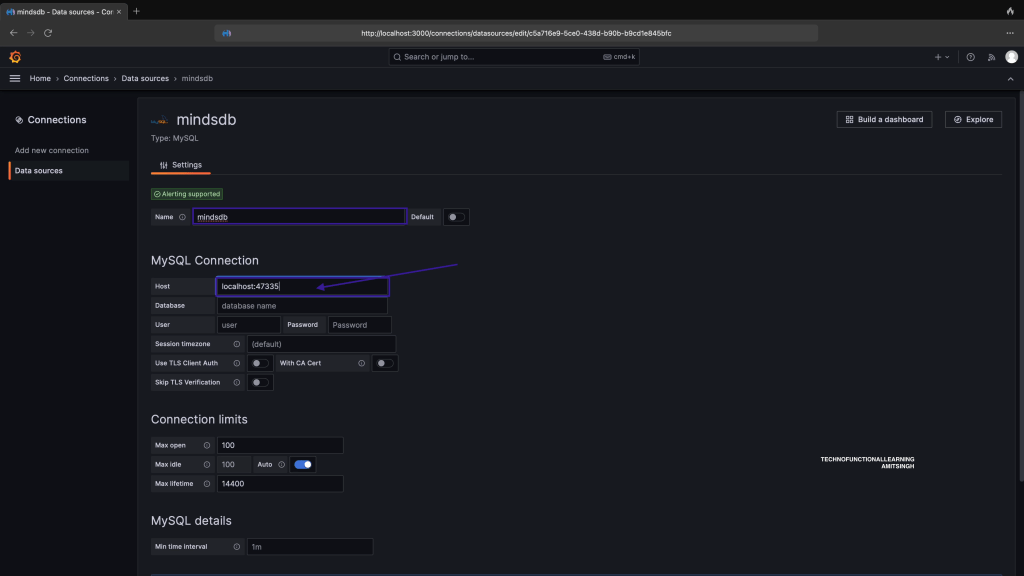
Step 05: Enter localhost:47335 in Host Details.
Step 06: Enter database name as mindsdb
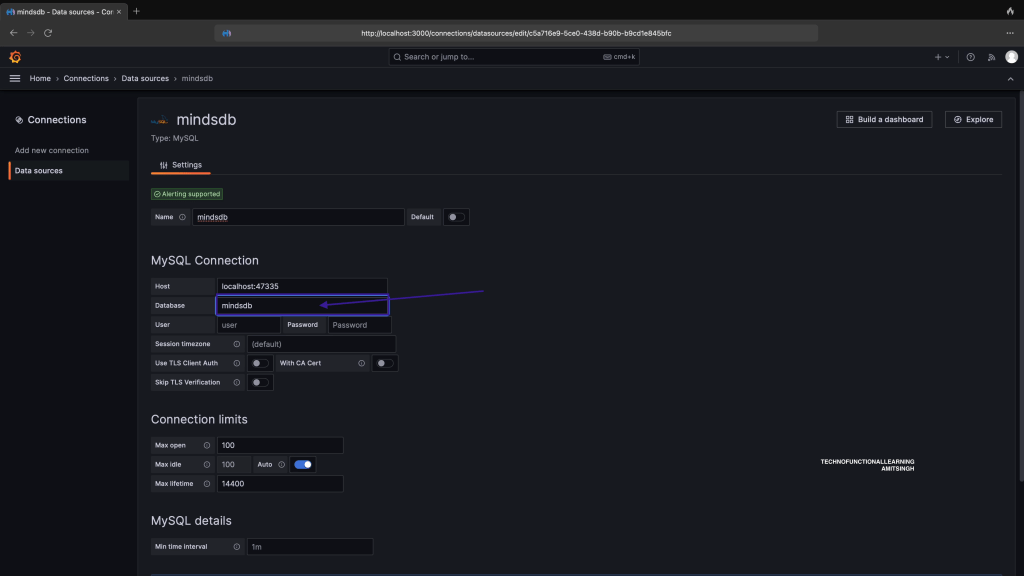
Step 07: Enter user name as mindsdb and leave password as blank.

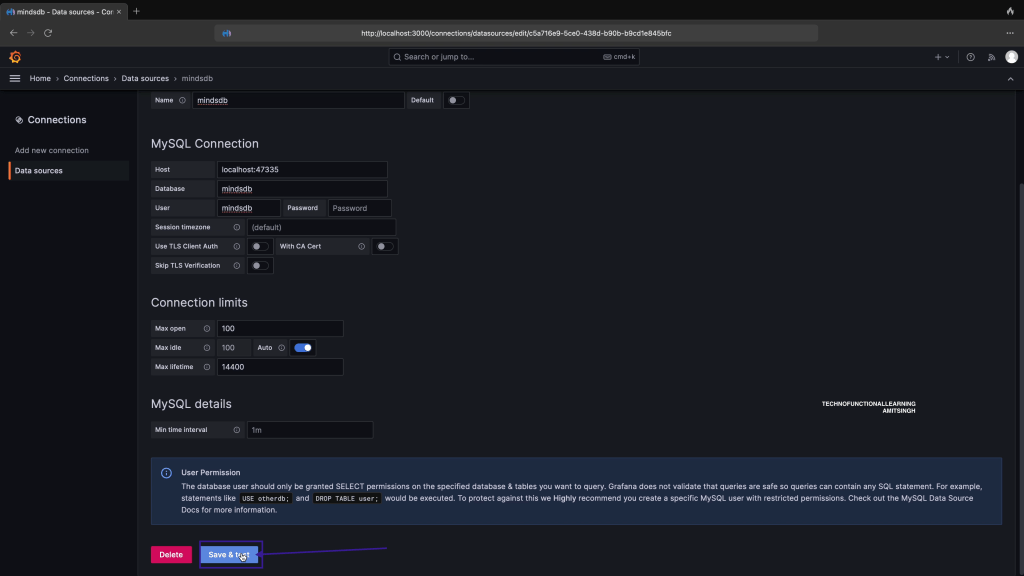
Step 08: Click Save & Test.
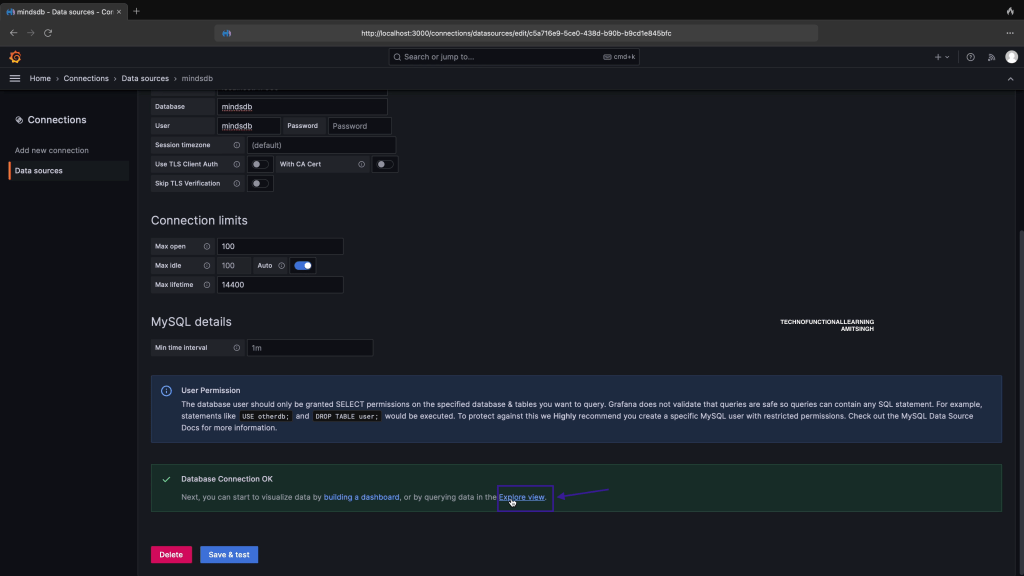
Step 09: Click on Explore View
Step 10: Click on code
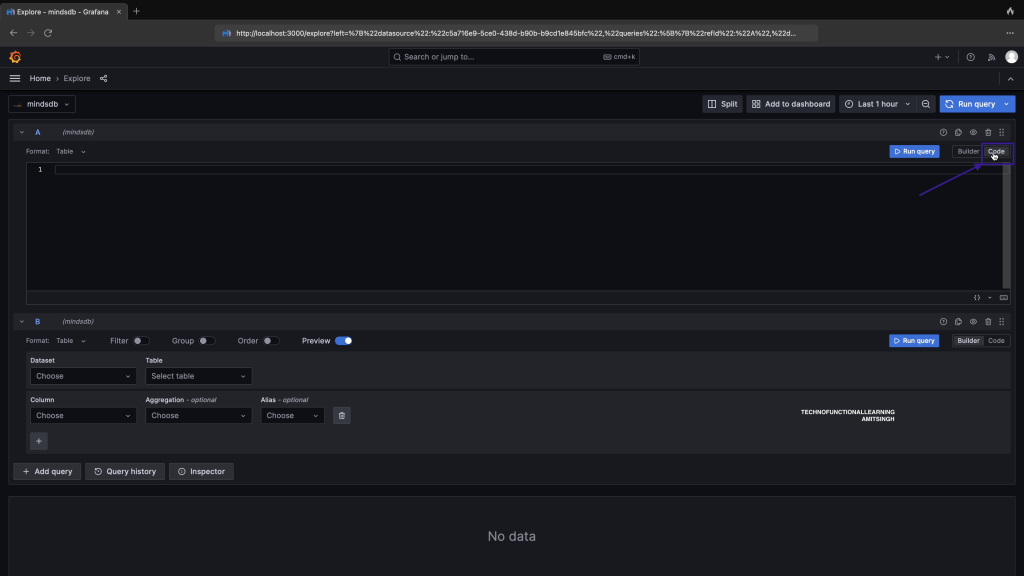
Step 11: write and run the query
show full databases;

 TechnoFunctionalLearning
You must be logged in to post a comment.