Step 01: Click on Setting and then admin settings.

Step 02: Click on add database

Step 03: Click Database type and then My SQL
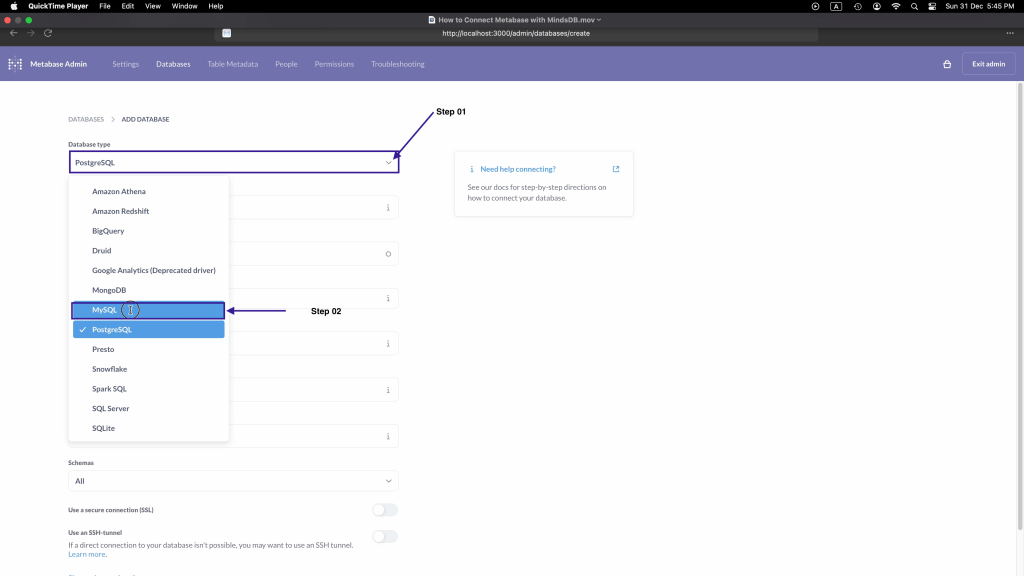
Step 04: Type Display name as MindsDB

Step 05: Type Hostname as localhost
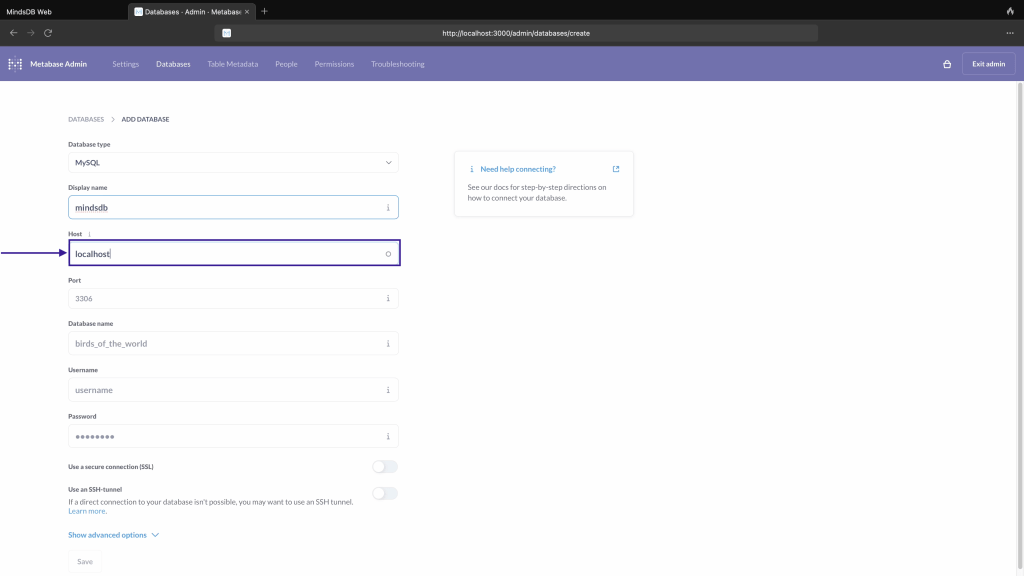
Step 06: In Port type as 47335

Step 07: In Database name type mindsdb
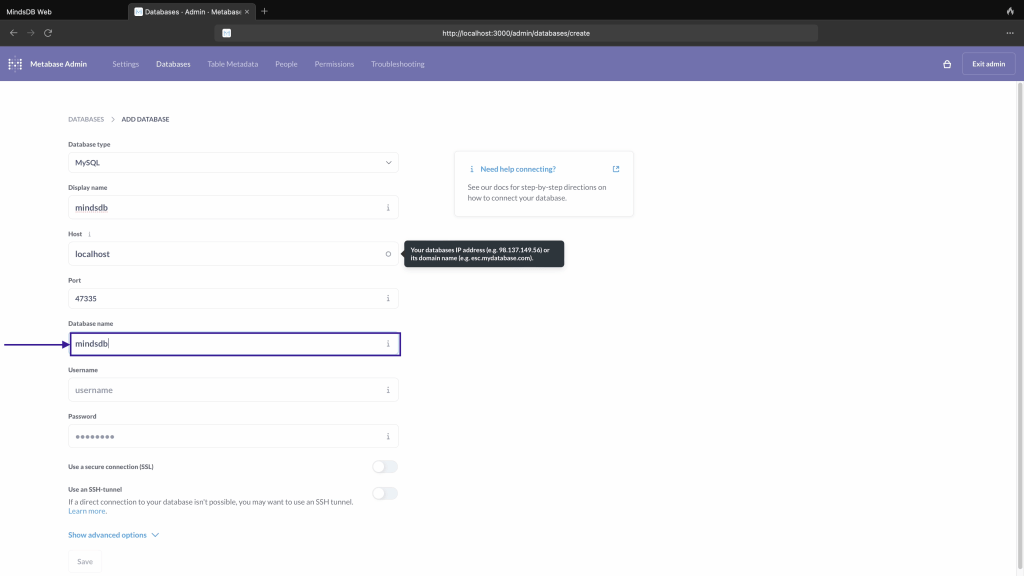
Step 08: In User name type mindsdb, as we have not given any password, we will leave password as blank.
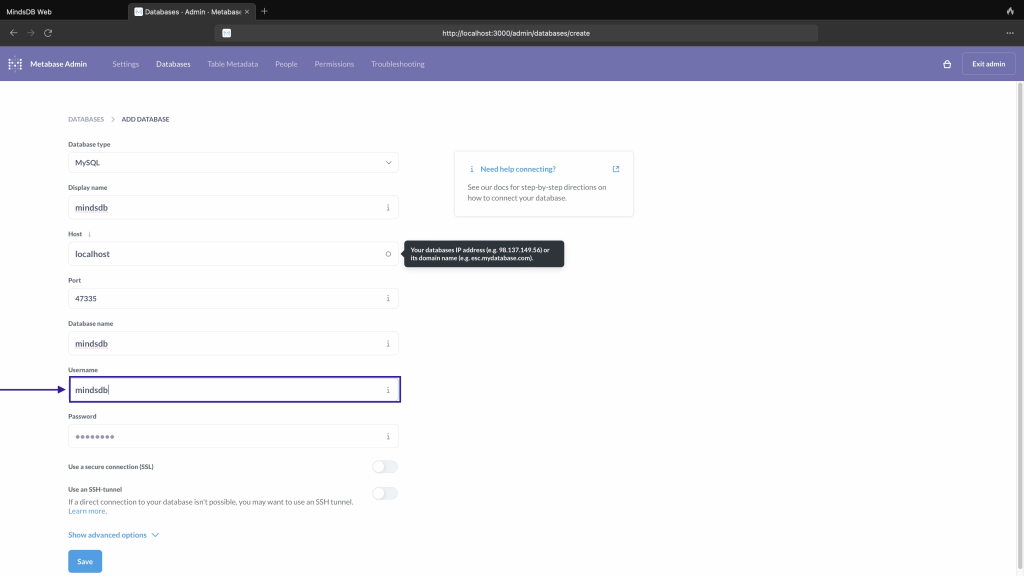
Step 09: Click on save

Step 10: Click on Exit admin

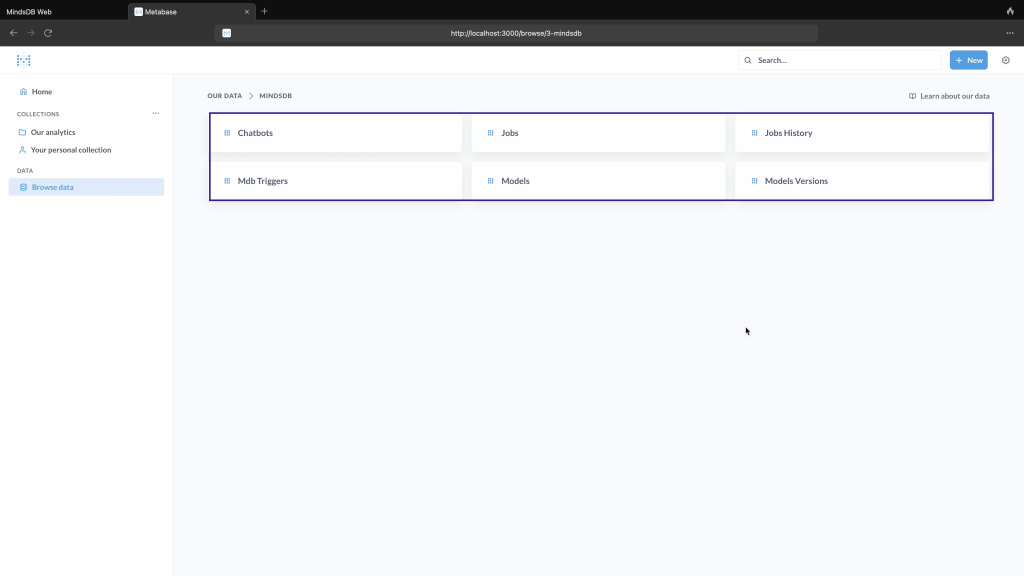
Step 11: Click on Browse data and then click on MindsDB.

Step 12: Now you can see all mindsdb schema.
 TechnoFunctionalLearning
You must be logged in to post a comment.