Windows Installer Link from Official Website
https://gpt4all.io/installers/gpt4all-installer-win64.exe
(Please always use link by visiting official website)
After downloading the installer, Double click the installer to start Installation Process.

Click on Next

Choose Installation Directory and click on next.
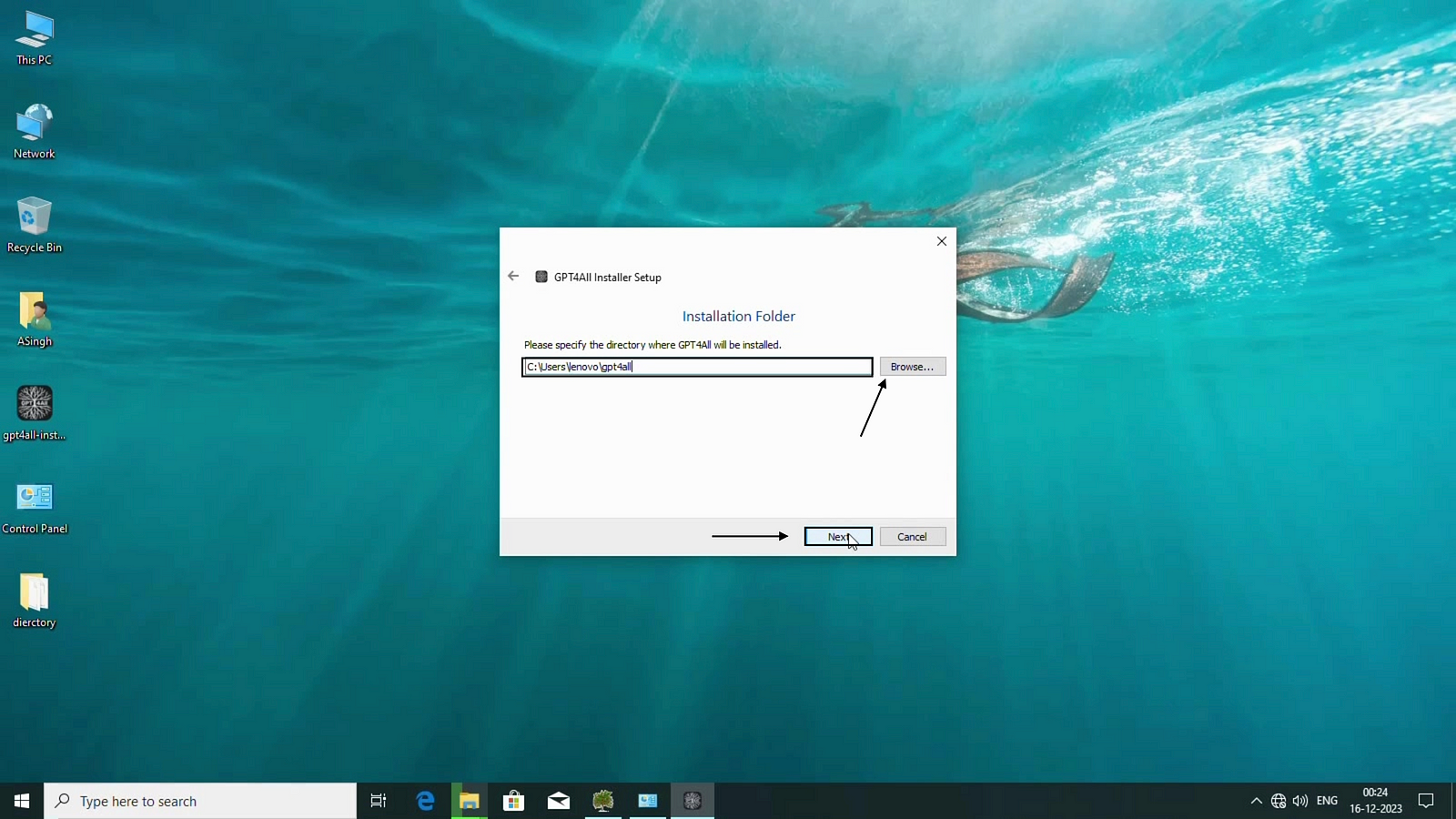
Click on Next

Accept the terms and conditions and click on next
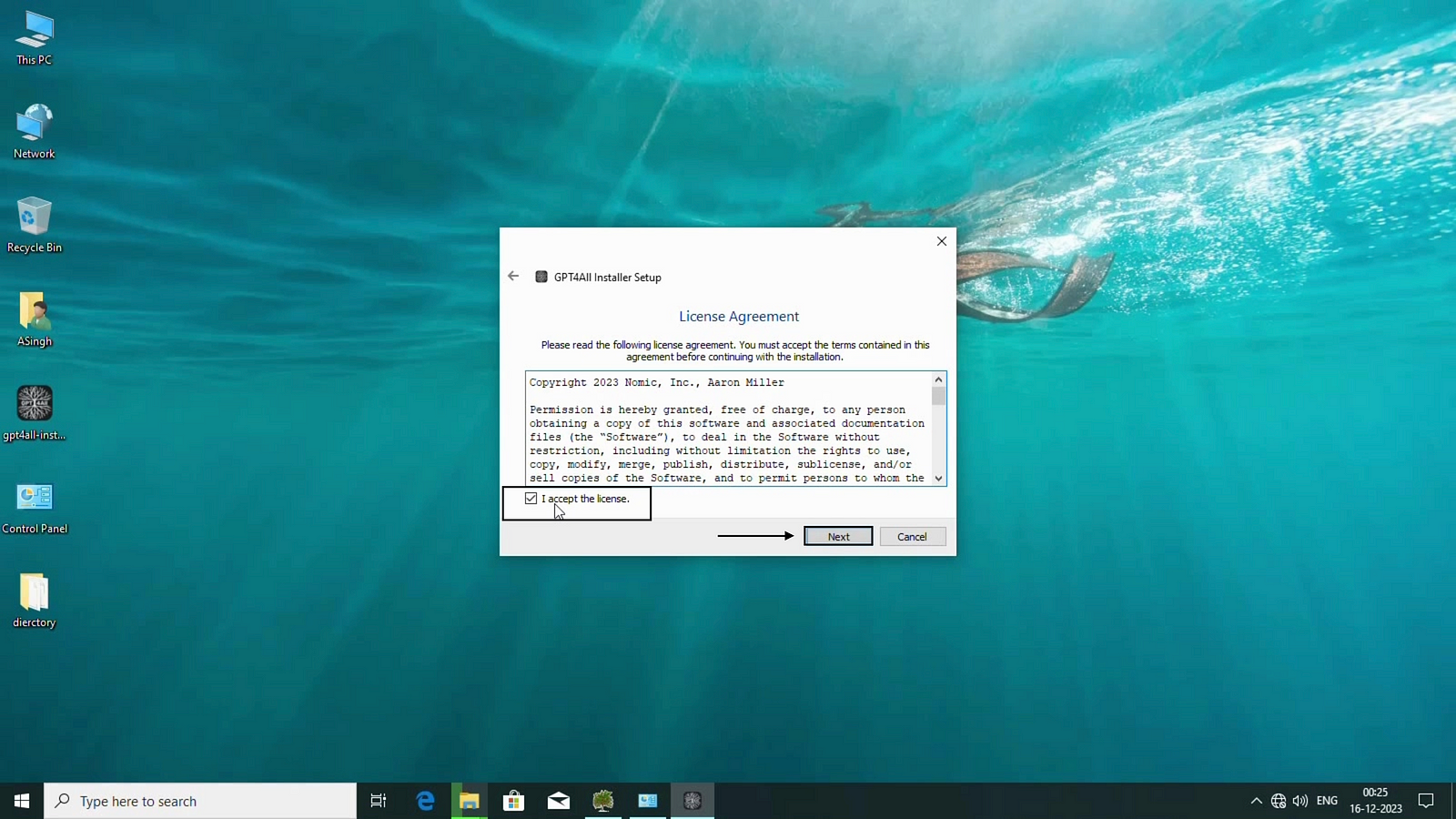
It will create entry in Program Menu

Click on finish to Complete the installation.

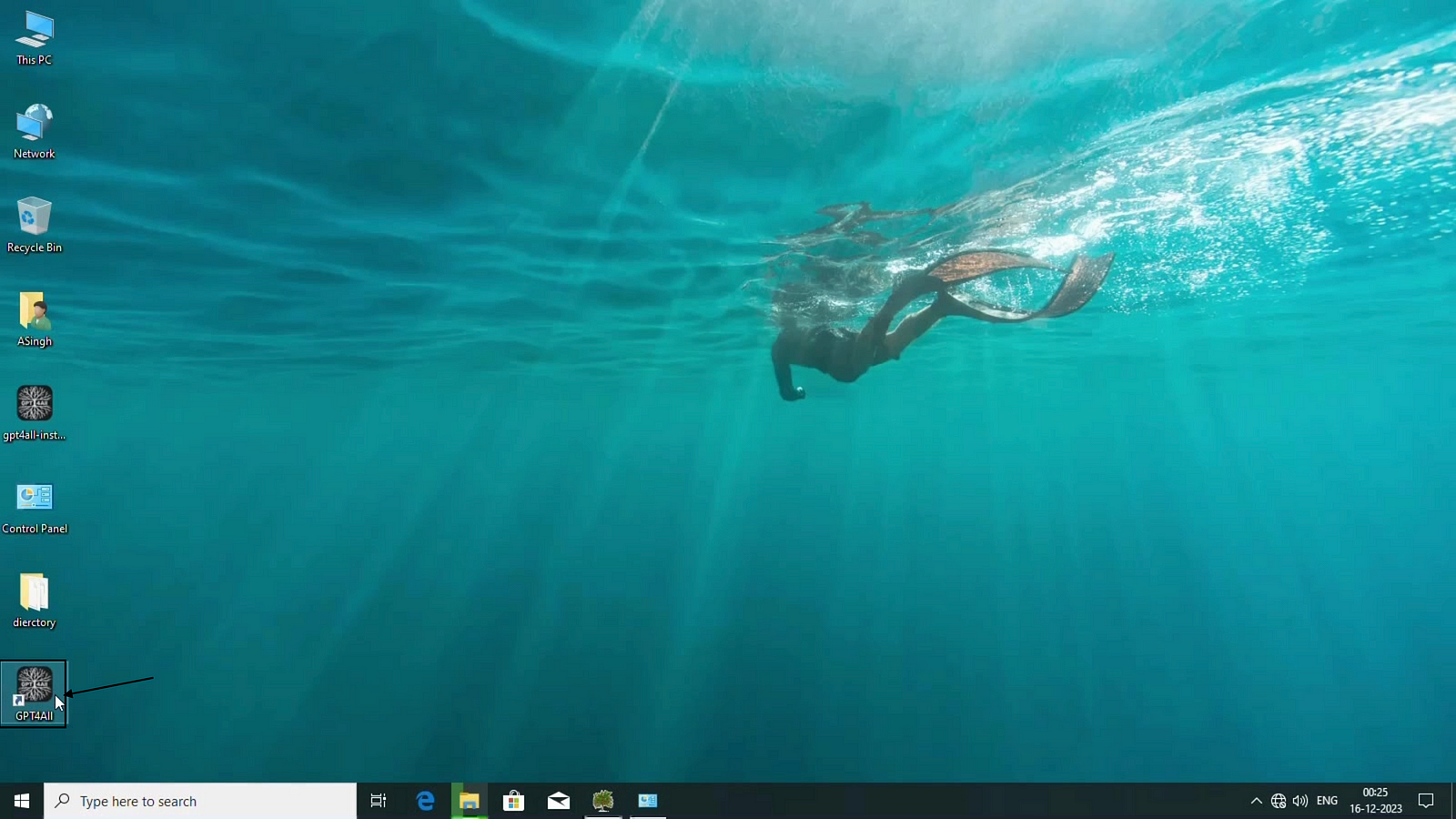
Now there will be desktop shortcut for GPT4All.
 TechnoFunctionalLearning