Learn to Connect DBeaver (Open Source Version-Universal Database Tool) with Starrocks DB (An Open-Source, High-Performance Analytical Database)
Step 01: Click on new

Step 02: Click on Database connection and then click on next.
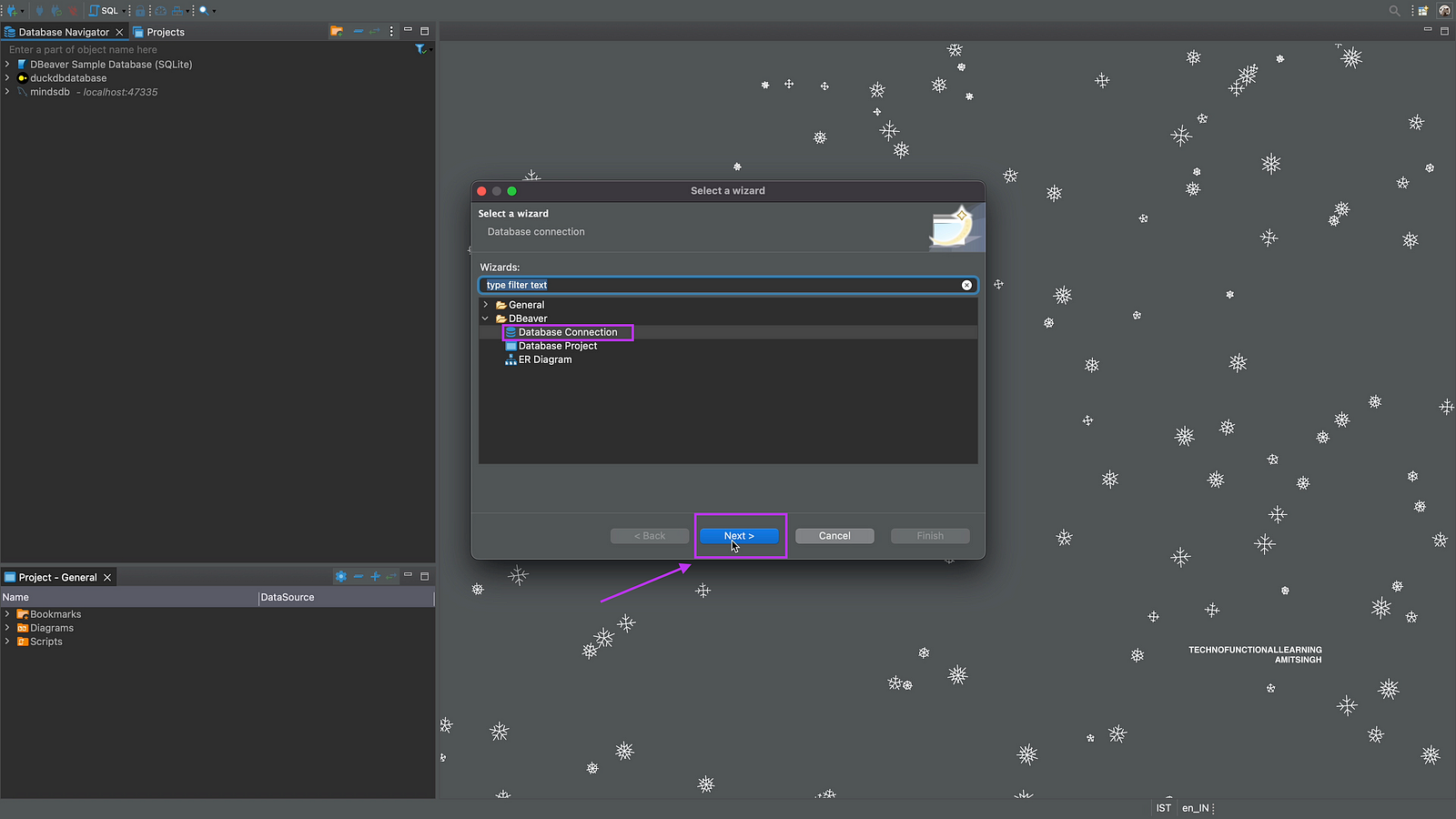
Step 03: Click on MySQL as Database.

Step 04: Click on Next

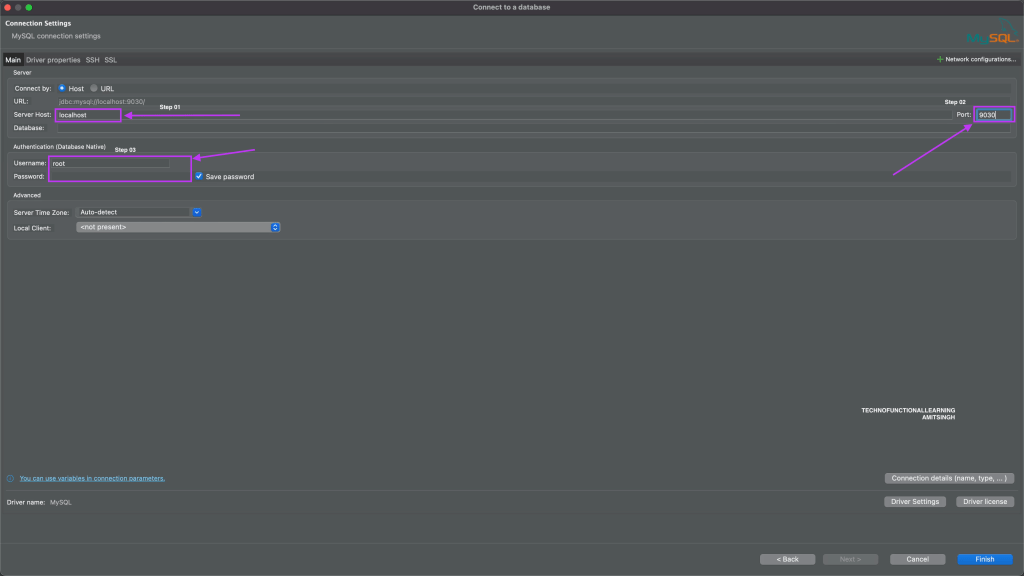
Step 05:, Now Enter your host, if it is On-Premise then localhost else cloudhost if it is on cloud, port as 9030, user name & password of database.
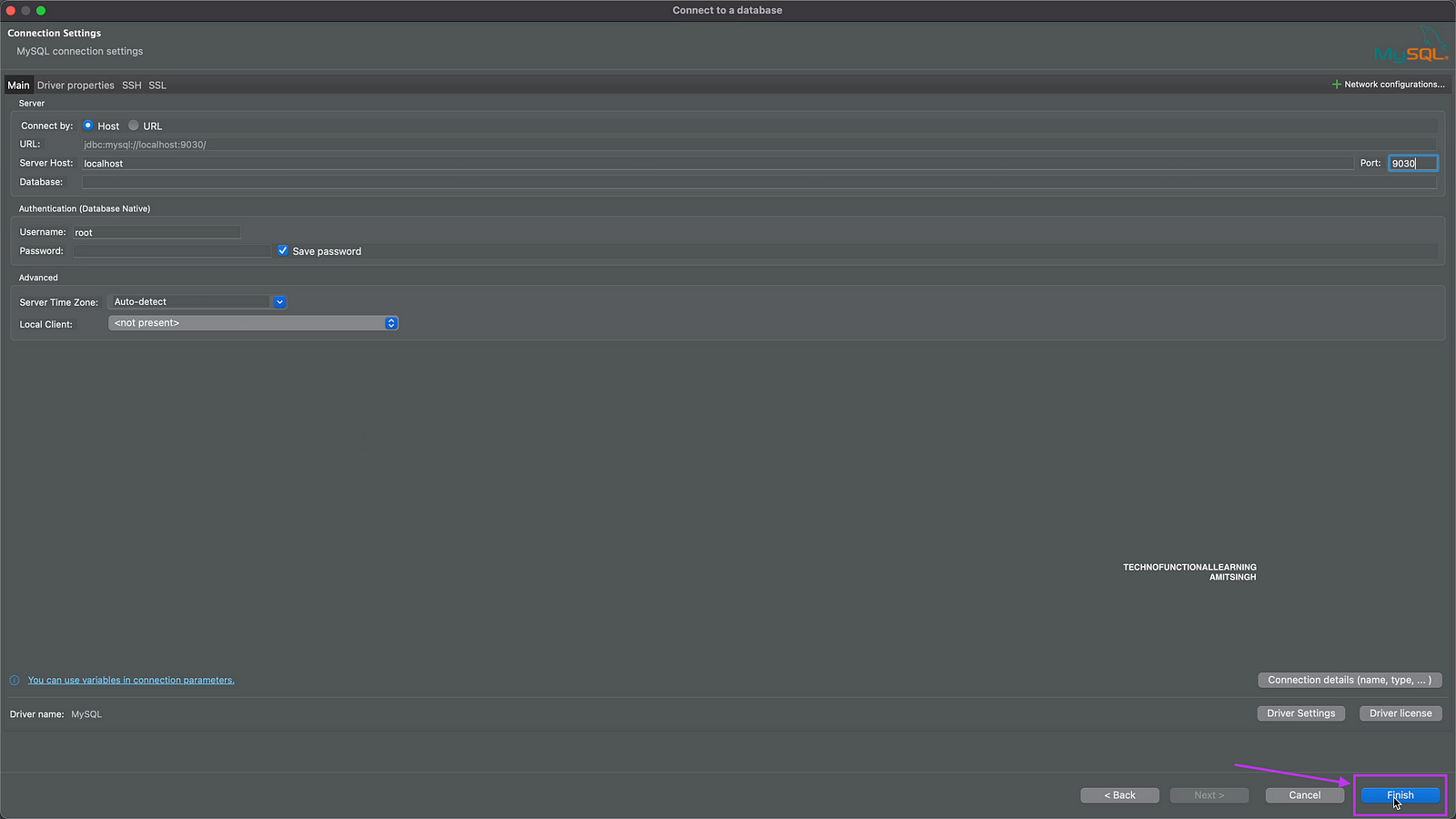
Step 06: Now Click on Finish.
Step 07: Right click on Database just added and click on rename.

Step 08: Enter starrocks and click on ok.

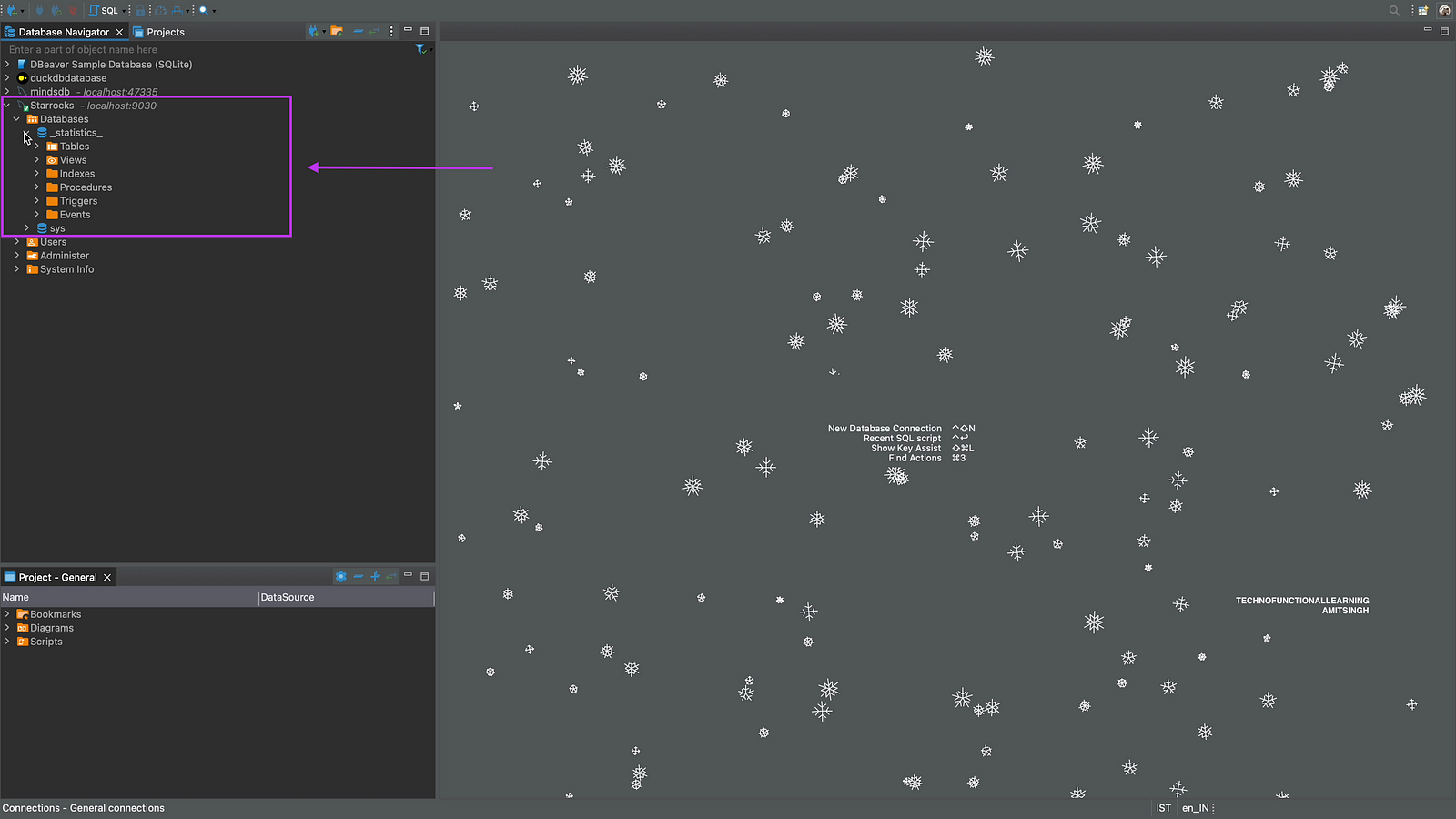
Step 09: Now click on starrocks to expand the database and see the tables.

Step 10: Now you can see details of Database, you can click on tables to see your data.
 TechnoFunctionalLearning
You must be logged in to post a comment.