Learn to Connect DBeaver (Universal Database Tool) with Apache Spark (Unified engine for large-scale data analytics)
Apache Spark™ is a multi-language engine for executing data engineering, data science, and machine learning on single-node machines or clusters.
DBeaver Community is a free cross-platform database tool for developers, database administrators, analysts, and everyone working with data. It supports all popular SQL databases like MySQL, MariaDB, PostgreSQL, SQLite, Apache Family, and more.
How to Connect DBeaver with Apache SparkSQL
Step 01: Click on New

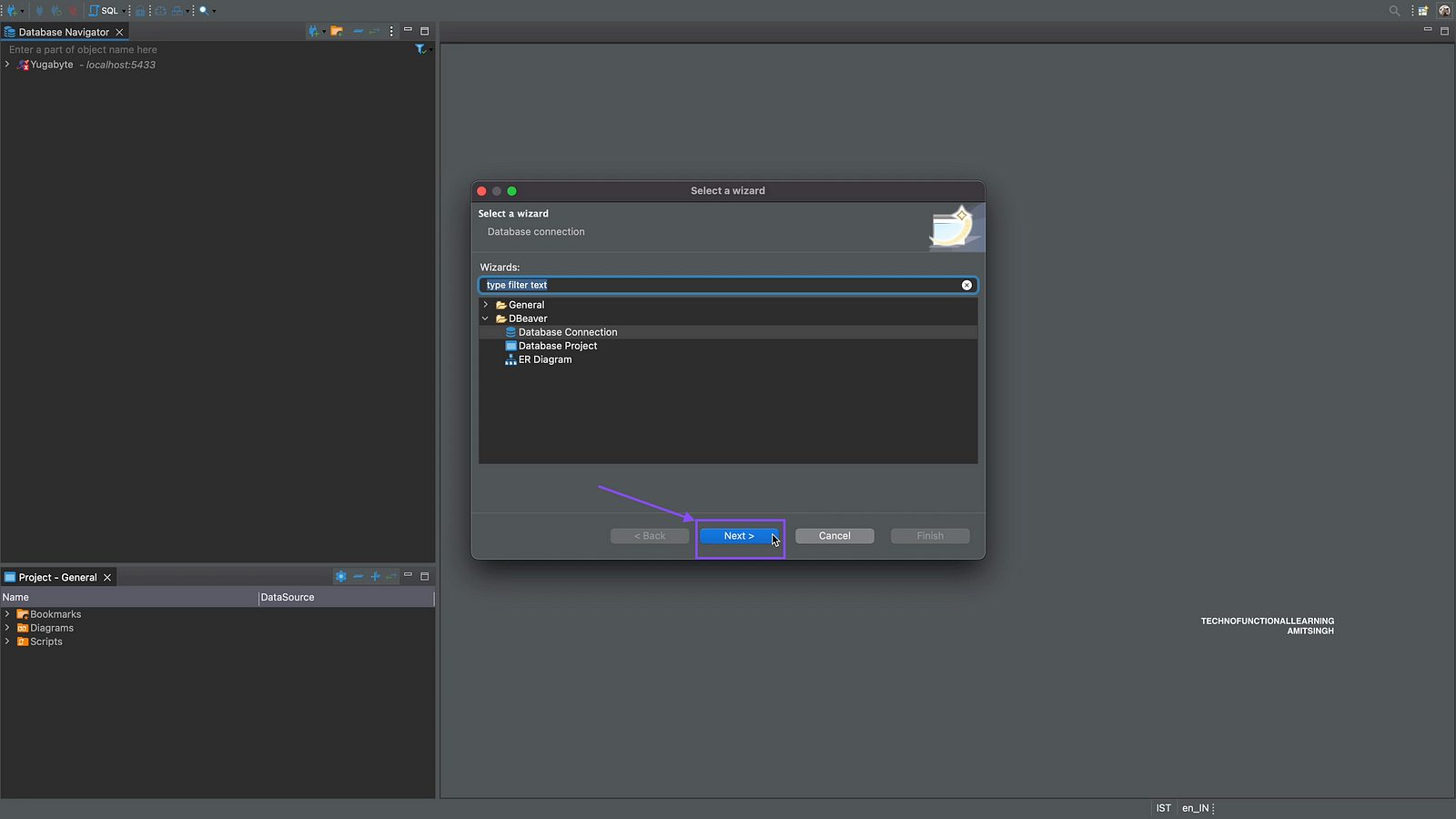
Step 02: Click on Database Connection and click on Next
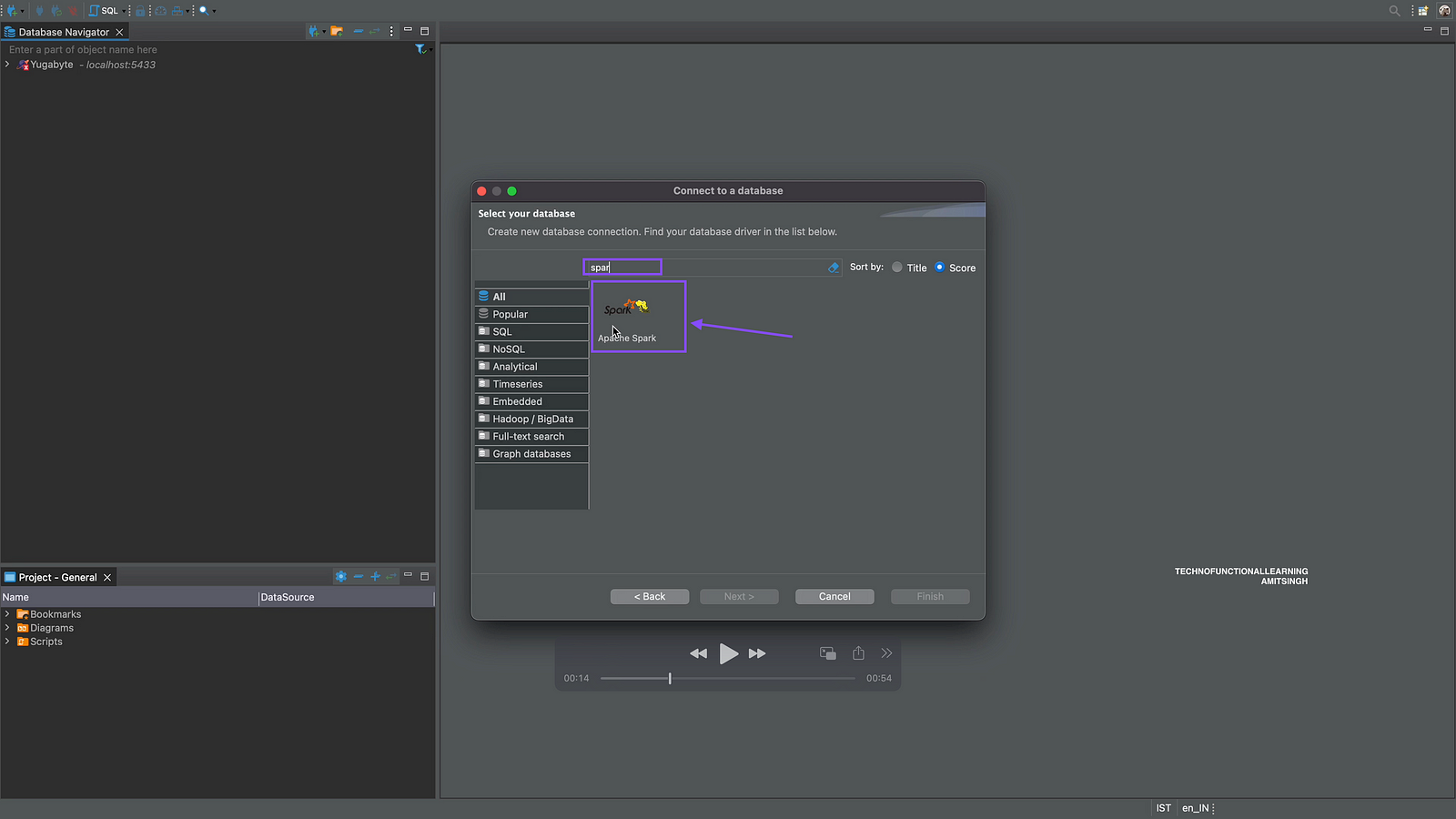
Step 03: Search for Apache Spark and double click on it
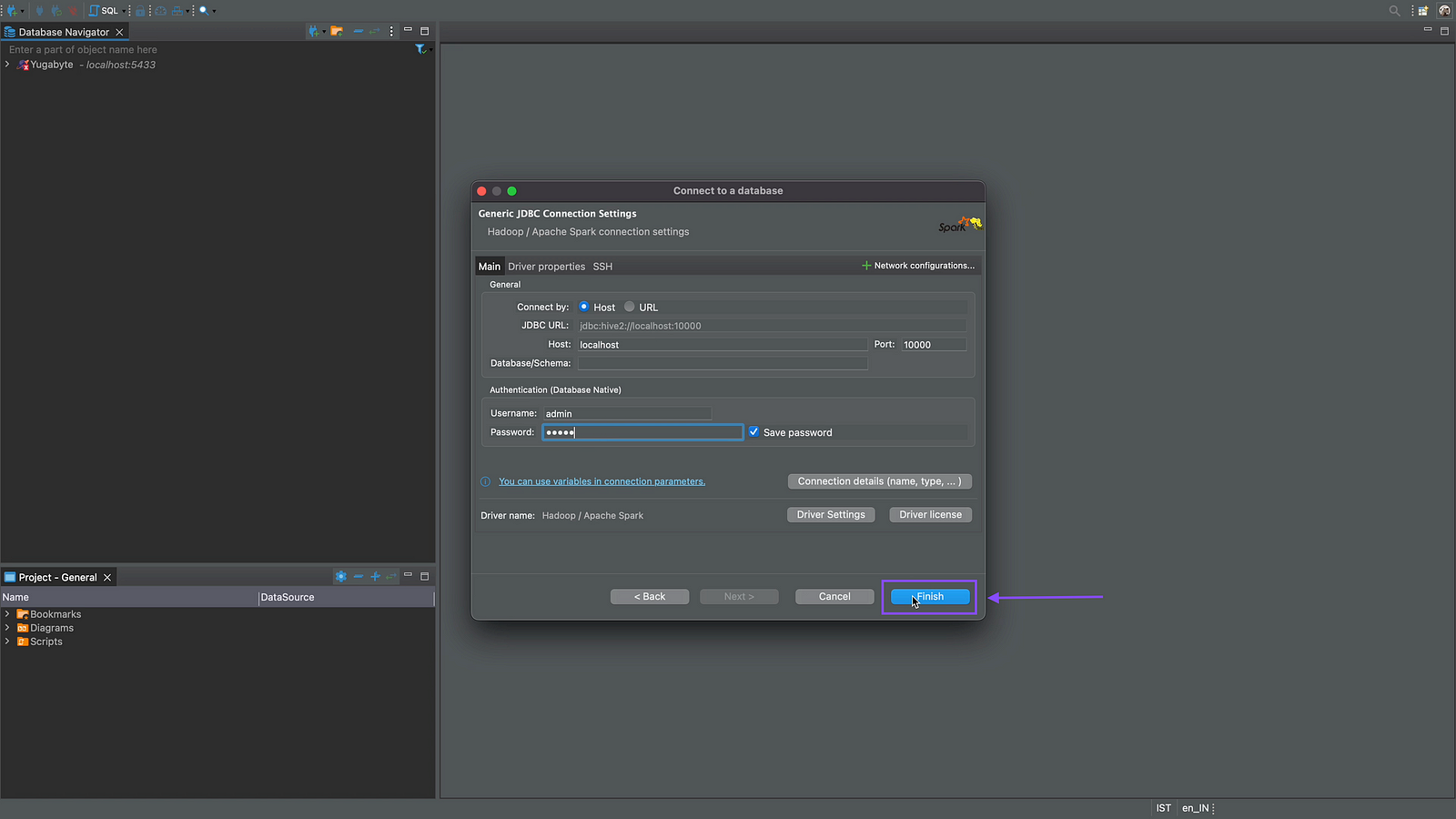
Step 04: Now Enter the following details, host as localhost if it is On Premise else cloudhost url, Port is 10000, by default database will be default, user name and password will be admin/admin for standalone deployment of Apache Spark.

Step 05: Click on Finish
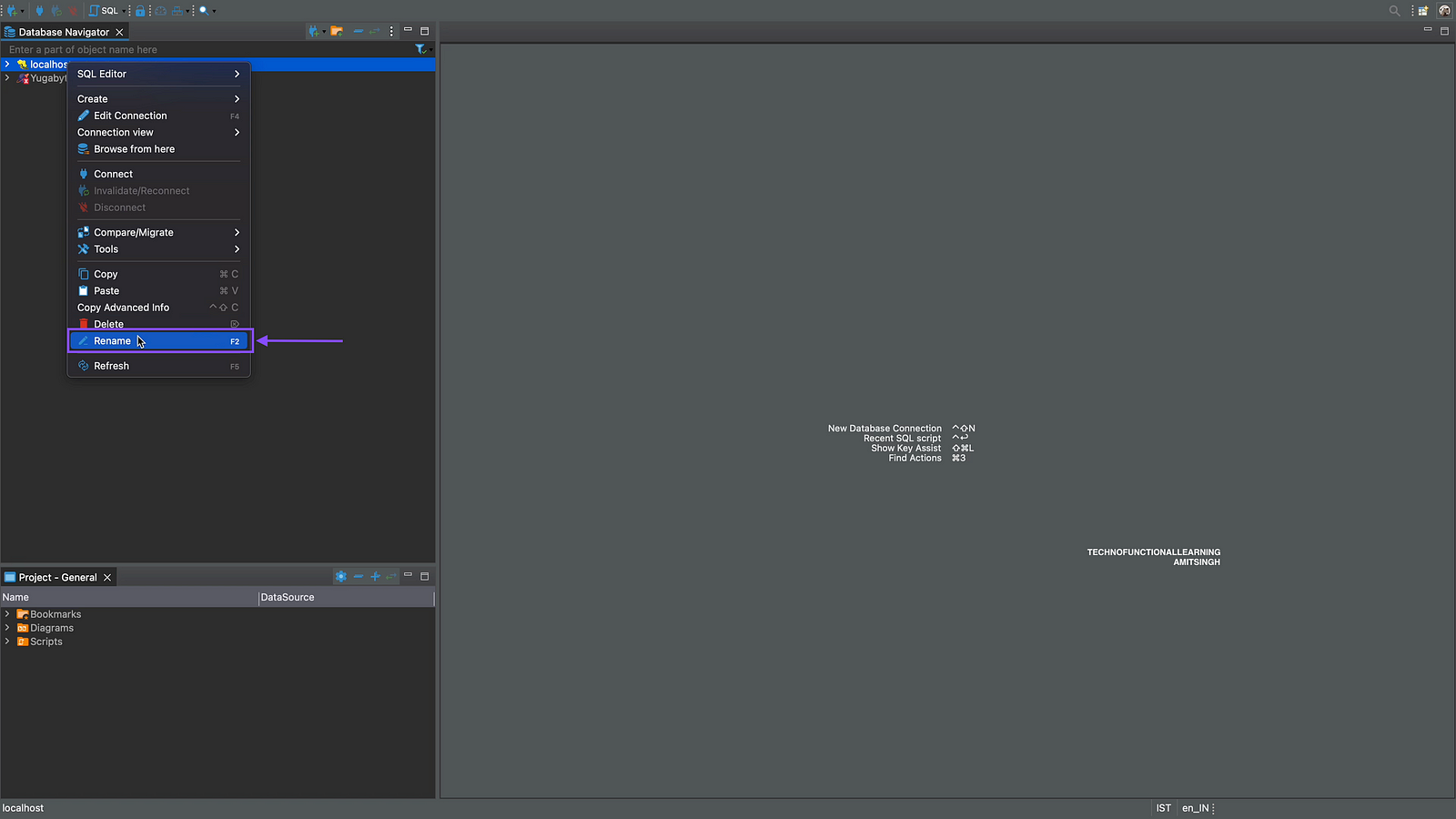
Step 06: Now right click on database added to rename as Apache Spark
Step 07: Enter name as Apache Spark

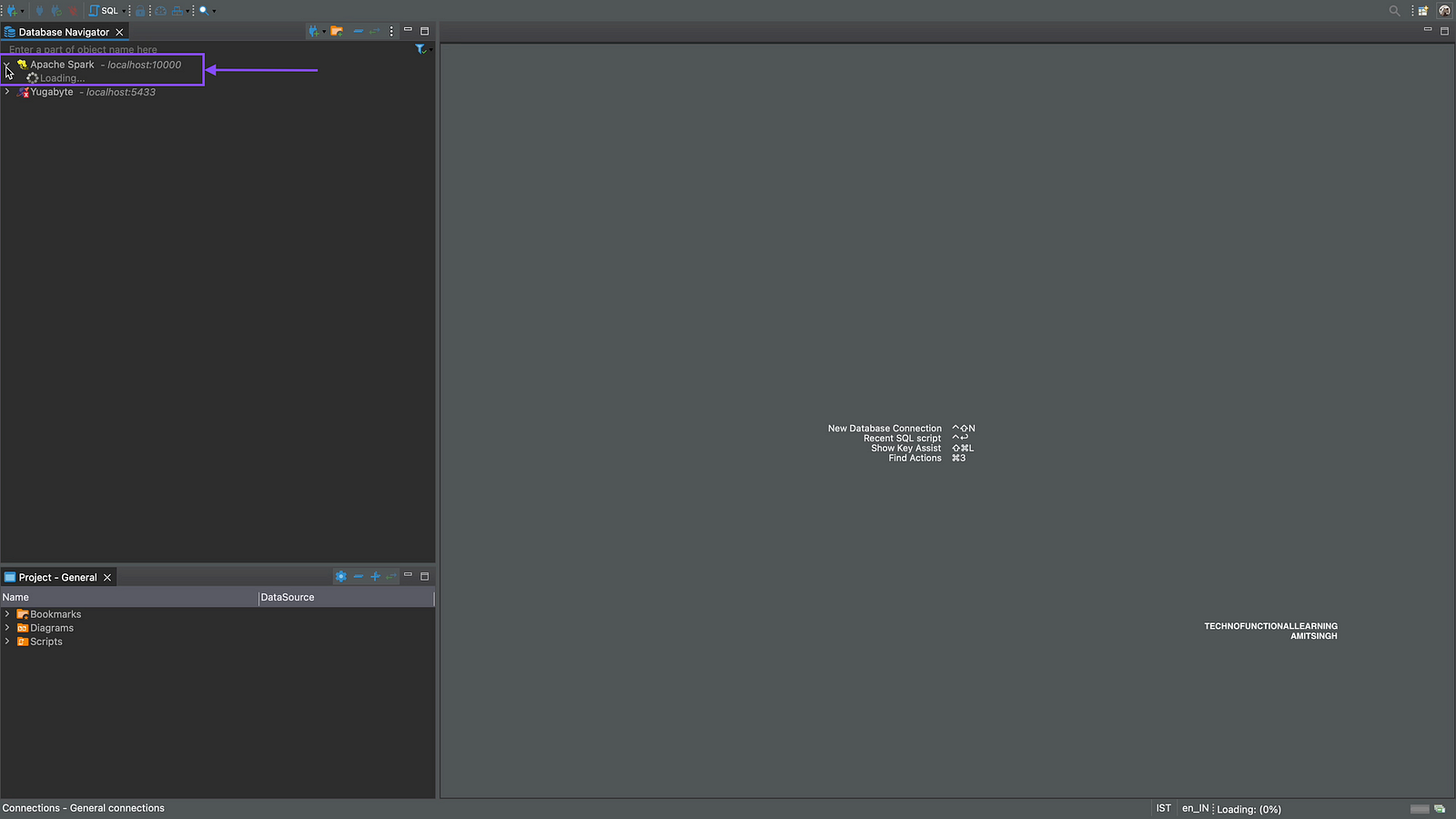
Step 08: Now click to expand Apache Spark to view Database and Tables.
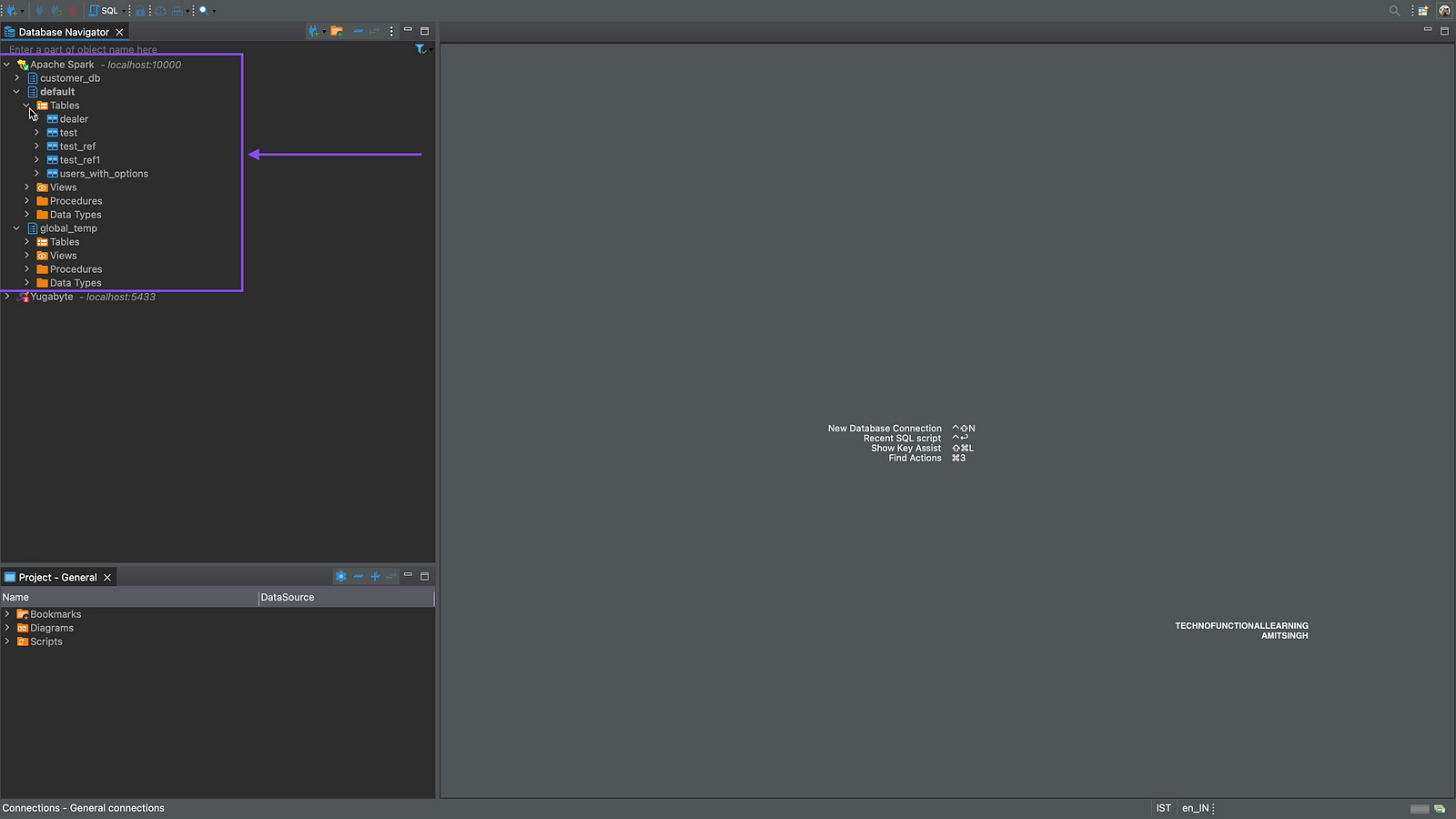
Step 09: Now you can view Databases/tables/views within Apache Spark.
In Next Article, we will see how to Query Various File format (JSON/CSV/ORC/Parquet/TXT) from DBeaver.
 TechnoFunctionalLearning