Learn to Connect Apache Zeppelin (Multi-purpose Notebook) with Starrocks DB (An Open-Source, High-Performance Analytical Database)
WHAT IS APACHE ZEPPELIN ?
Multi-purpose Notebook
The Notebook is the place for all your needs
- Data Ingestion
- Data Discovery
- Data Analytics
- Data Visualization & Collaboration
Multiple Language Backend
Apache Zeppelin interpreter concept allows any language/data-processing-backend to be plugged into Zeppelin. Currently Apache Zeppelin supports many interpreters such as Apache Spark, Apache Flink, Python, R, JDBC, Markdown and Shell
Learn more on Apache Zeppelin Website
Check Apache Zeppelin Github Repository
Starrocks DB
An Open-Source, High-Performance Analytical Database
Fast, Fresh, and Flexible: Analytics With No Compromise
Extremely fast query performance in all scenarios
Running queries against a single table or multiple tables, querying local tables or data stored in data lakes, with StarRocks, experience 3 to 10 times better performance than other popular solutions.
Real-time Analytics: Guaranteed data freshness
From streaming data to change data capture, StarRocks guarantees the latest data and is ready to provide fresh insight.
Analytics with flexibility: Unleash the full potential of your data
A database that adapts to your use cases, StarRocks provides the flexibility to scale your business on demand with ease.
Learn more about Starrocks DB on official website
or check Starrocks Github Repository
How to Connect Apache Zeppelin with Starrocks DB
Step 01: Click on Interpreter to create new Interpreter.

Step 02 : Click on Create.
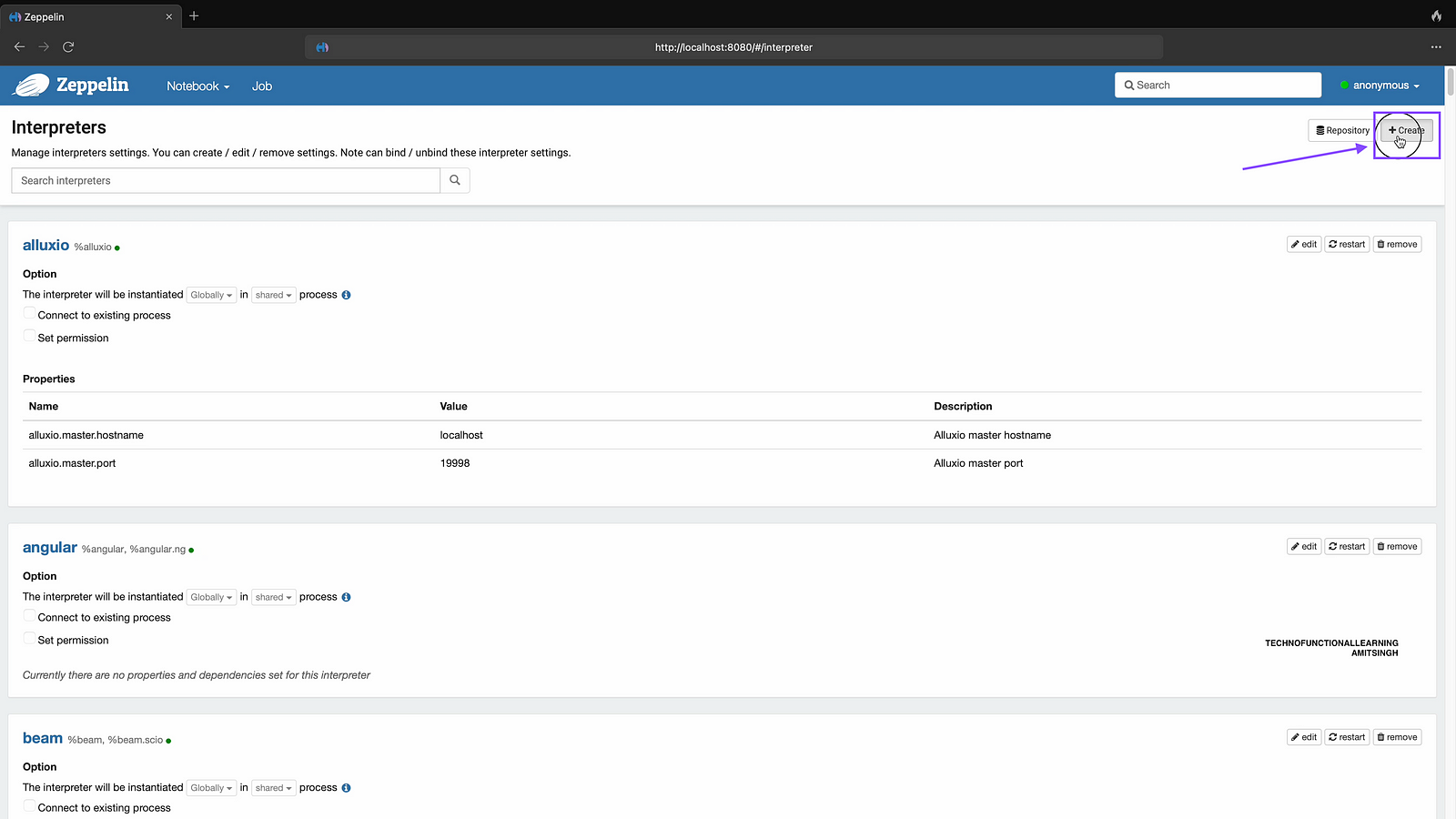
Step 03 : Enter Interpreter name as Starrocks.

Step 04 : Choose Interpreter group as JDBC.

Step 05 : Enter JDBC URL as jdbc:mysql://localhost:9030/quickstart (kindly note that you can use your database name instead of quickstart.

Step 06 : Enter default user as root without password, if you have created your credential for Starrocks DB then add those credential here.

Step 07 : Enter default driver as com.mysql.cj.jdbc.Driver

Step 08 : Enter JDBC driver path and click on save, you can download JDBC connector from mysql website

Step 09 : Now click on homepage of Apache Zeppelin

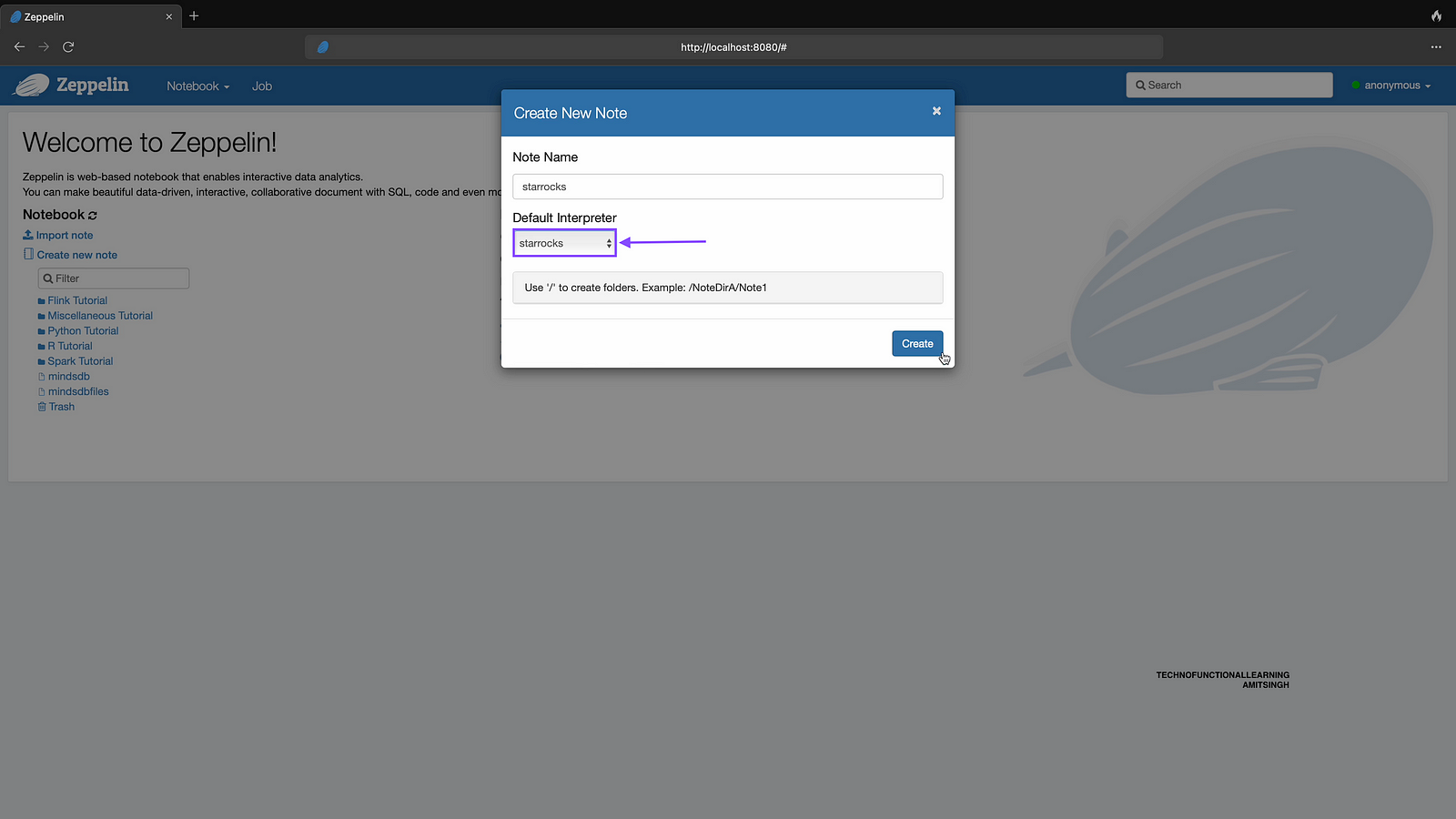
Step 10: Click on Create new note
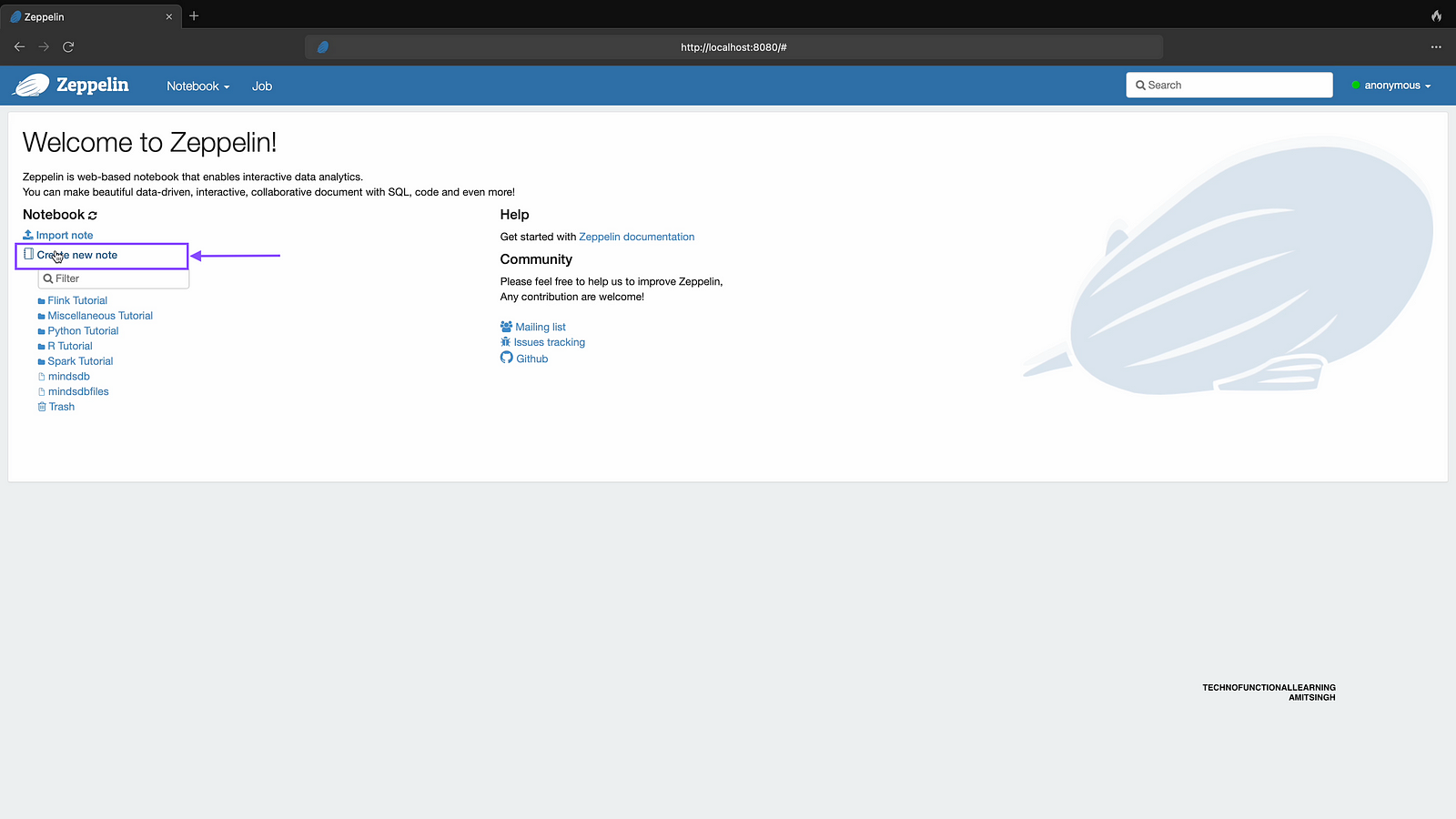
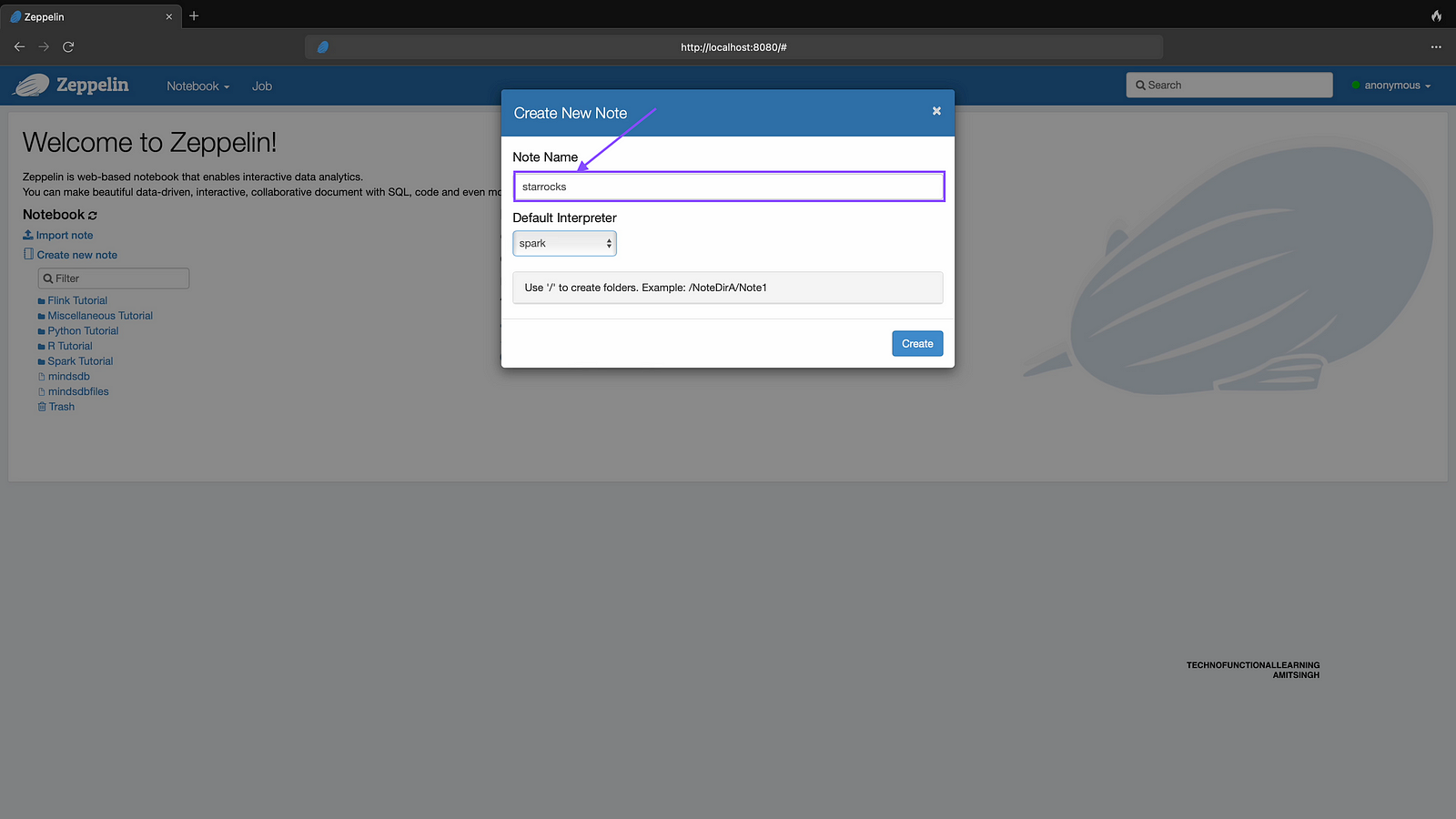
Step 11: Enter note name as starrocks, You can choose note name as per your preference.
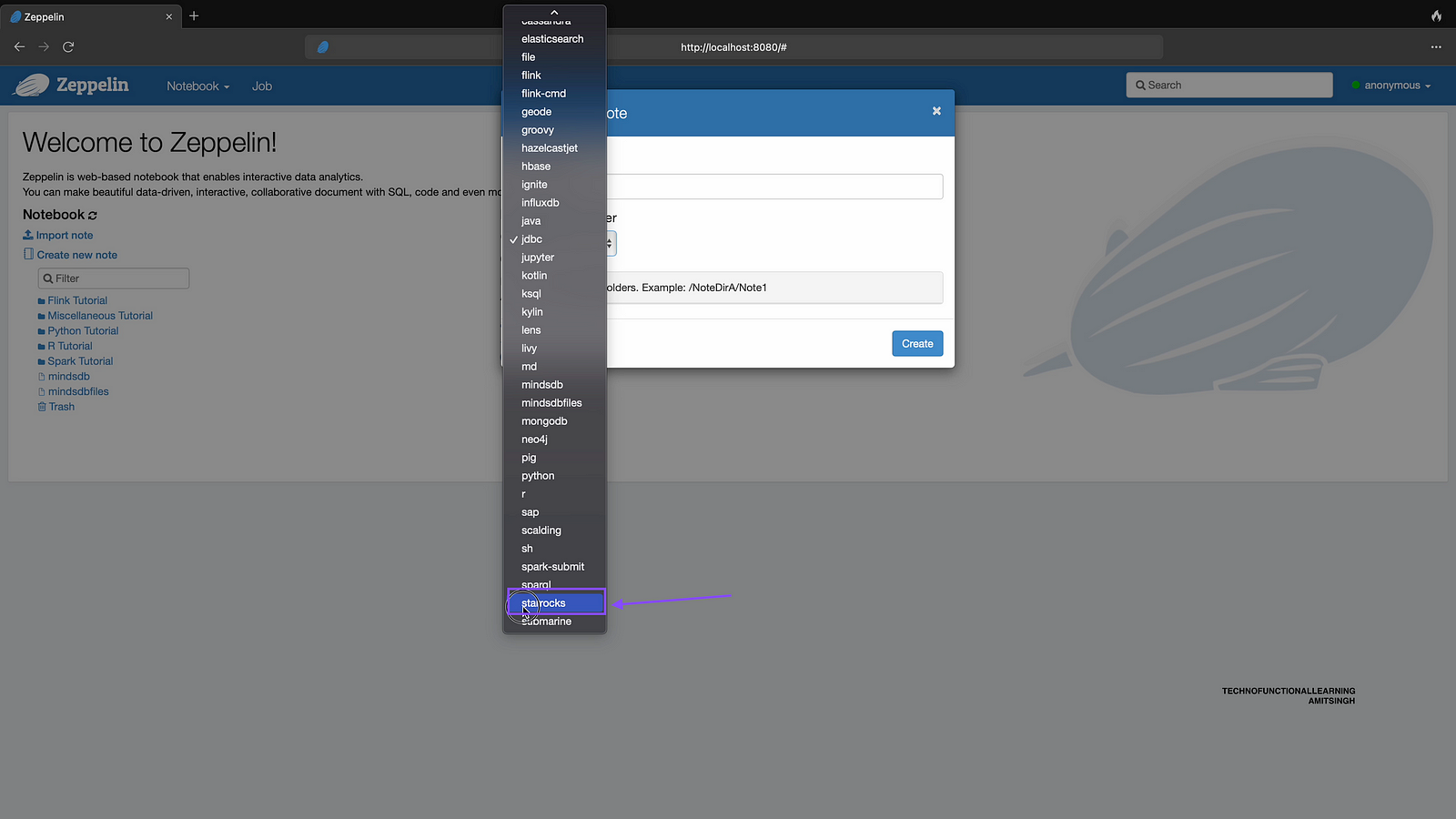
Step 12 : Choose Interpreter name as starrocks created in previous step
Step 13: click on create
Step 14 : Now initiate interpreter by typing %starrocks and click on run in paragraph and in next paragraph write show databases; and click on run to see databases in starrocks db.

Step 15 : Now type USE quickstart; to use quickstart database and click on run.

Step 16 : Now type show tables; to see tables within quickstart database and click on run paragraph.

 TechnoFunctionalLearning