Learn to Connect Apache Superset (open-source modern data exploration and visualization platform) with Apache SparkSQL (Apache Spark :Unified engine for large-scale data analytics)
What is Apache Spark?
Apache Spark™ is a multi-language engine for executing data engineering, data science, and machine learning on single-node machines or clusters.
Batch/streaming data
Unify the processing of your data in batches and real-time streaming, using your preferred language: Python, SQL, Scala, Java or R
SQL analytics
Execute fast, distributed ANSI SQL queries for dashboarding and ad-hoc reporting. Runs faster than most data warehouses.
Data science at scale
Perform Exploratory Data Analysis (EDA) on petabyte-scale data without having to resort to downsampling
Machine learning
Train machine learning algorithms on a laptop and use the same code to scale to fault-tolerant clusters of thousands of machines.
Apache Spark Github Repository
What is Apache Superset?
Apache Superset™ is an open-source modern data exploration and visualization platform
Superset is fast, lightweight, intuitive, and loaded with options that make it easy for users of all skill sets to explore and visualize their data, from simple line charts to highly detailed geospatial charts.
Powerful yet easy to use
Superset makes it easy to explore your data, using either our simple no-code viz builder or state-of-the-art SQL IDE.
Integrates with modern databases
Superset can connect to any SQL-based databases including modern cloud-native databases and engines at petabyte scale.
Modern architecture
Superset is lightweight and highly scalable, leveraging the power of your existing data infrastructure without requiring yet another ingestion layer.
Rich visualizations and dashboards
Superset ships with 40+ pre-installed visualization types. Our plug-in architecture makes it easy to build custom visualizations.
Apache Superset Github Repository
How to Connect Apache Superset with Apache SparkSQL
Before starting connection, Kindly make sure to install database connection driver as mentioned on Apache Superset Website.
Step 01: Click on Database Connections

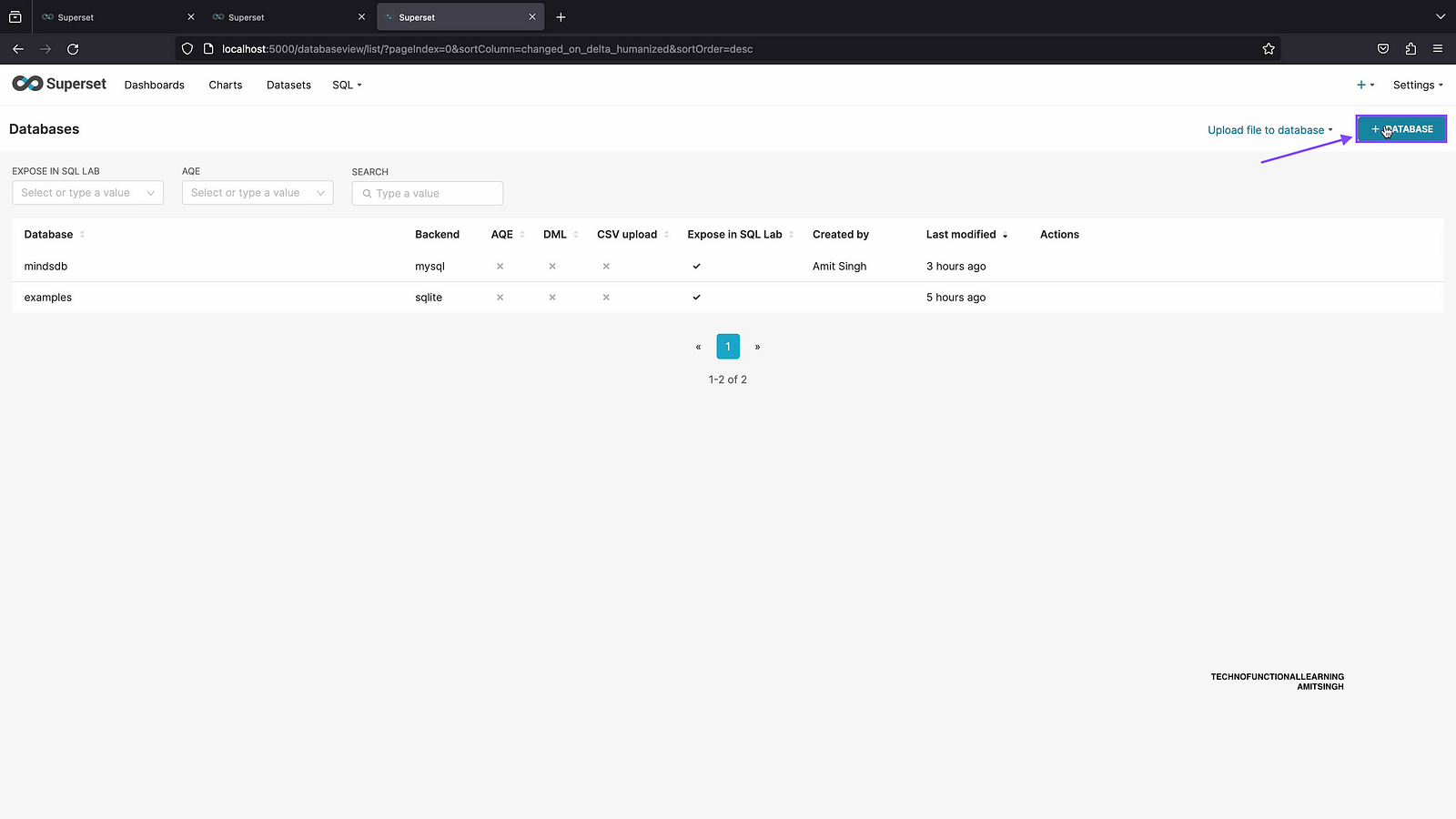
Step 02: Click on add database.
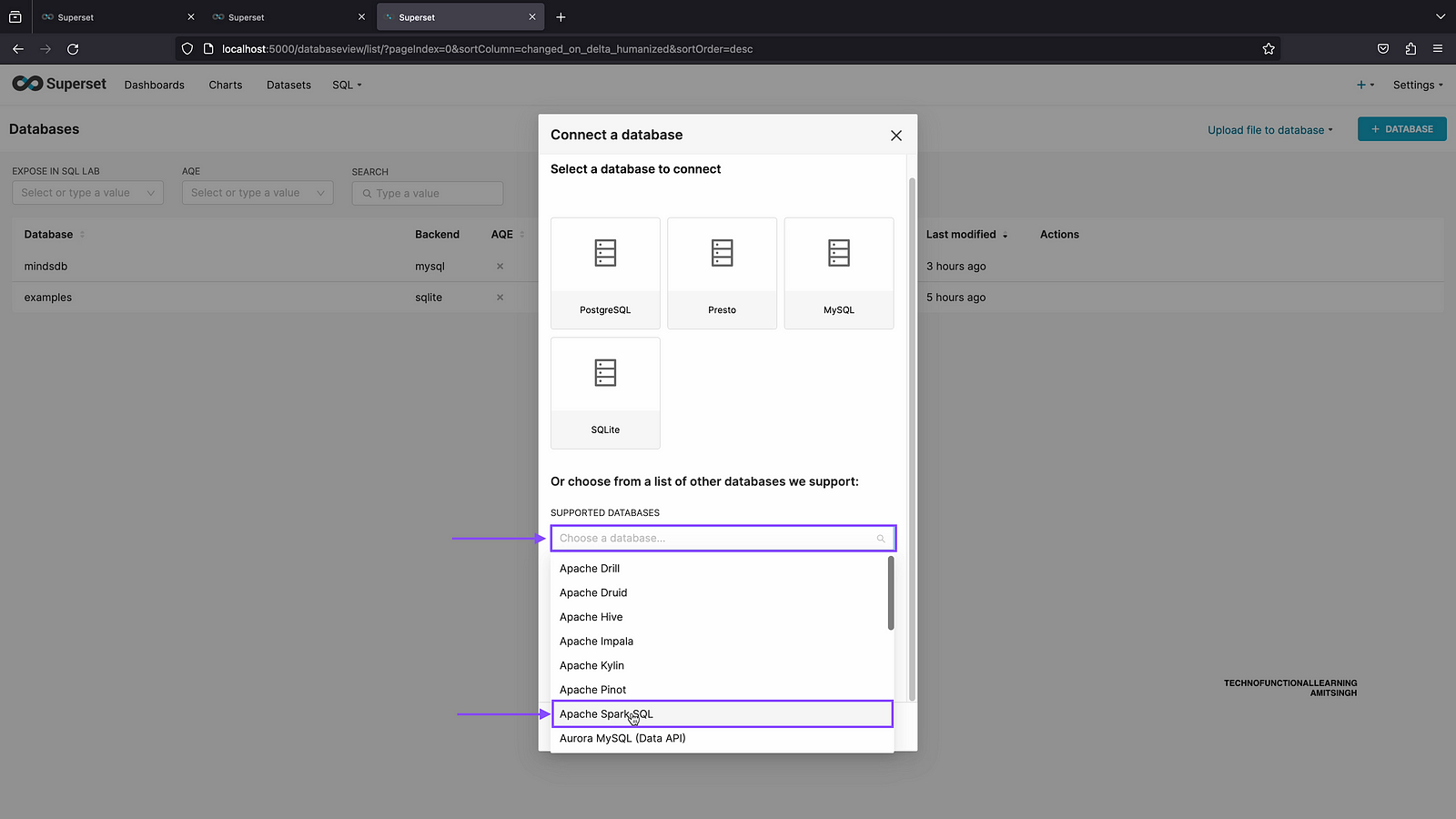
Step 03: First click on supported databases and then choose Apache SparkSQL
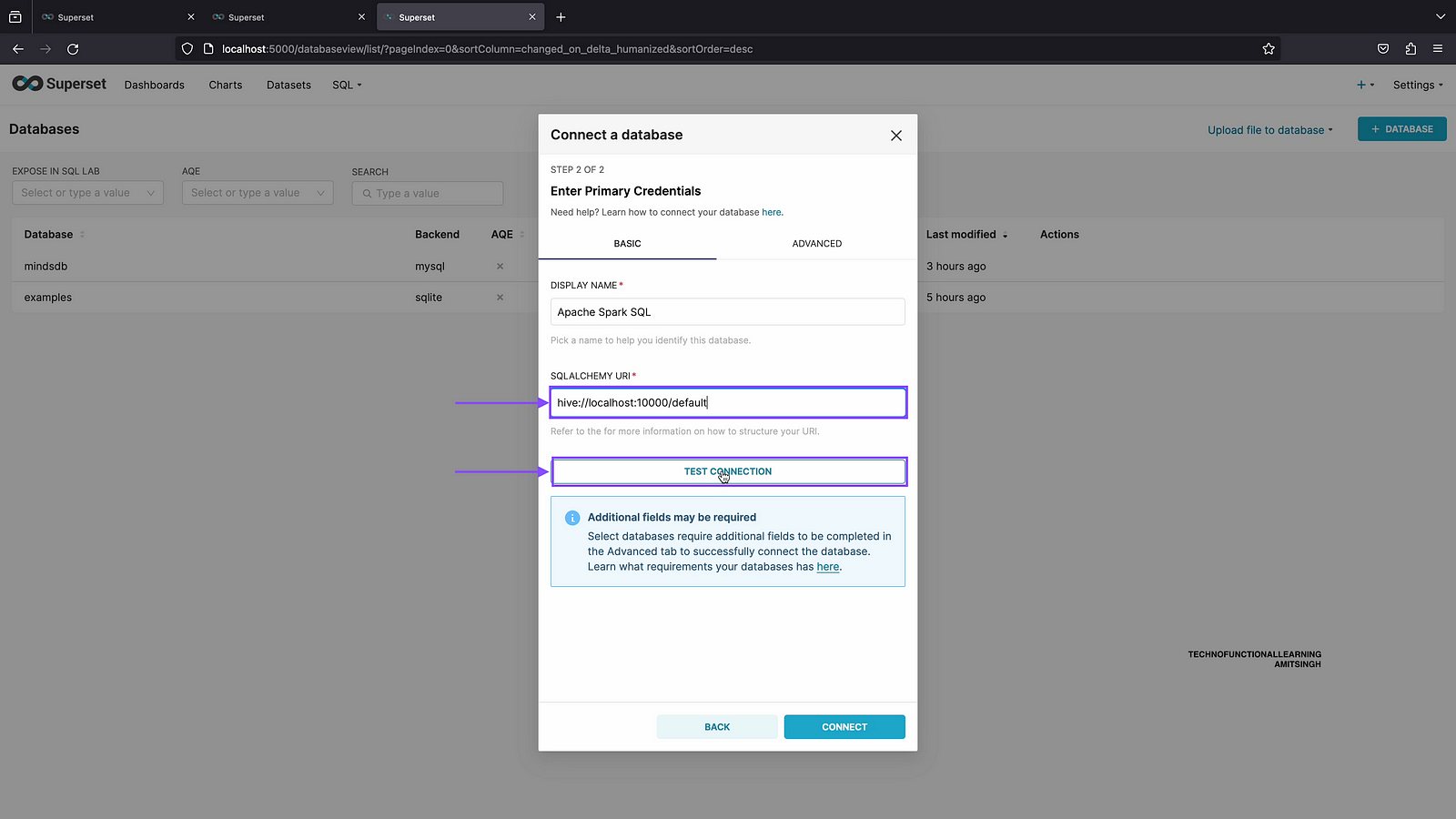
Step 04: Enter database connection url as follows and click on test connection
hive://localhost:10000/default
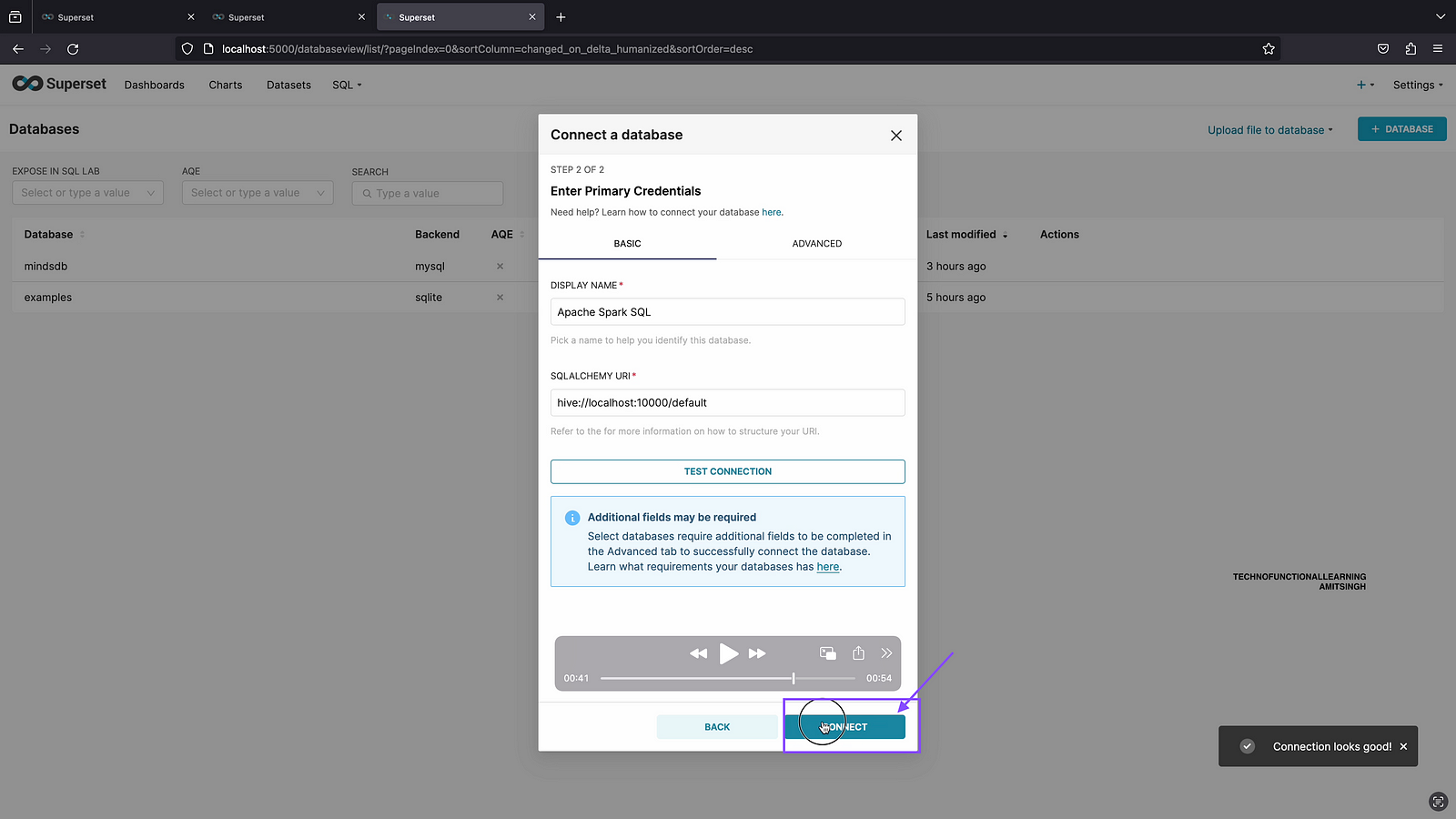
Step 05: Once Database Connection is ok then click on connect.
Step 06: Now database is connected, let’s go to SQL Lab and check if Connection is working fine. Click on SQL Lab

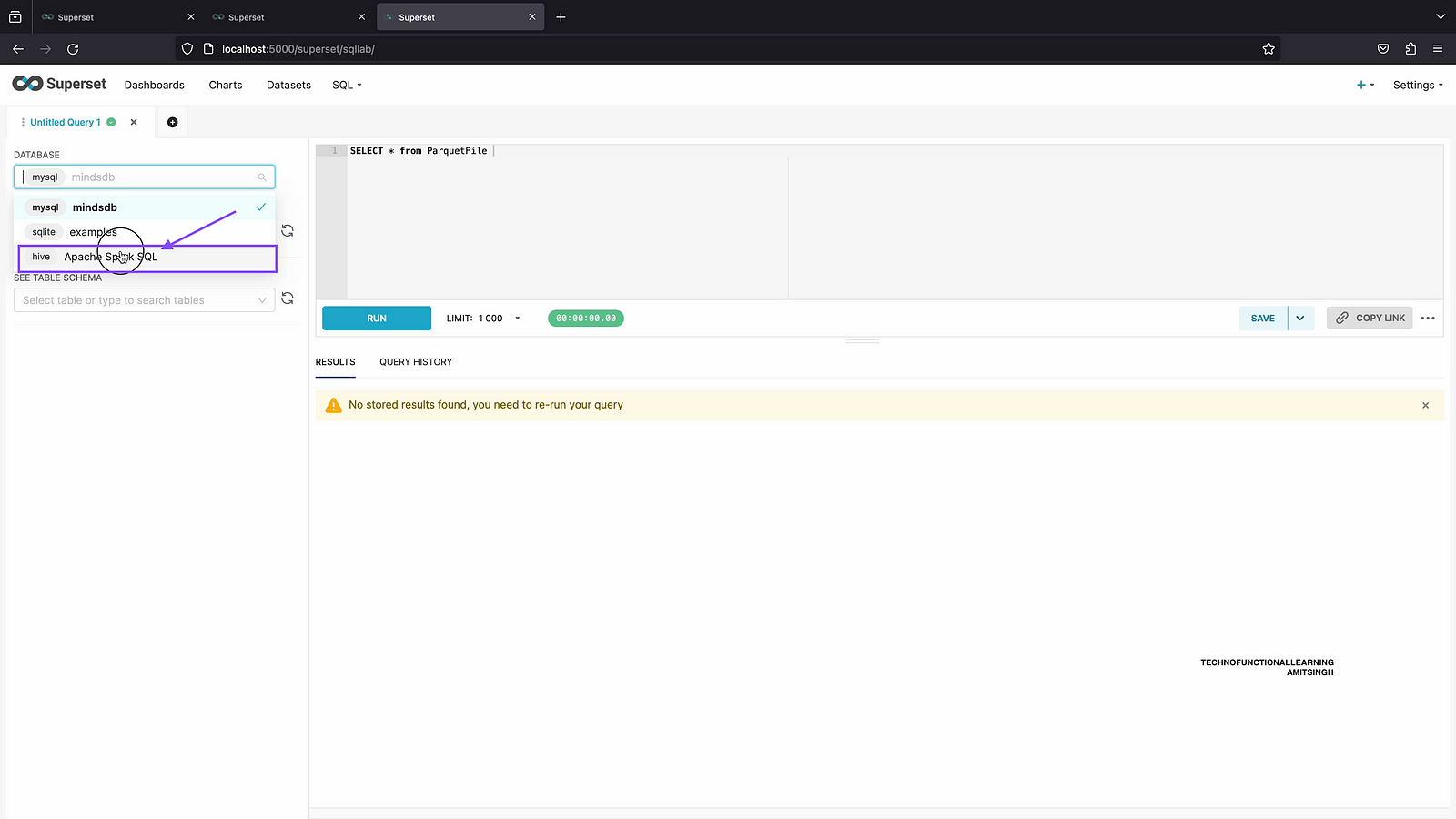
Step 07: From database list, Click on Apache SparkSQL
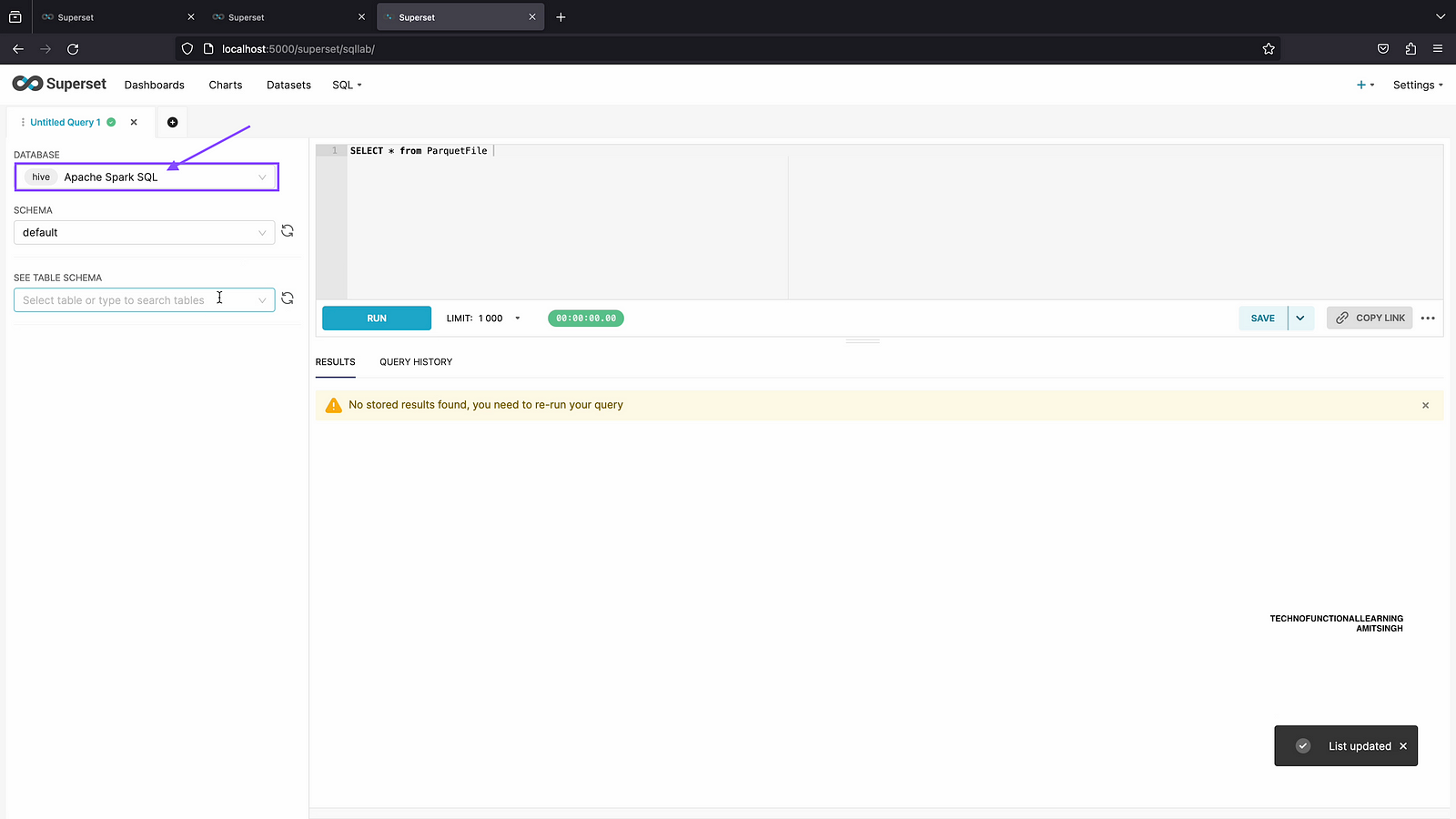
Step 08: Now you can see default schema.
 TechnoFunctionalLearning