Learn to Connect DBeaver (Universal Database tool) with Prestodb (Open Source SQL query engine for Relational & NoSQL databases, Data Warehouses, Data Lakes)
https://github.com/dbeaver/dbeaver
DBeaver Community is a free cross-platform database tool for developers, database administrators, analysts, and everyone working with data. It supports all popular SQL databases like MySQL, MariaDB, PostgreSQL, SQLite, Apache Family, and more
https://github.com/prestodb/presto
Fast and Reliable SQL Engine for Data Analytics and the Open Lakehouse
Presto is an open source SQL query engine that’s fast, reliable, and efficient at scale. Use Presto to run interactive/ad hoc queries at sub-second performance for your high volume apps
Presto can query relational & NoSQL databases, data warehouses, data lakes and more and has dozens of connectors available today. It also allows querying data where it lives and a single Presto query can combine data from multiple sources
How to Connect DBeaver with PrestoDB
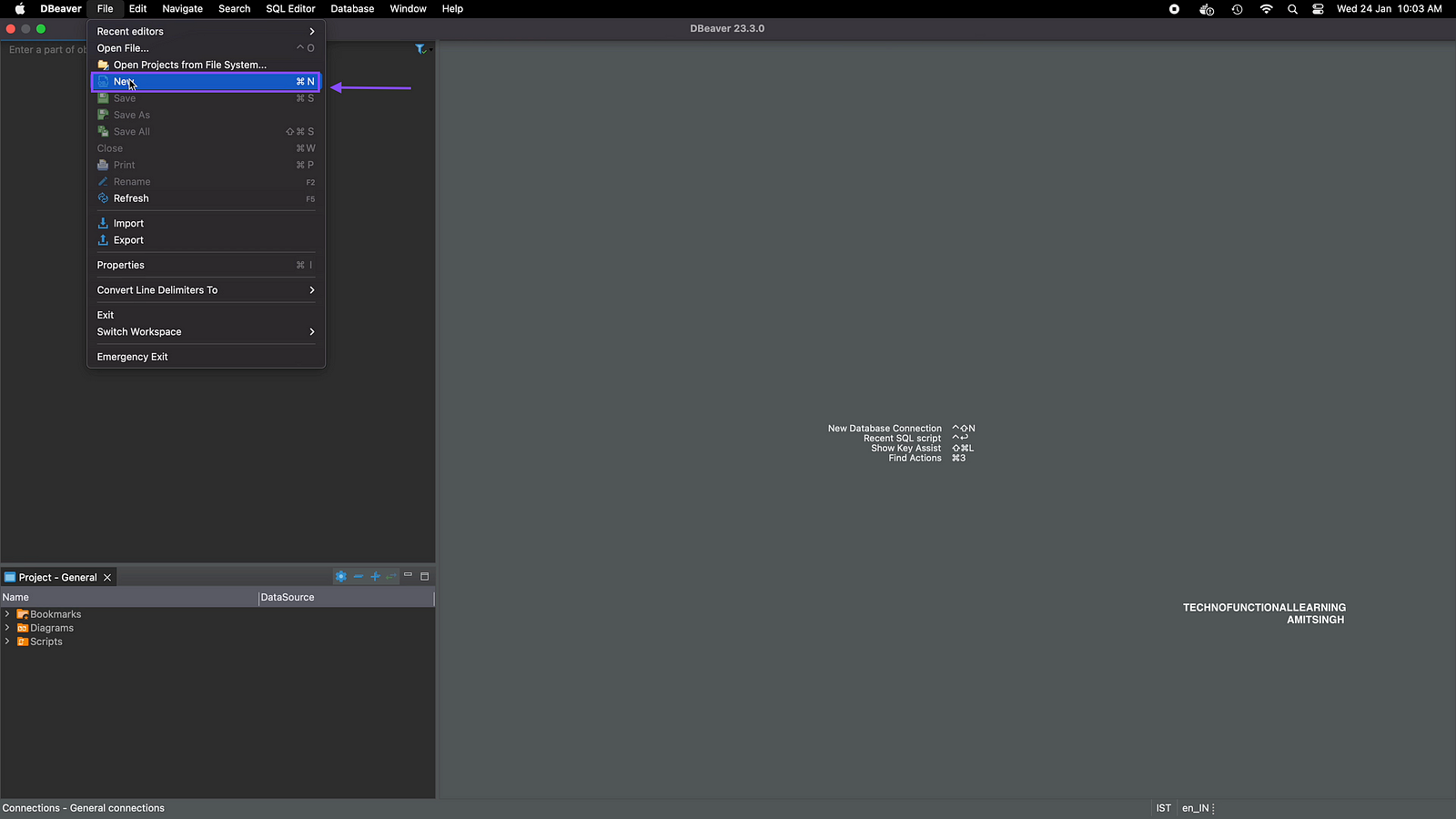
Step 01: Click on New.
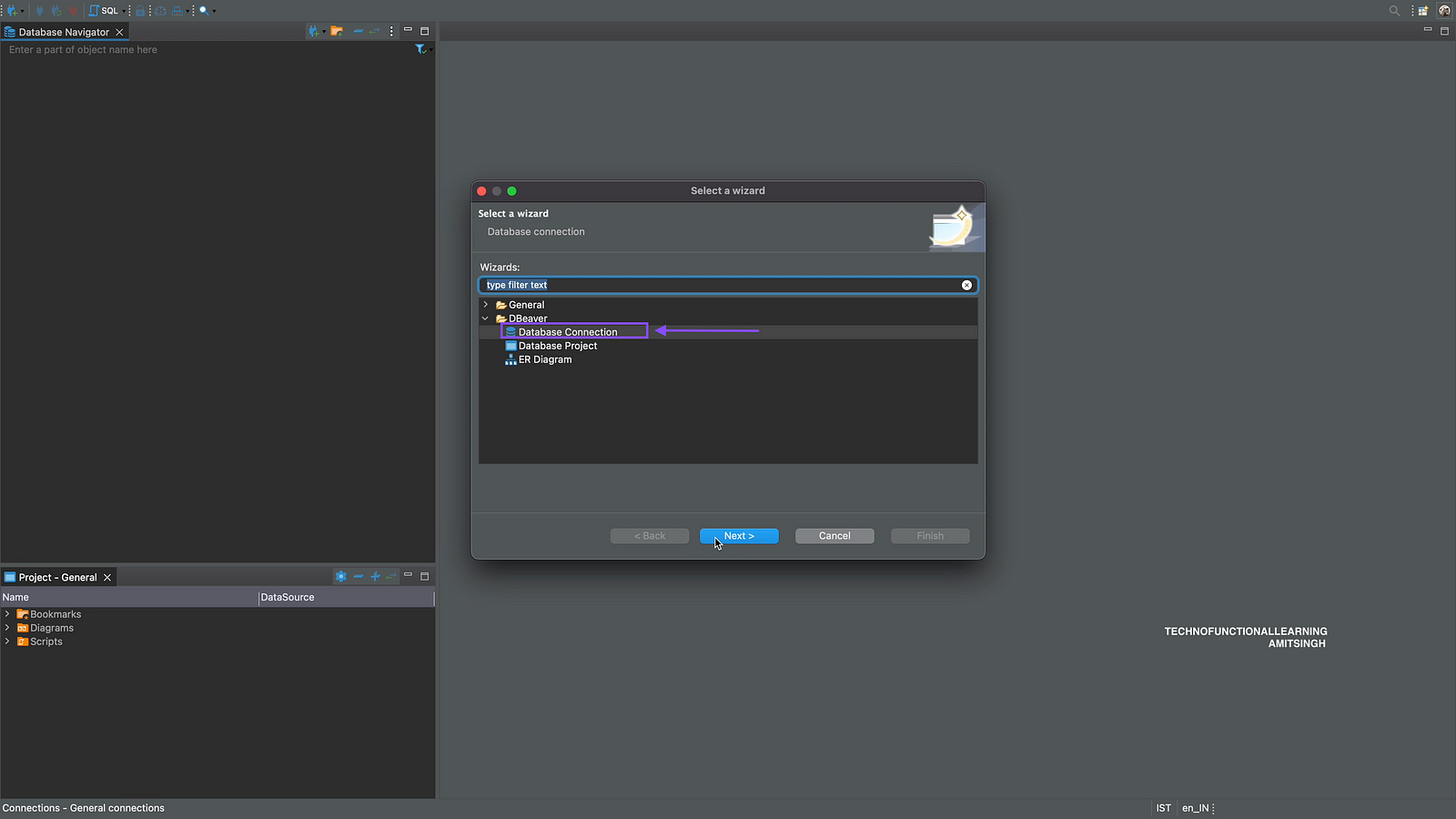
Step 02: Click on Database Connection
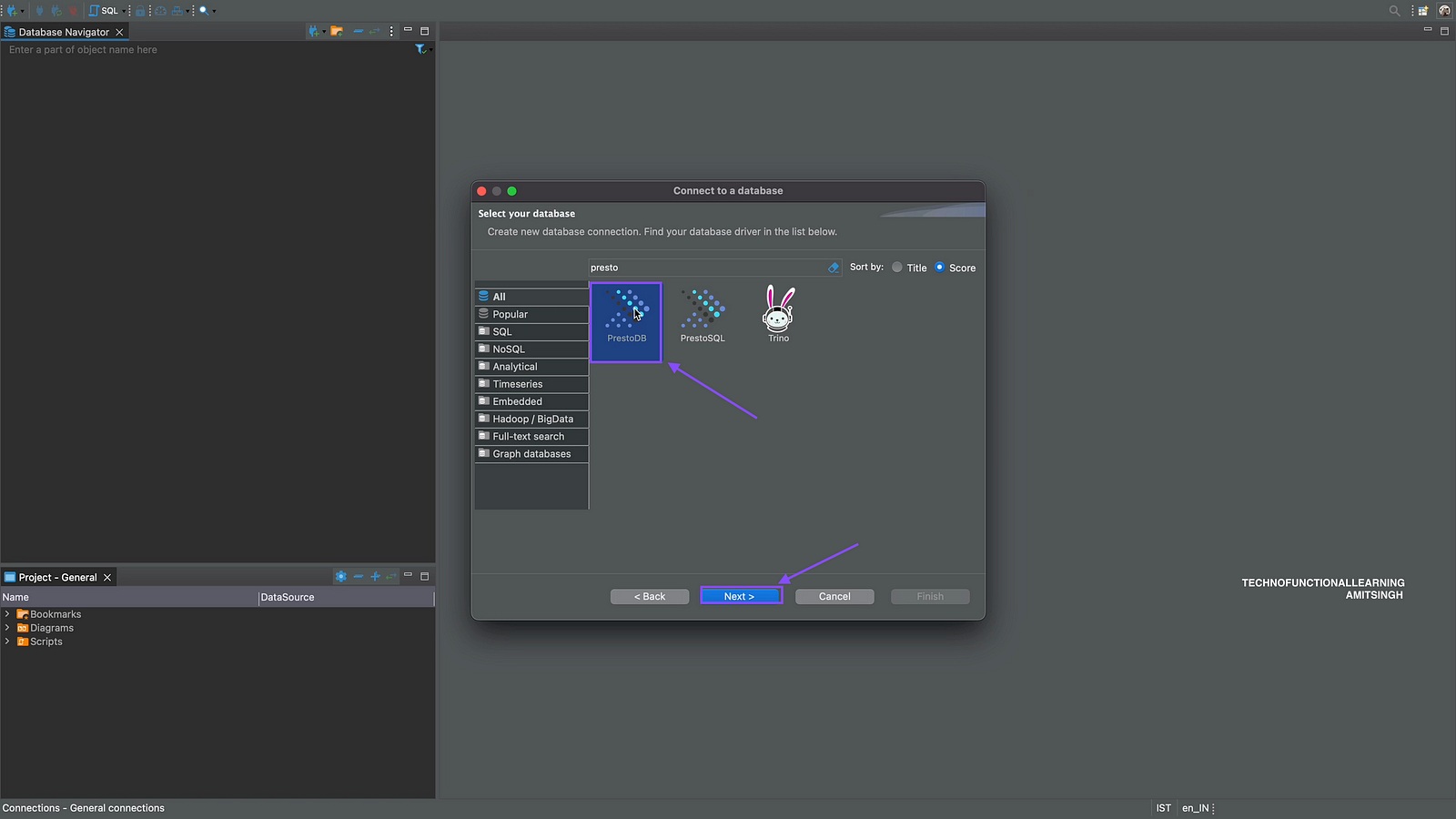
Step 03: Search and click on PrestoDB and click on next.
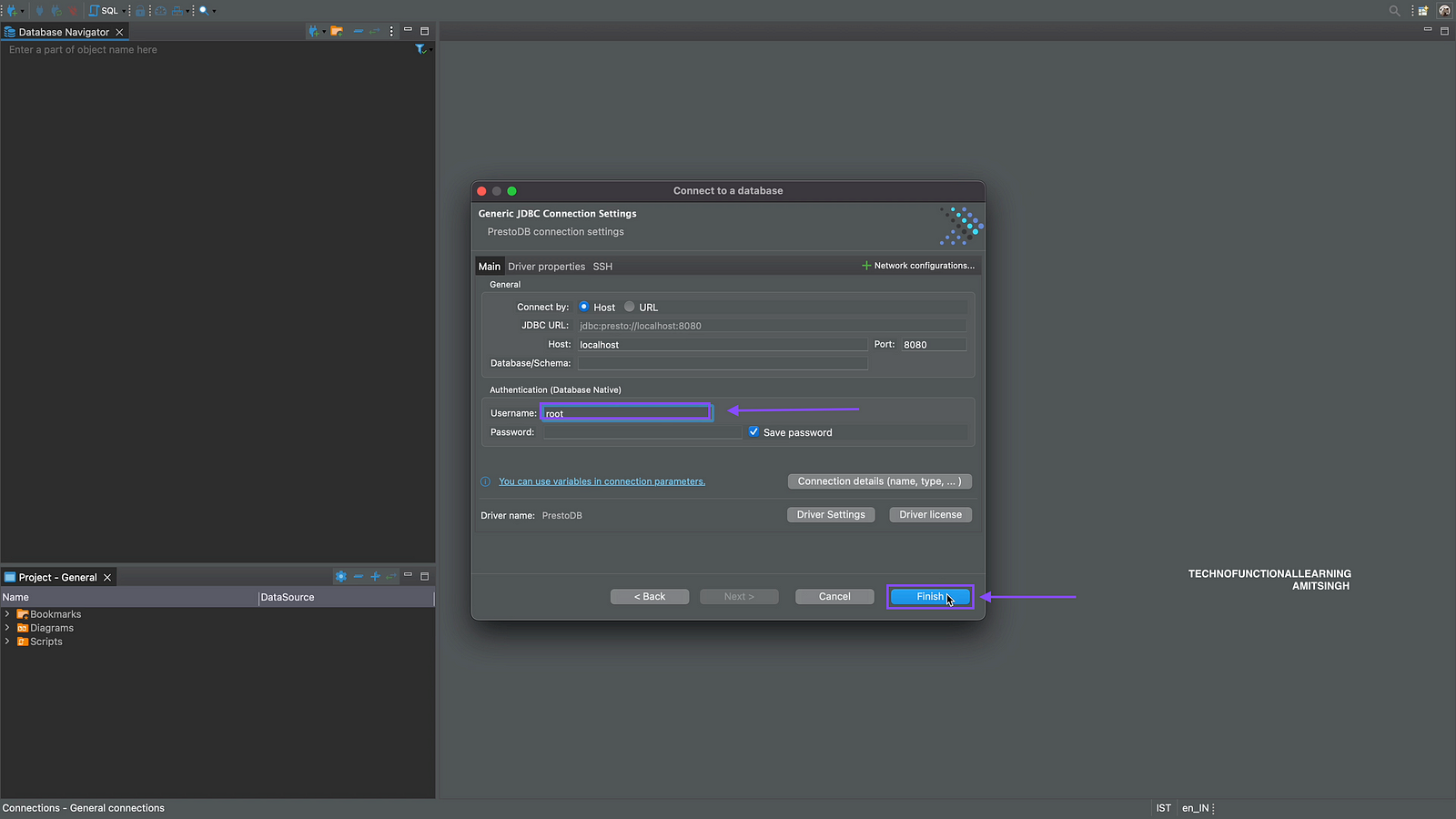
Step 04: Enter Host as localhost, if it is on cloud then cloud host, Enter port as 8080, leave database as blank, user name and password as created by database administrator and click on finish.
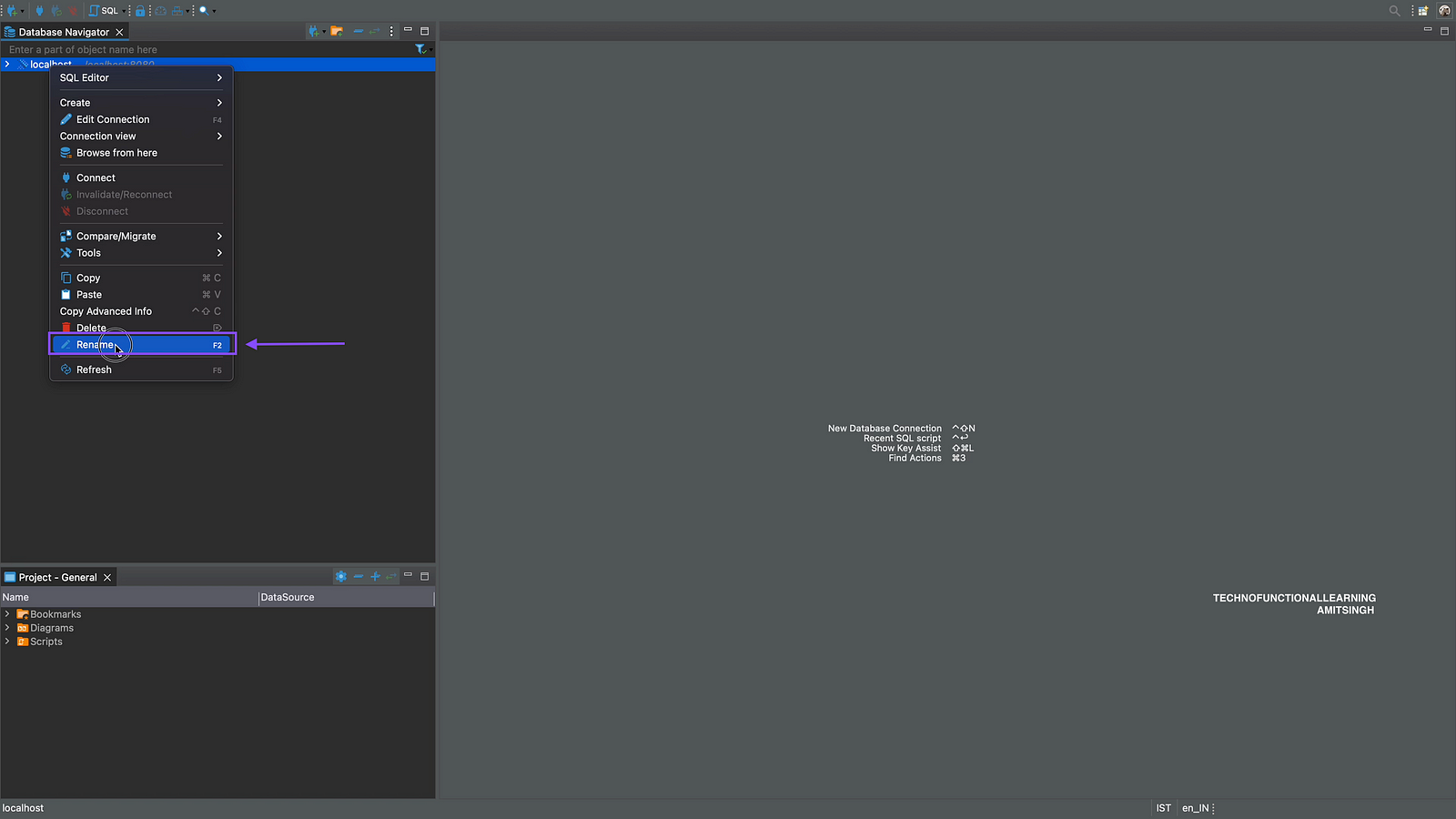
Step 05: Right click the database and click on rename as PrestoDB.
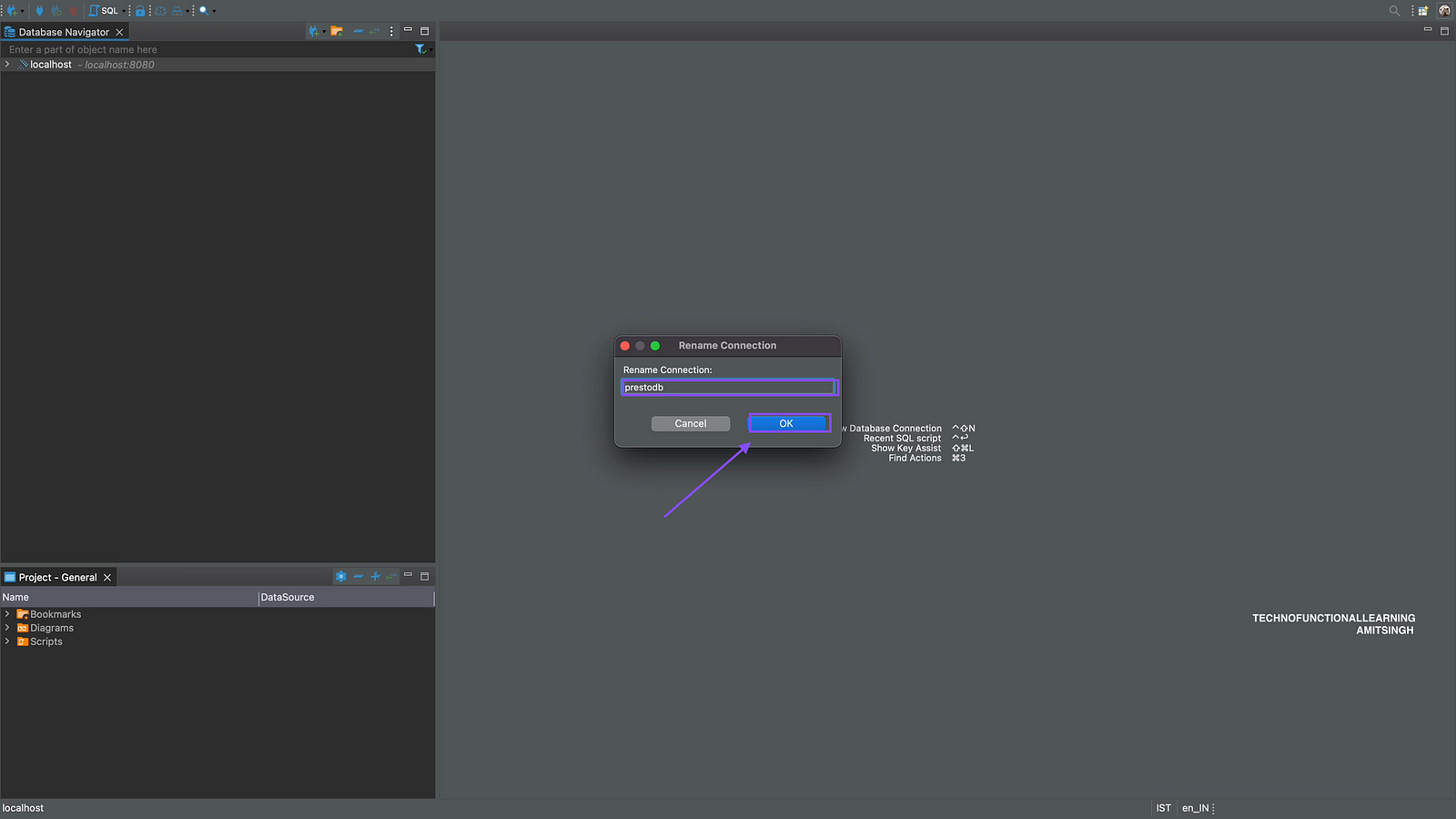
Step 06: Enter PrestoDB and click on OK.
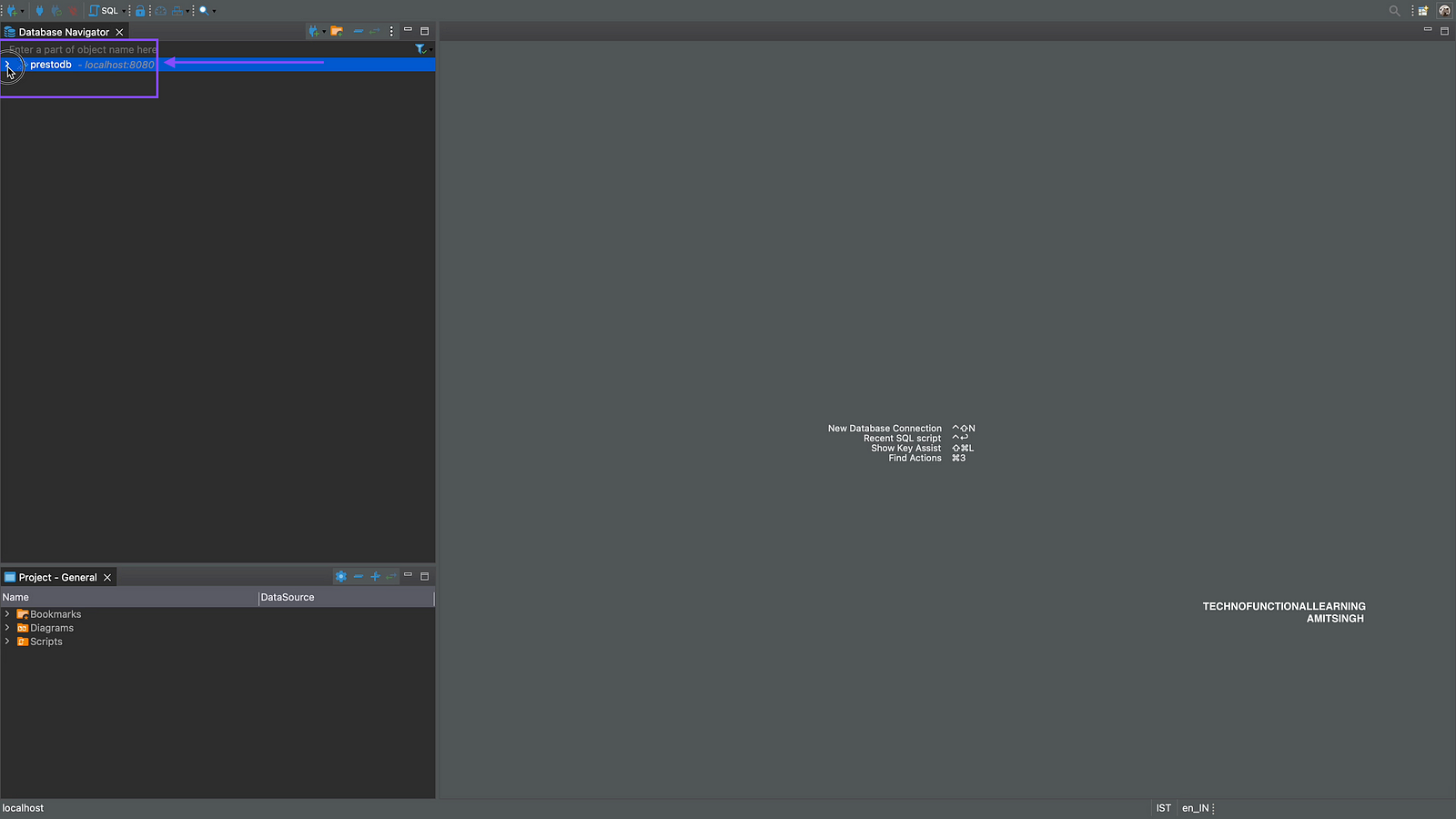
Step 07: Now click on Expand PrestoDB.
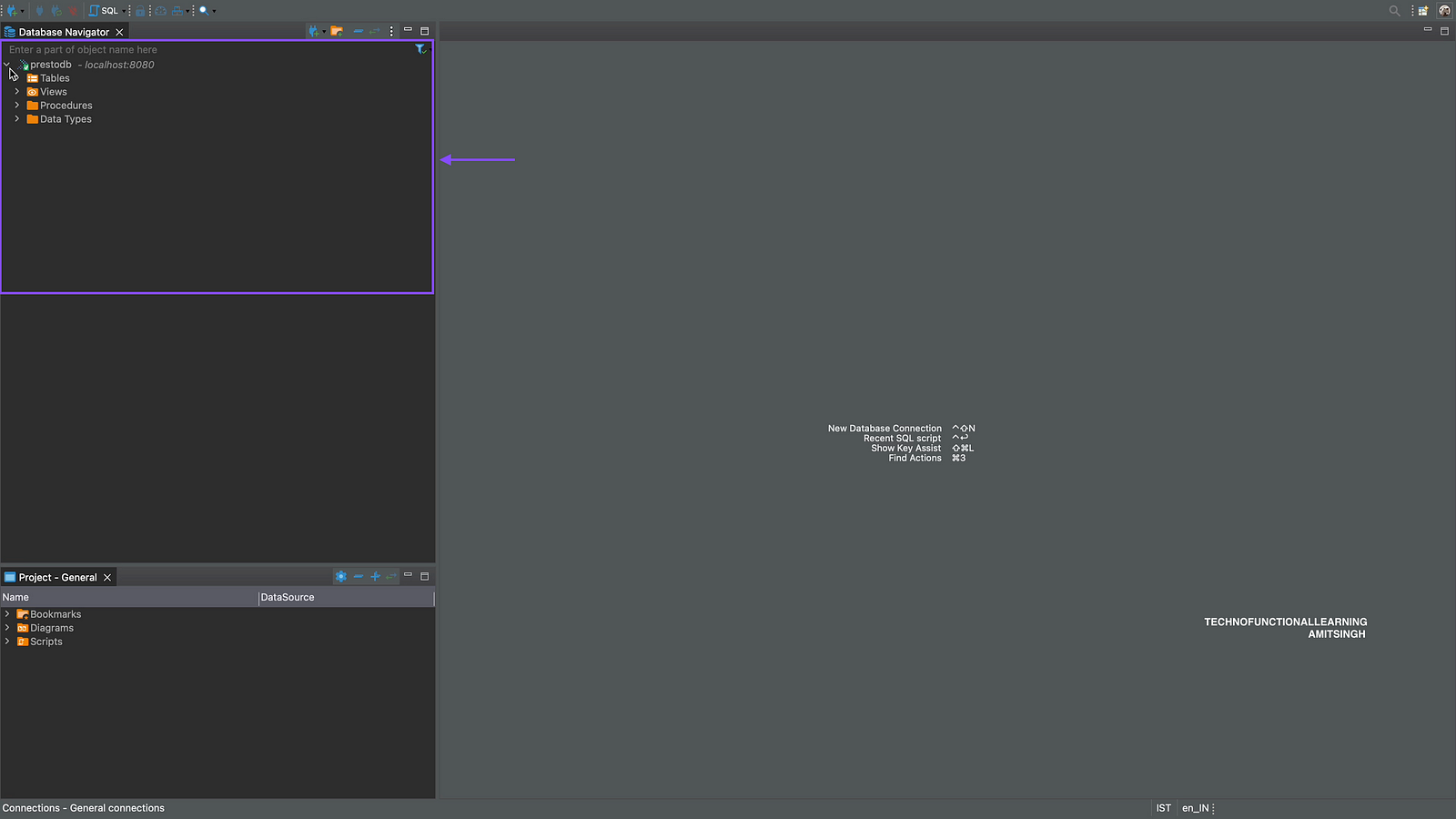
Step 08: Now you can see the Database connected with DBeaver.
 TechnoFunctionalLearning