Learn to Connect Metabase (Open Source Data Visualization) with YugabyteDB (Open Source database)
https://github.com/metabase/metabase
Fast analytics with the friendly UX and integrated tooling to let your company explore data on their own.
https://github.com/yugabyte/yugabyte-db
What is YugabyteDB?
YugabyteDB is a high-performance, cloud-native, distributed SQL database that aims to support all PostgreSQL features. It is best suited for cloud-native OLTP (i.e., real-time, business-critical) applications that need absolute data correctness and require at least one of the following: scalability, high tolerance to failures, or globally-distributed deployments.
100% open source YugabyteDB is fully open-source under the Apache 2.0 license. The open-source version has powerful enterprise features such as distributed backups, encryption of data-at-rest, in-flight TLS encryption, change data capture, read replicas, and more.
Step 01: Click on admin settings
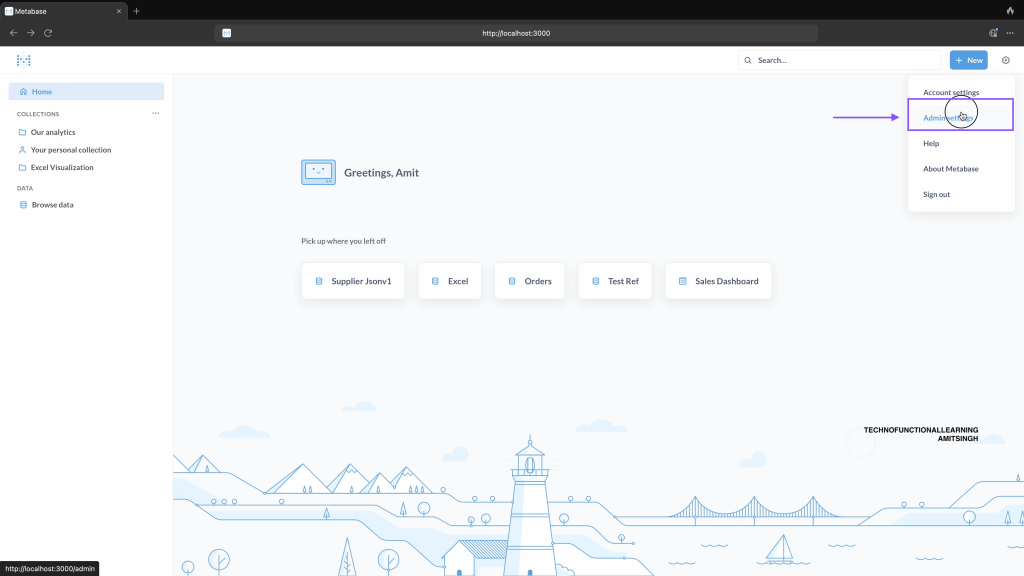
Step 02: Click on add a database
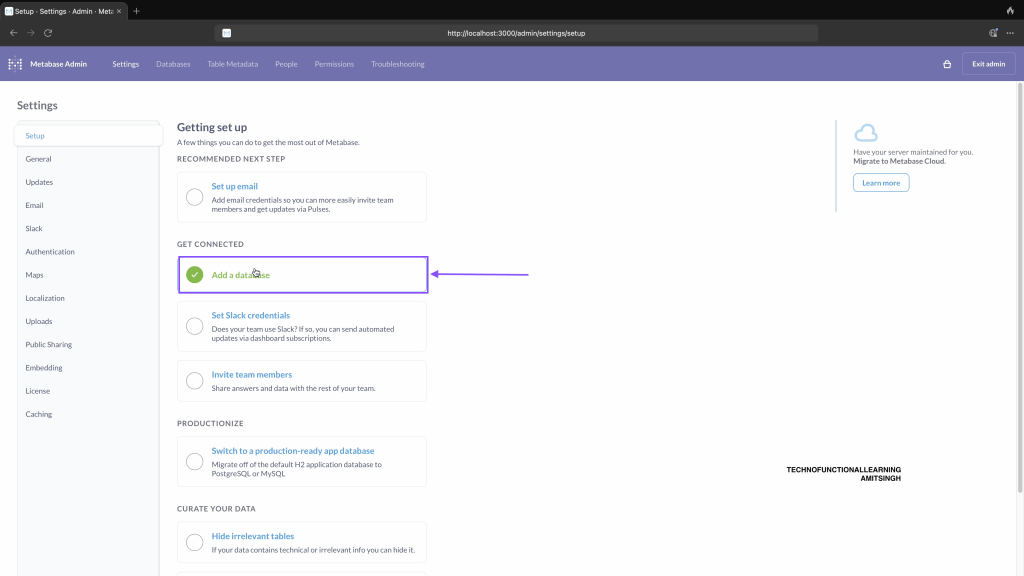
Step 03: Enter Display name as Yugabyte
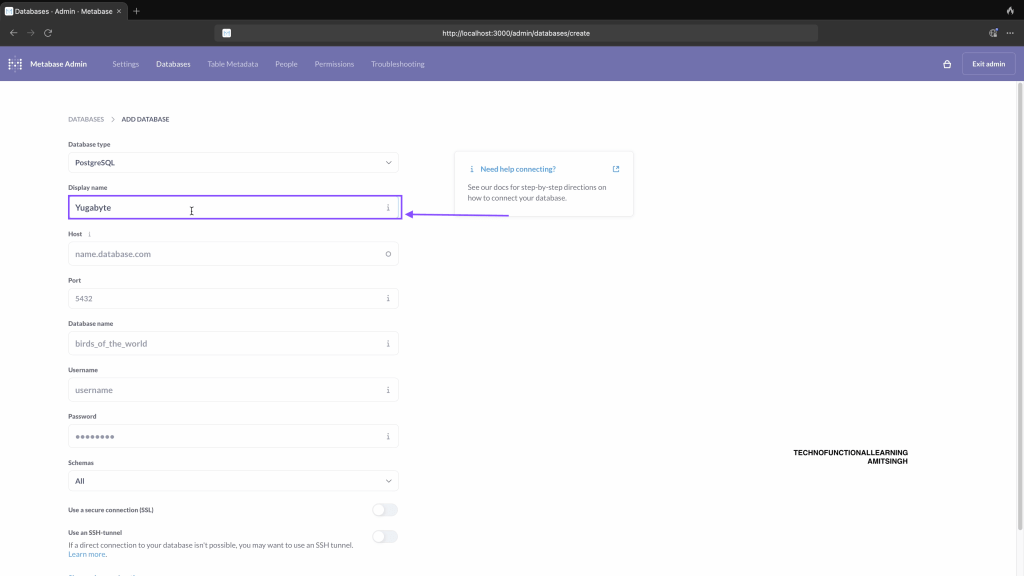
Step 04: Enter Host as Localhost.

Step 05: Enter port as 5433
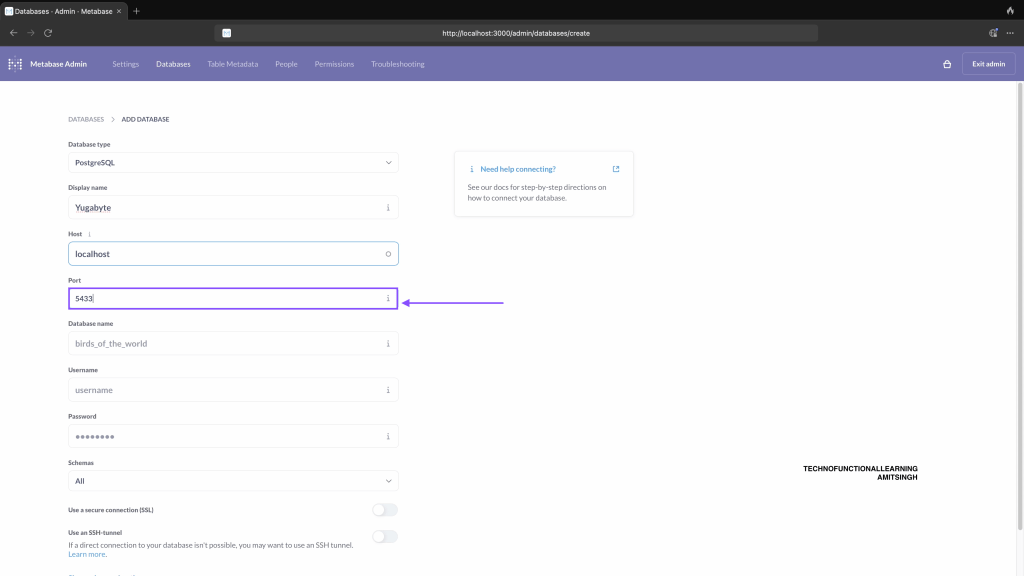
Step 06: Enter Database name
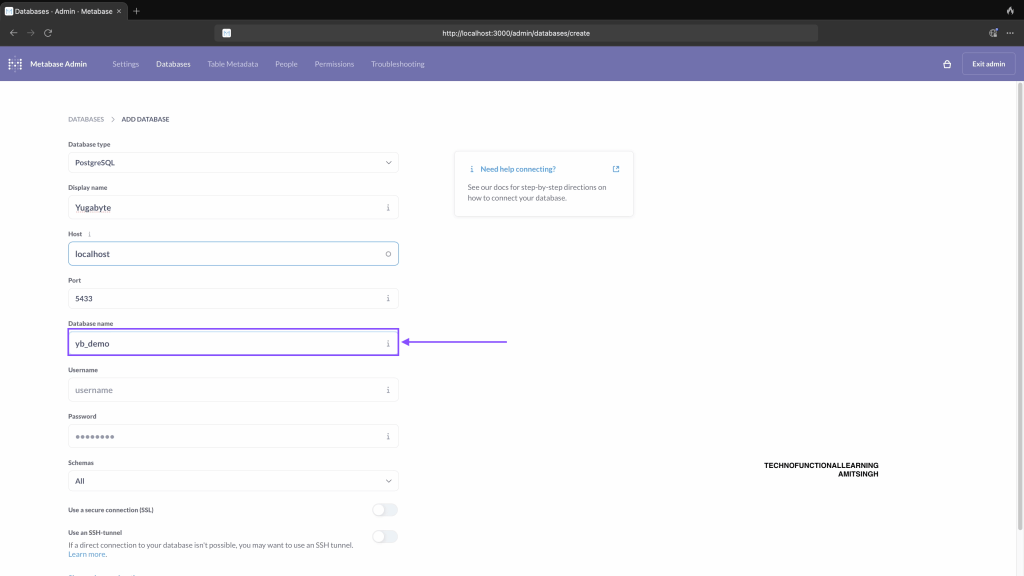
Step 07: Enter user name for database
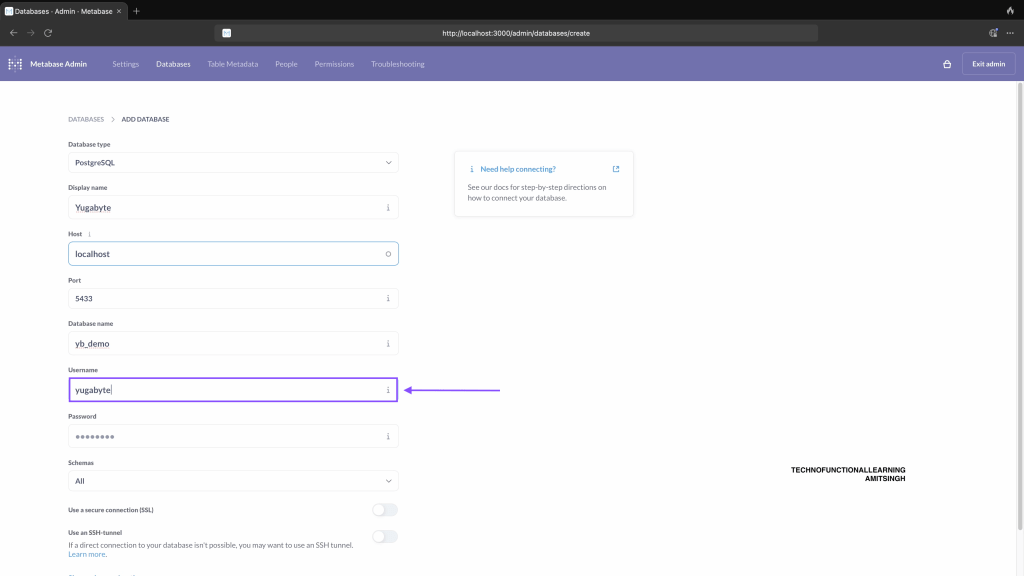
Step 08: Enter password for Database
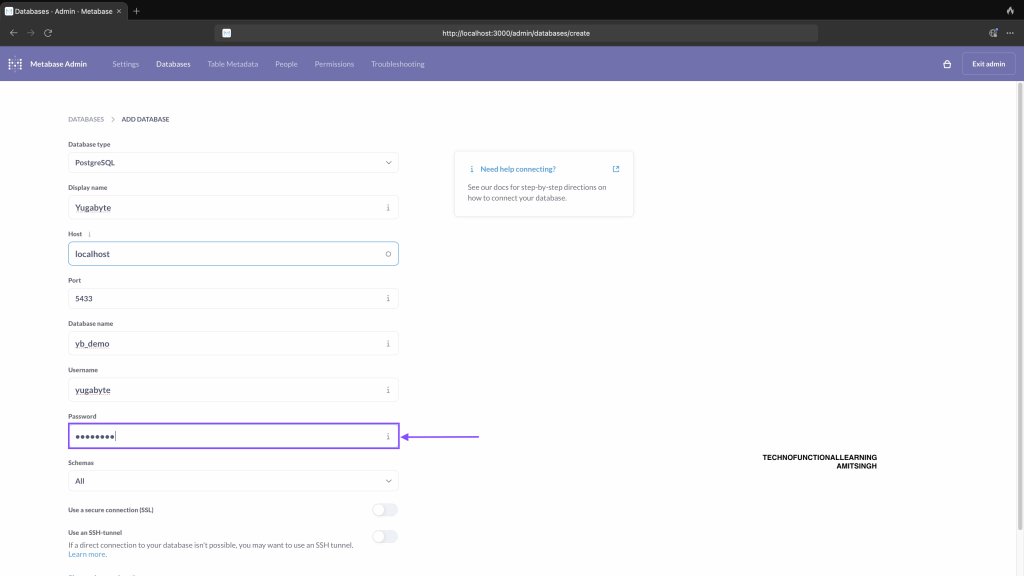
Step 09: Click on save.
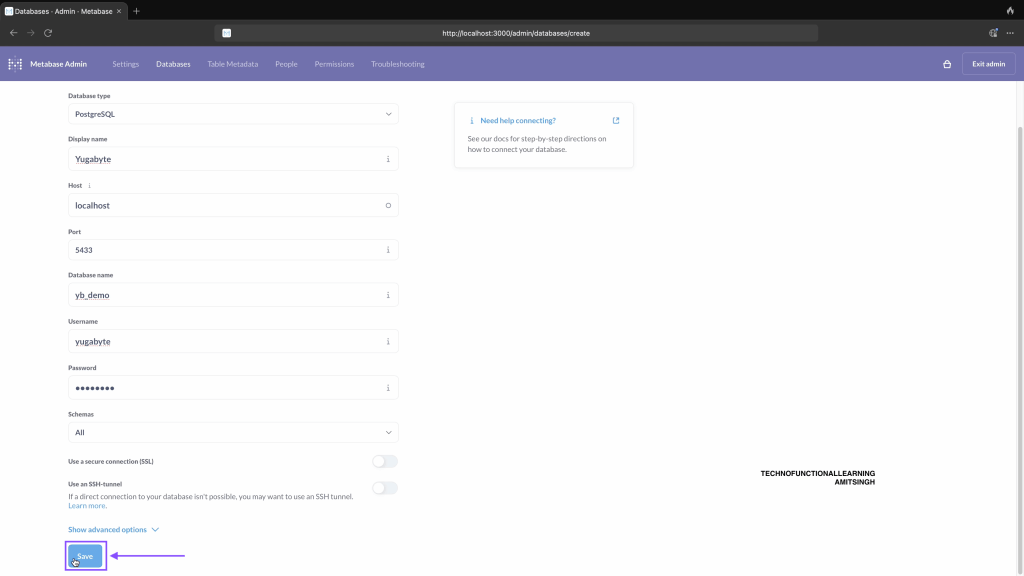
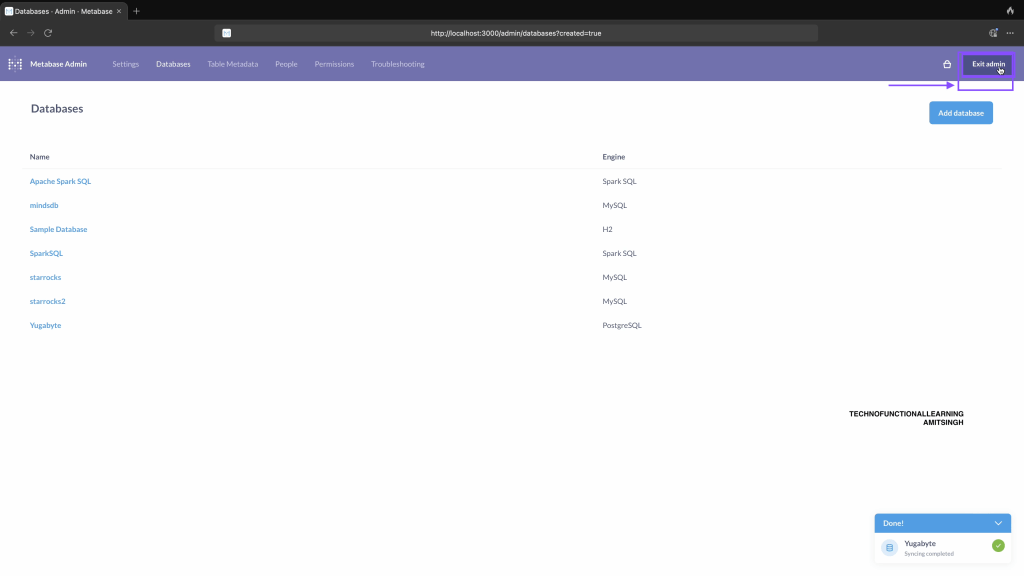
Step 10: Now click on exit admin.
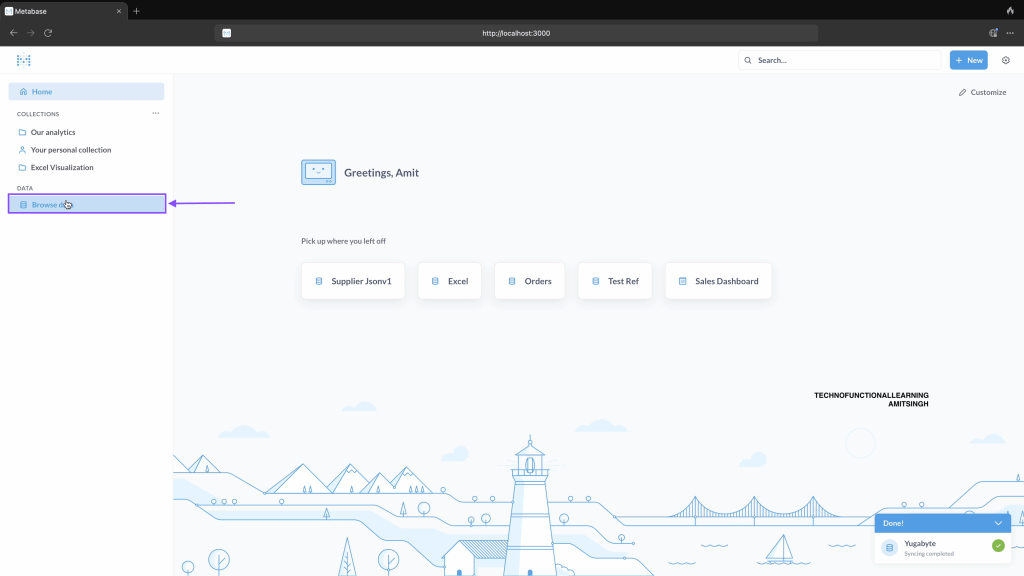
Step 11: Click on browse data
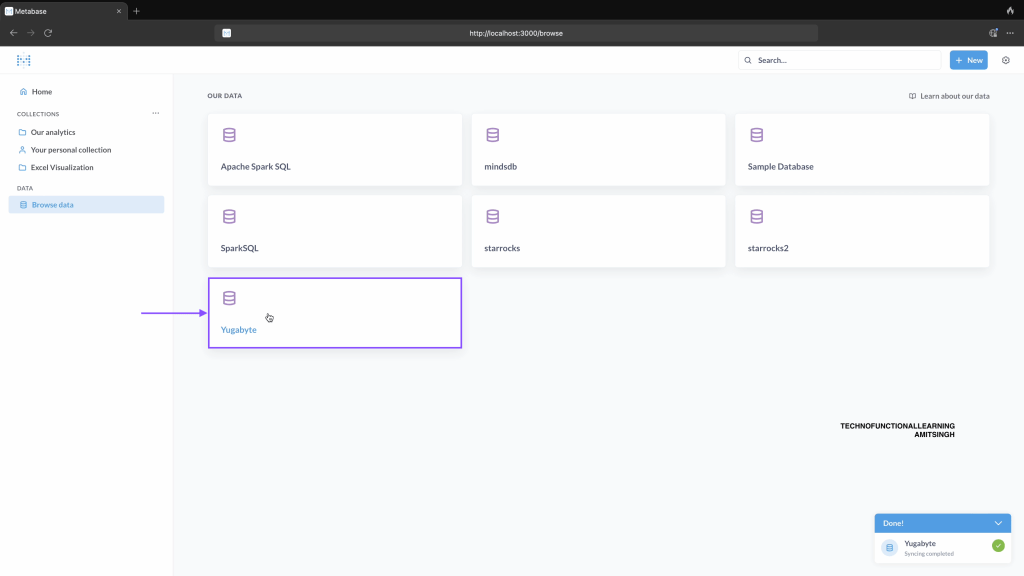
Step 12: Click on YugabyteDB
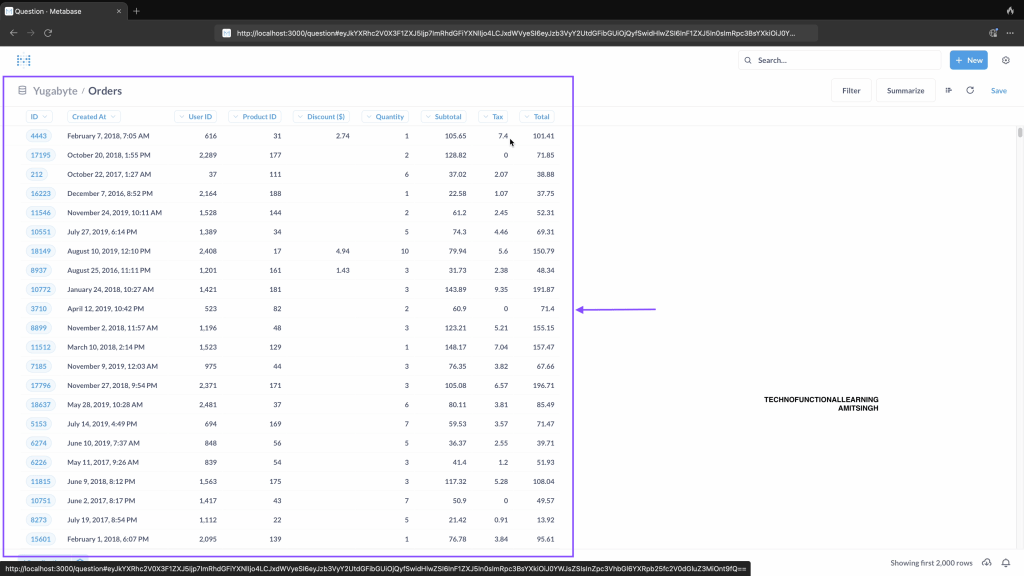
Step 13: Click on Tables i.e orders
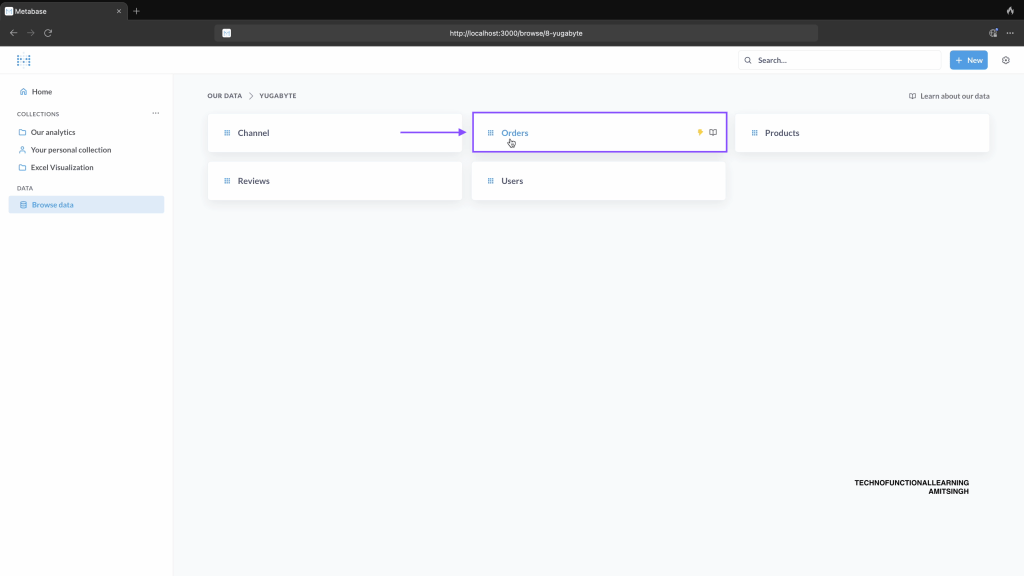
Step 14: Data will be displayed and ready for Data Visualization.
 TechnoFunctionalLearning
You must be logged in to post a comment.