Learn to Install Chatbox on MacOS/Windows and Run Ollama Large Language Models.
What is Chatbox?
Chatbox is a desktop client for ChatGPT, Claude and other LLMs, available on Windows, Mac, Linux
Where is the Github Repository?
Here is the repository
https://github.com/Bin-Huang/chatbox
Where is the Website?
Here is the website
What are various Features of Chatbox
Features
- Local Data Storage
Your data remains on your device, ensuring it never gets lost and maintains your privacy. - No-Deployment Installation Packages
Get started quickly with downloadable installation packages. No complex setup necessary! - Support for Multiple LLM Providers
Seamlessly integrate with a variety of cutting-edge language models:- OpenAI (ChatGPT)
- Azure OpenAI
- Claude
- Google Gemini Pro
- Ollama (enable access to local models like llama2, Mistral, Mixtral, codellama, vicuna, yi, and solar)
- ChatGLM-6B
- Image Generation with Dall-E-3
Create the images of your imagination with Dall-E-3. - Enhanced Prompting
Advanced prompting features to refine and focus your queries for better responses. - Keyboard Shortcuts
Stay productive with shortcuts that speed up your workflow. - Markdown, Latex & Code Highlighting
Generate messages with the full power of Markdown and Latex formatting, coupled with syntax highlighting for various programming languages, enhancing readability and presentation. - Prompt Library & Message Quoting
Save and organize prompts for reuse, and quote messages for context in discussions. - Streaming Reply
Provide rapid responses to your interactions with immediate, progressive replies. - Ergonomic UI & Dark Theme
A user-friendly interface with a night mode option for reduced eye strain during extended use. - Team Collaboration
Collaborate with ease and share OpenAI API resources among your team. - Cross-Platform Availability
Chatbox is ready for Windows, Mac, Linux users. - Access Anywhere with the Web Version
Use the web application on any device with a browser, anywhere. - iOS & Android
Use the mobile applications that will bring this power to your fingertips on the go. - Multilingual Support
Catering to a global audience by offering support in multiple languages:- English
- (Simplified Chinese)
- Traditional Chinese)
- (Japanese)
- (Korean)
- Français (French)
- Deutsch (German)
- Русский (Russian)
Ollama: Large Language Model Runner.
https://github.com/ollama/ollama
https://hub.docker.com/r/ollama/ollama
https://github.com/ollama/ollama-python
https://github.com/ollama/ollama-js
How to Get started Quickly with Chatbox on Windows and MacOS
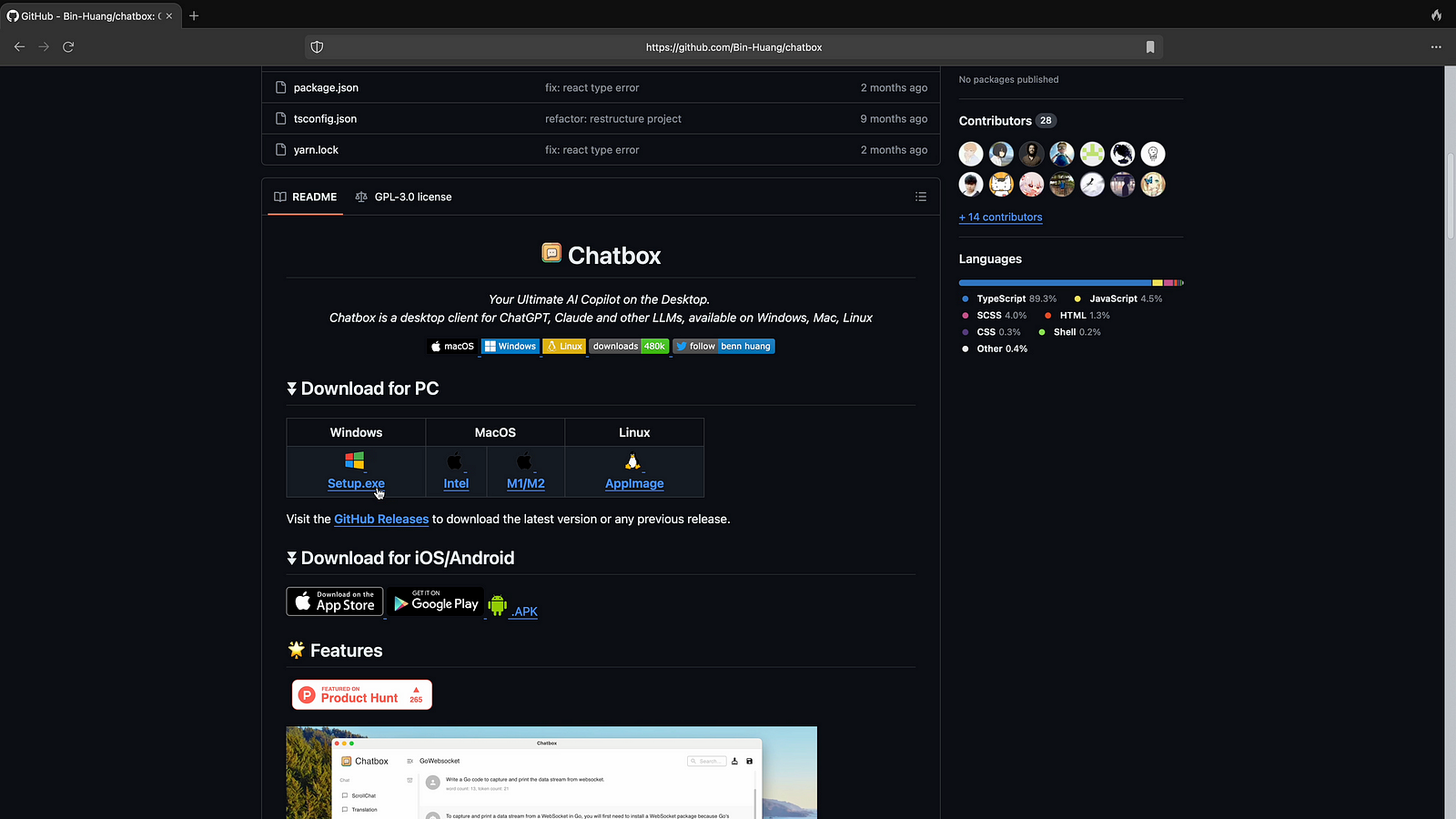
Step 01: Visit Github repo of chatbox as shown on below screenshot and click on Windows Installer.
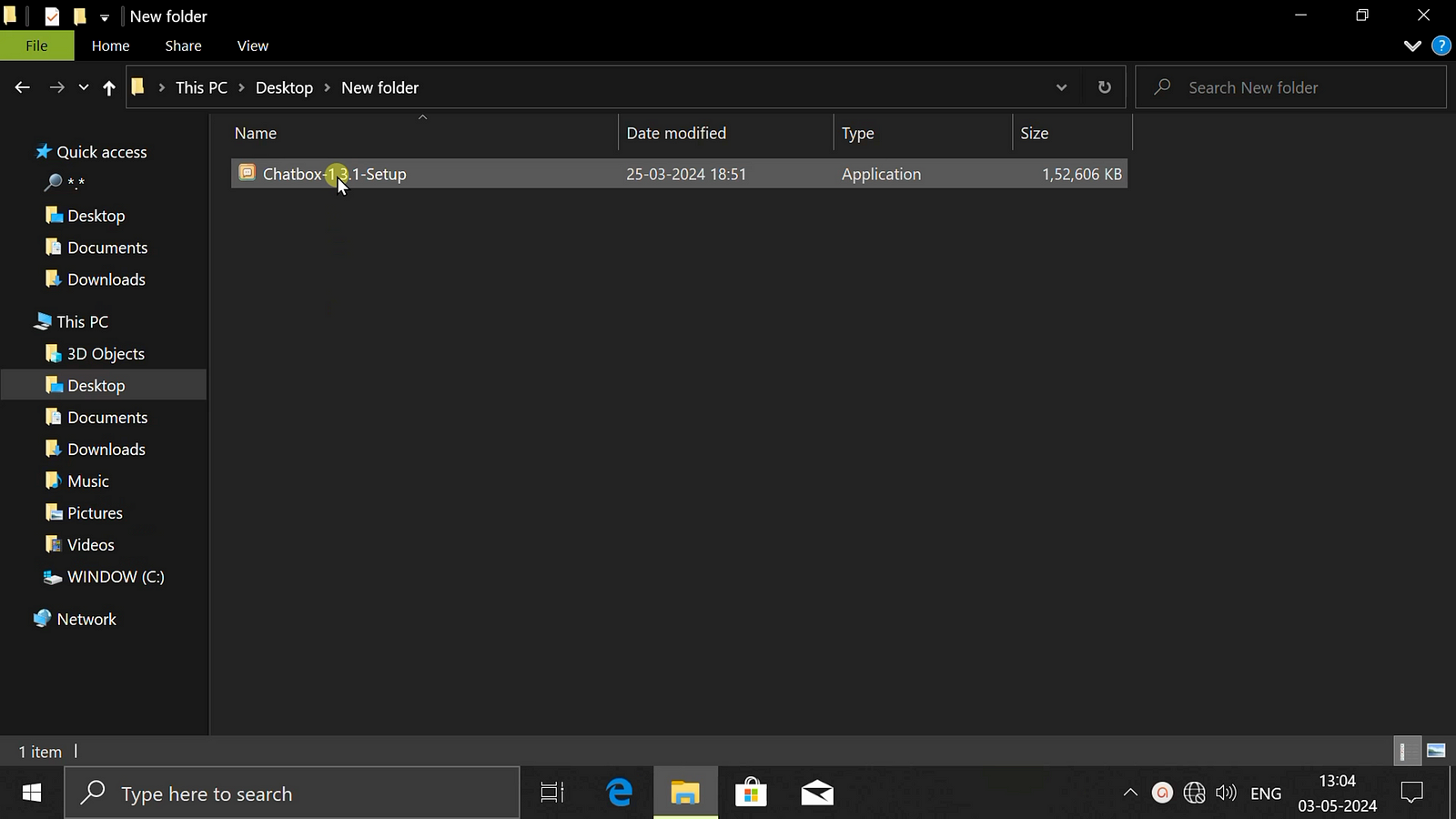
Step 02: Now double click windows Installer to start Installation in Windows
Step 03: Now click on start setup to proceed further

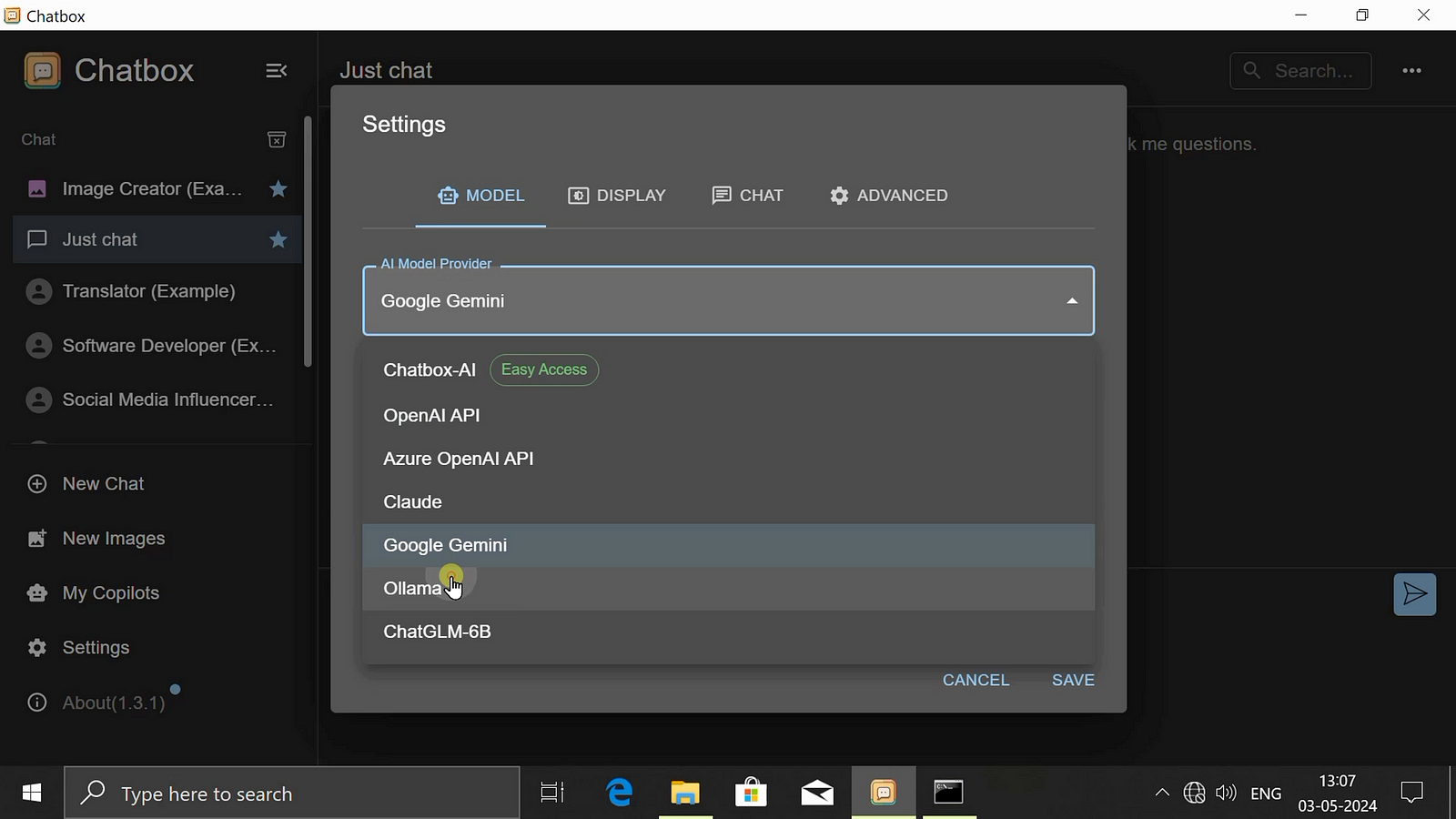
Step 04: Now choose Model Provider as Ollama as show in below screenshot.
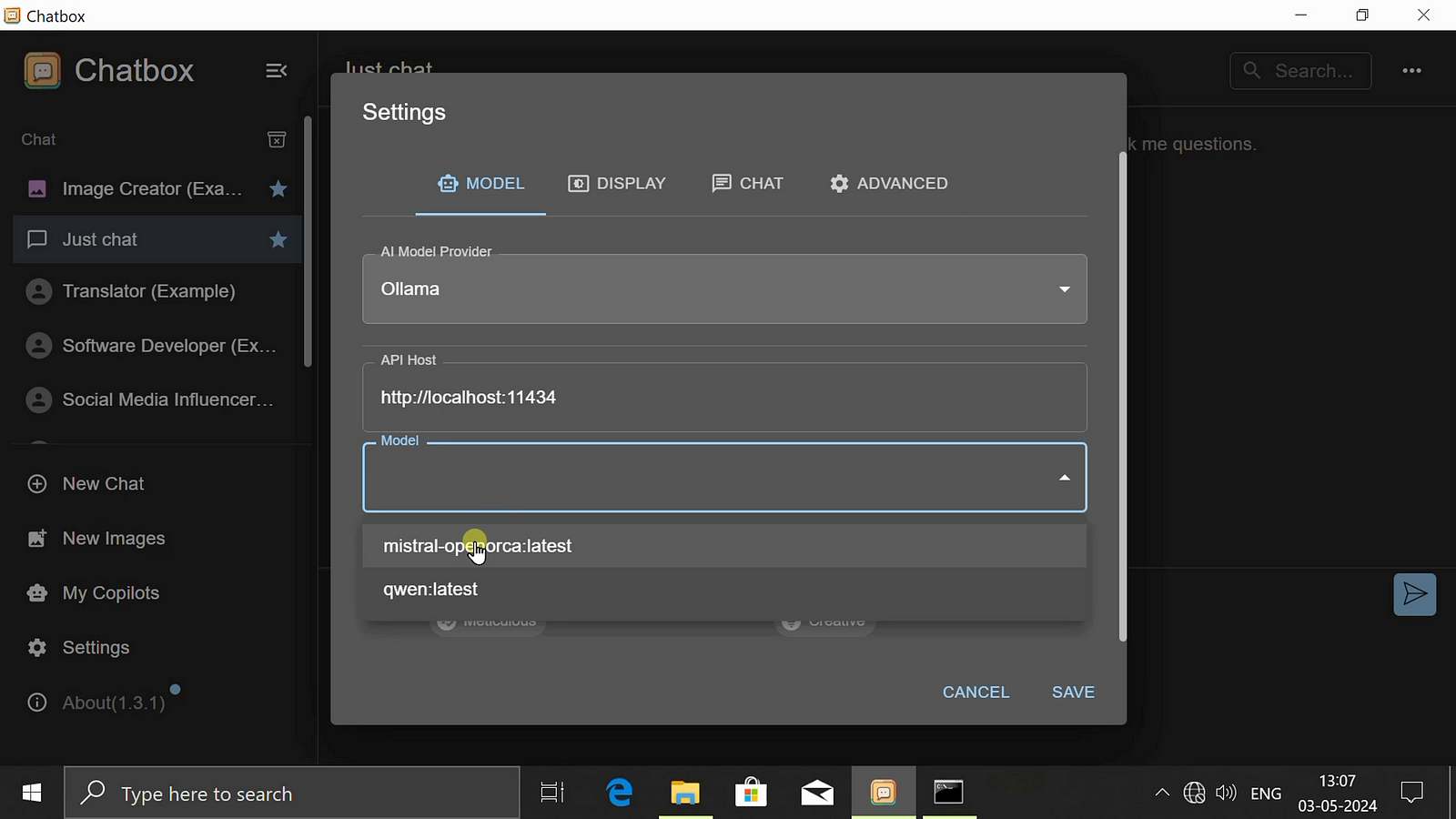
Step 05: Now choose your models and click on save as API host is already set by default.
Step 06: Now ask your Question
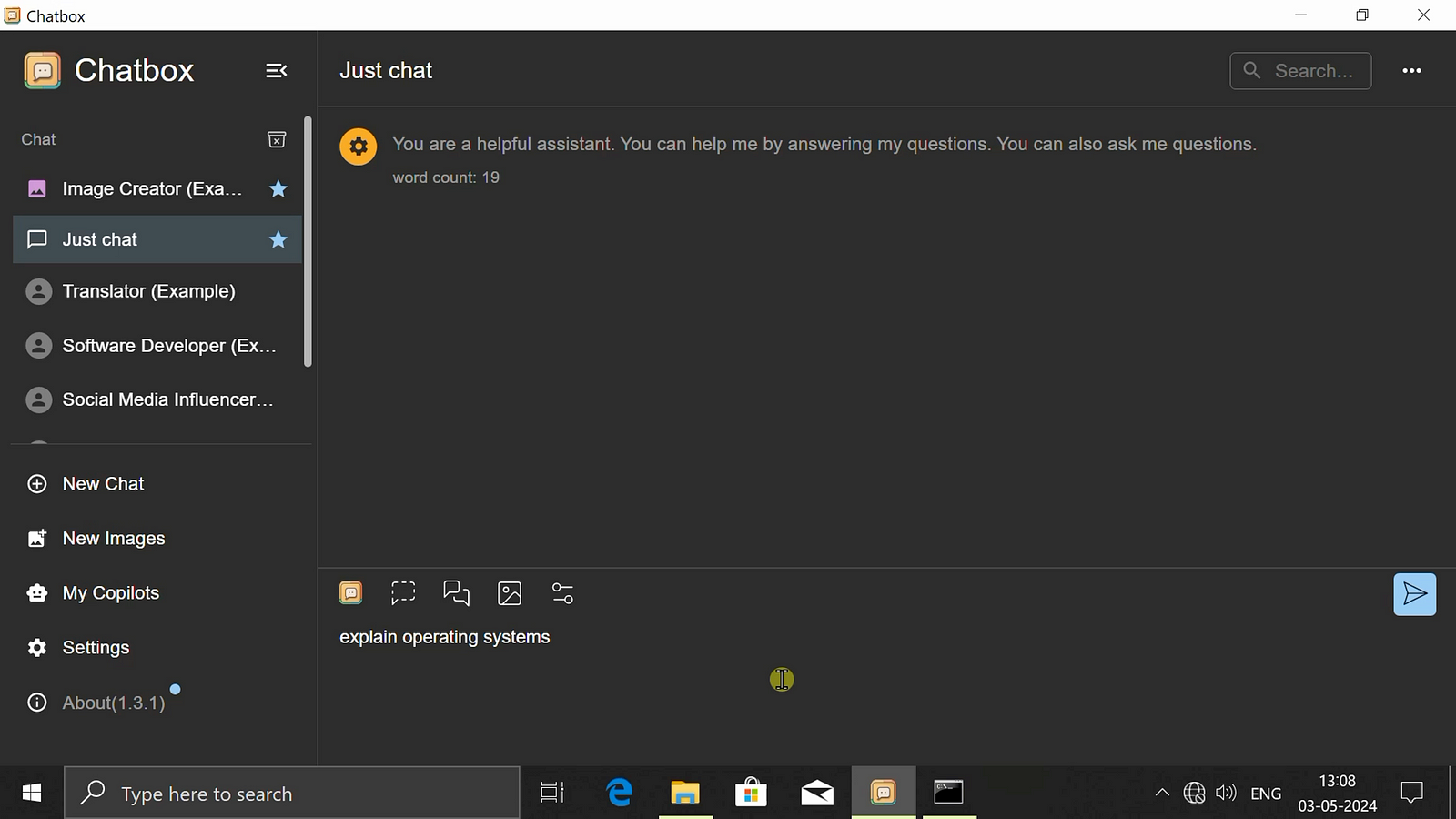
Step 07: Here is the Answer.
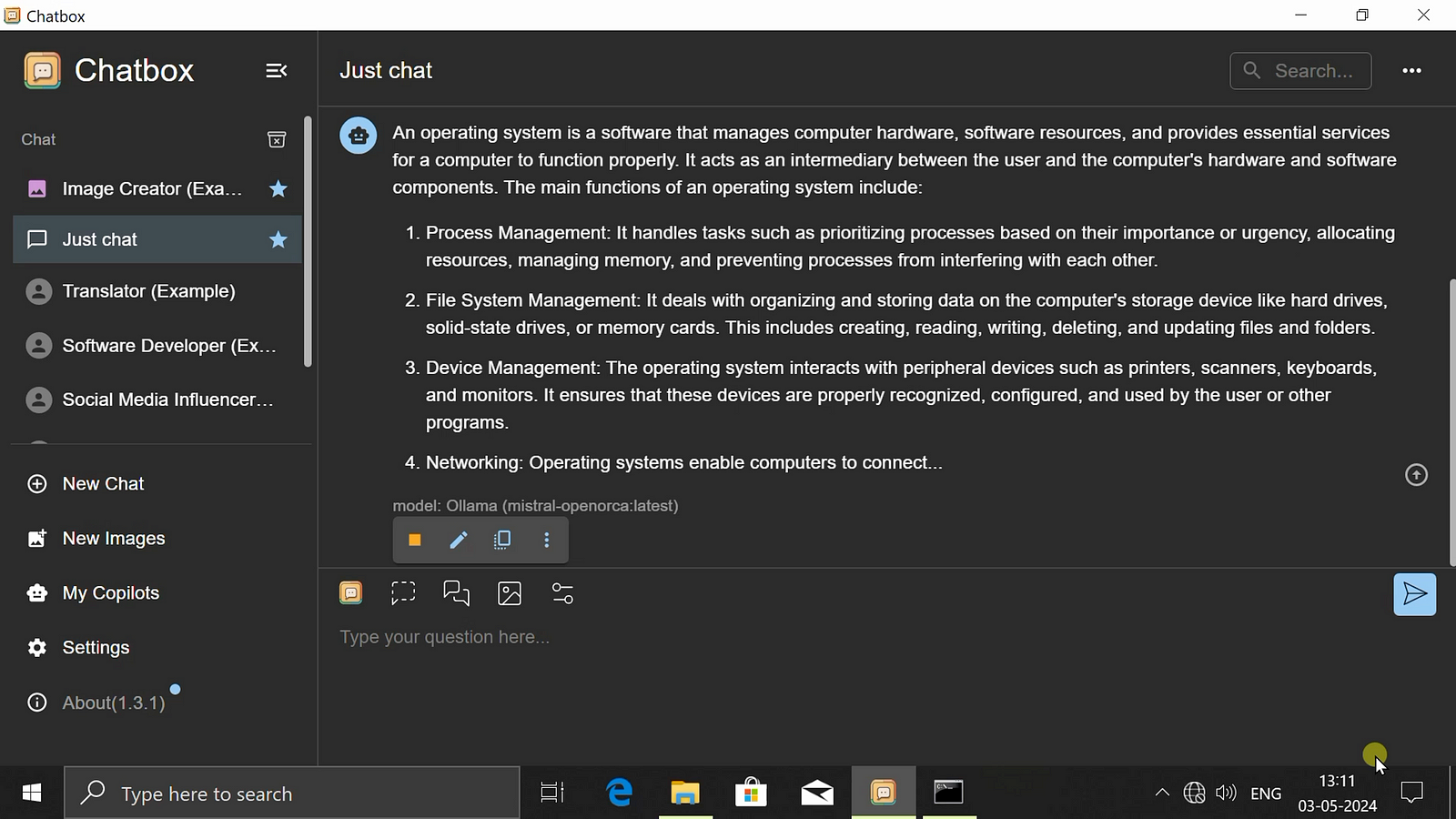
Step 08: Now Download Installer for MacOS

Step 09: Now Double click the Installer to start Installation Process in MacOS.
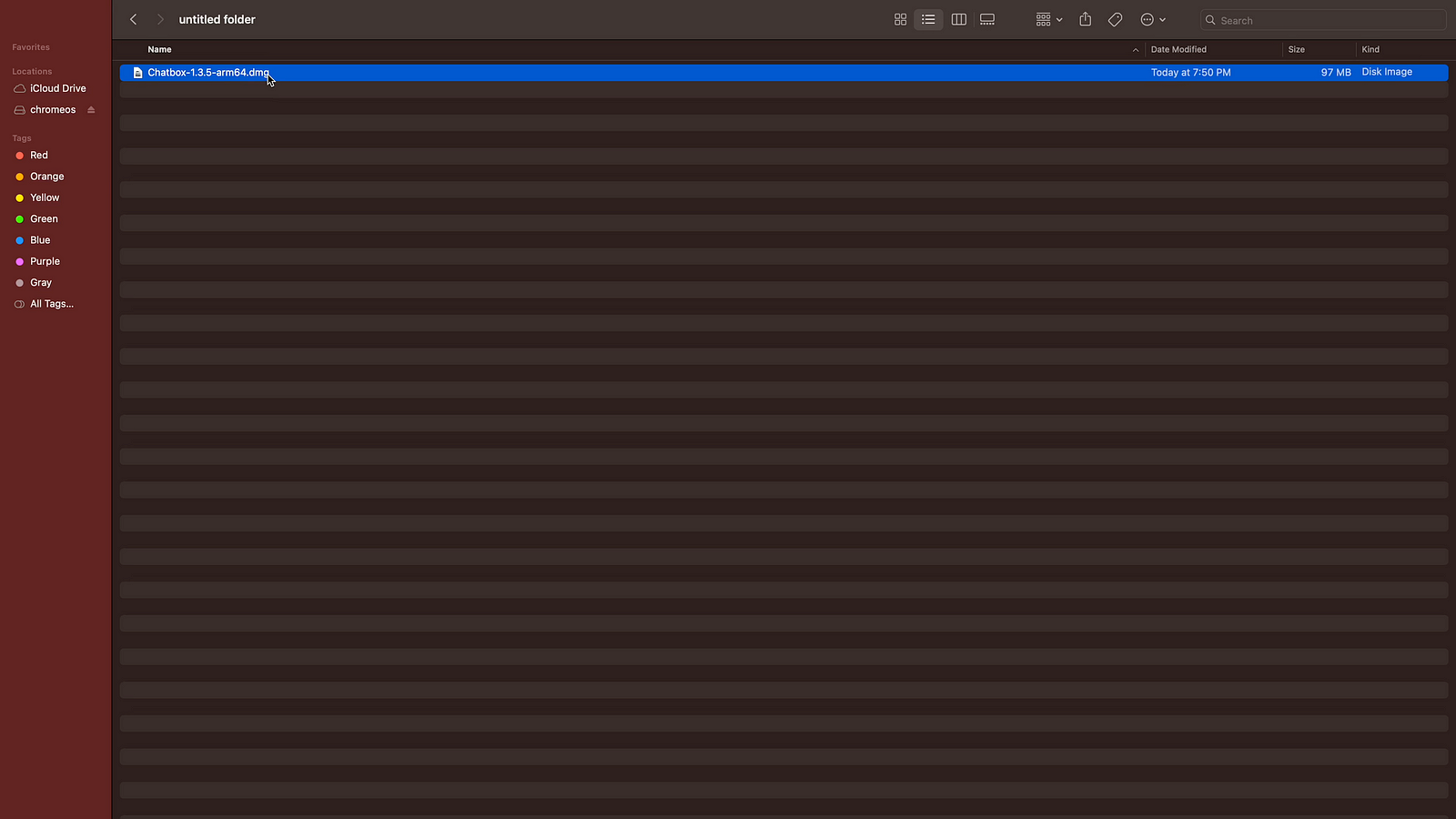
Step 10: Drag and Drop Installaer in Application and start chatbox.
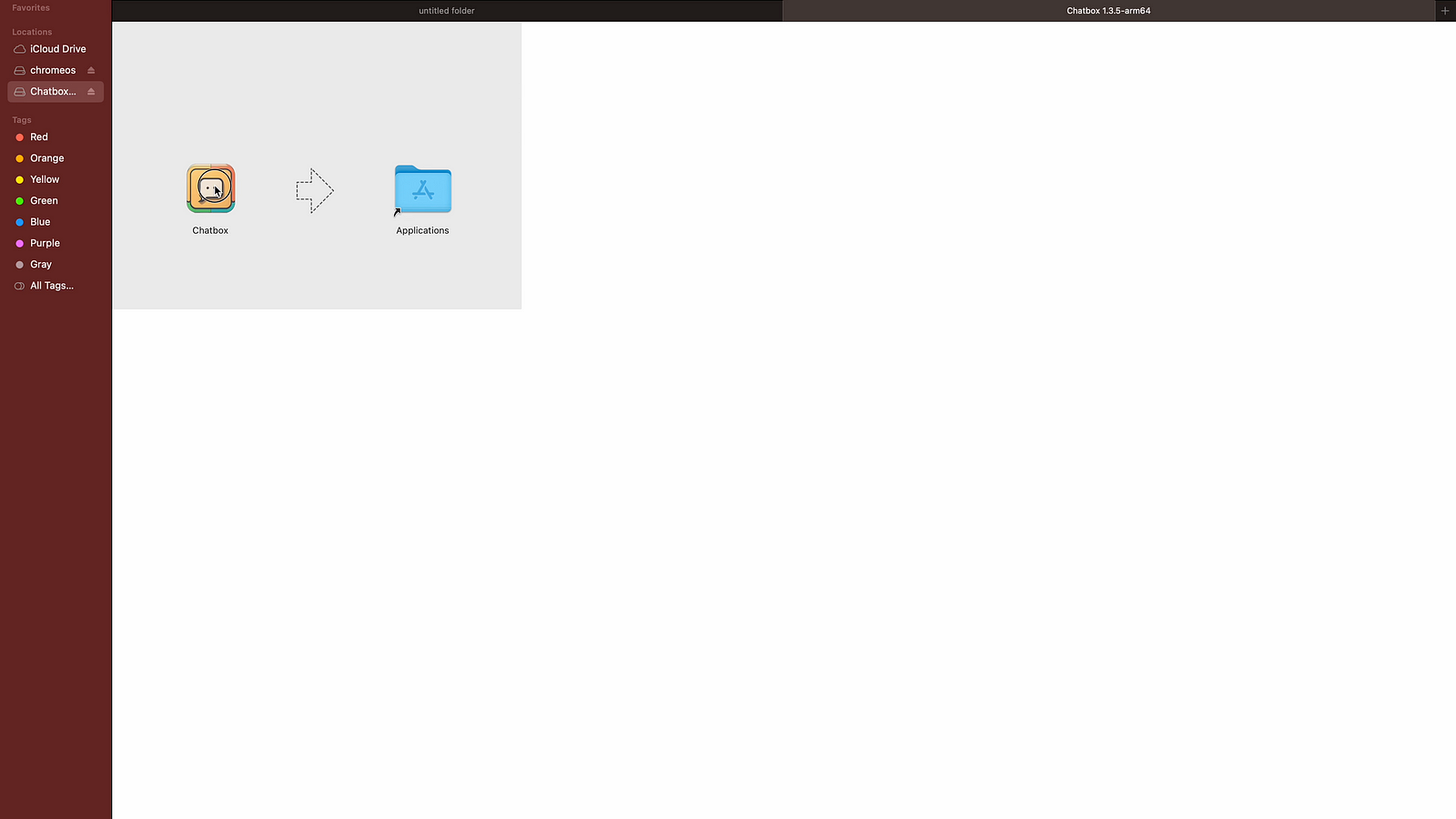
Step 11: Start similar process for installation as we have seen in case of Windows.

Step 12: Choose your model Provider as Ollama
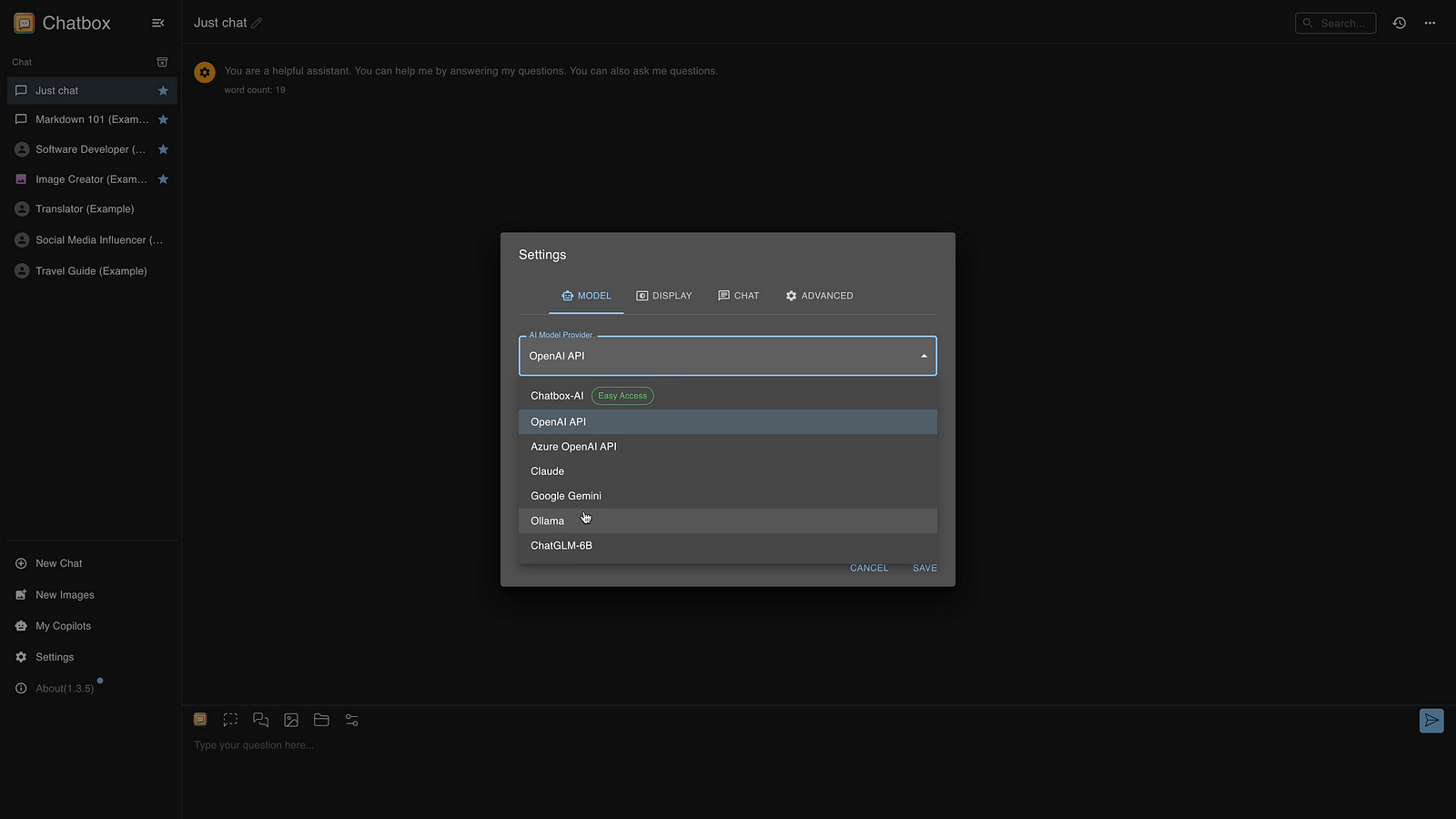
Step 13: Now choose your models
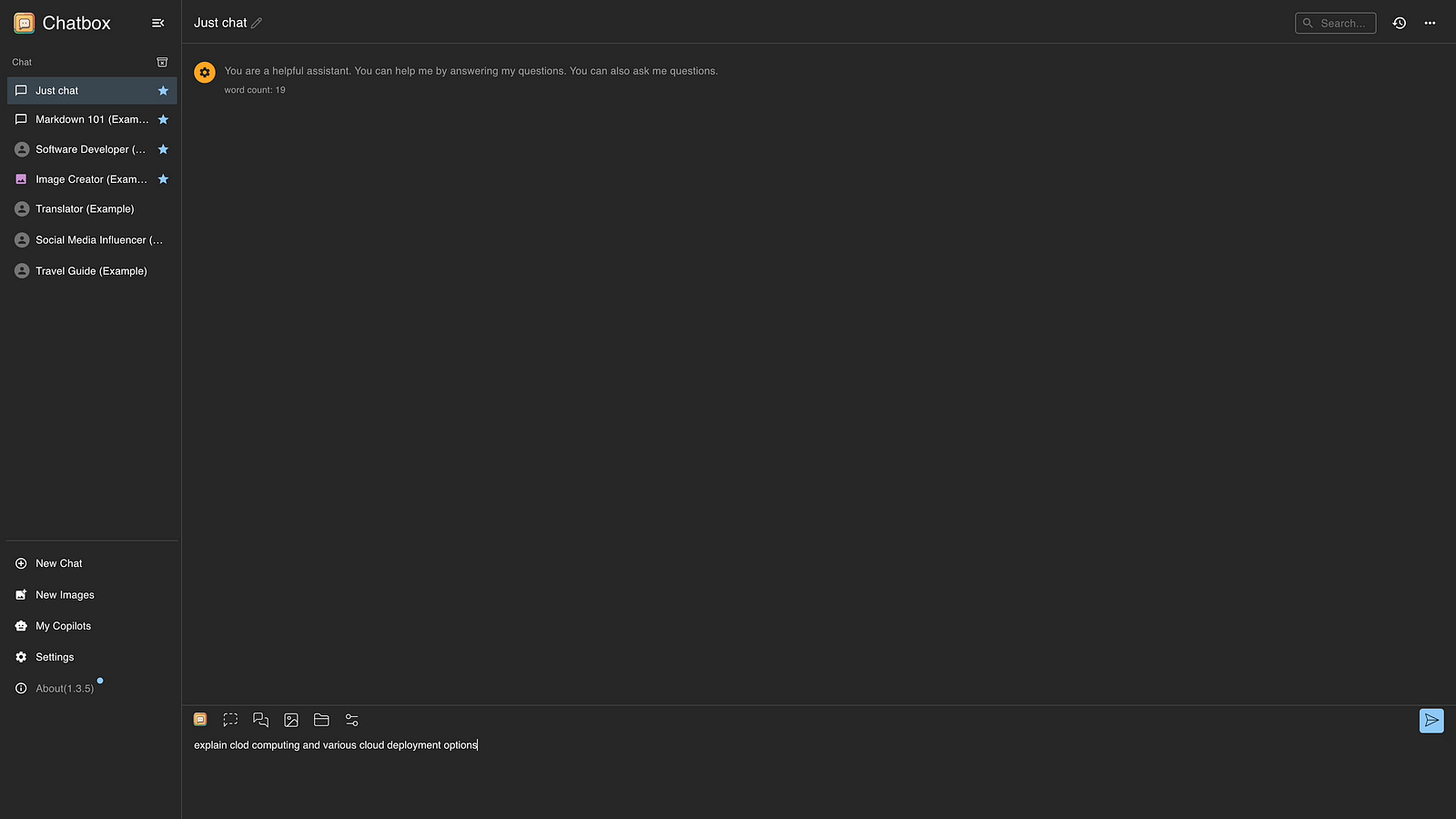
Step 14: Ask your Question
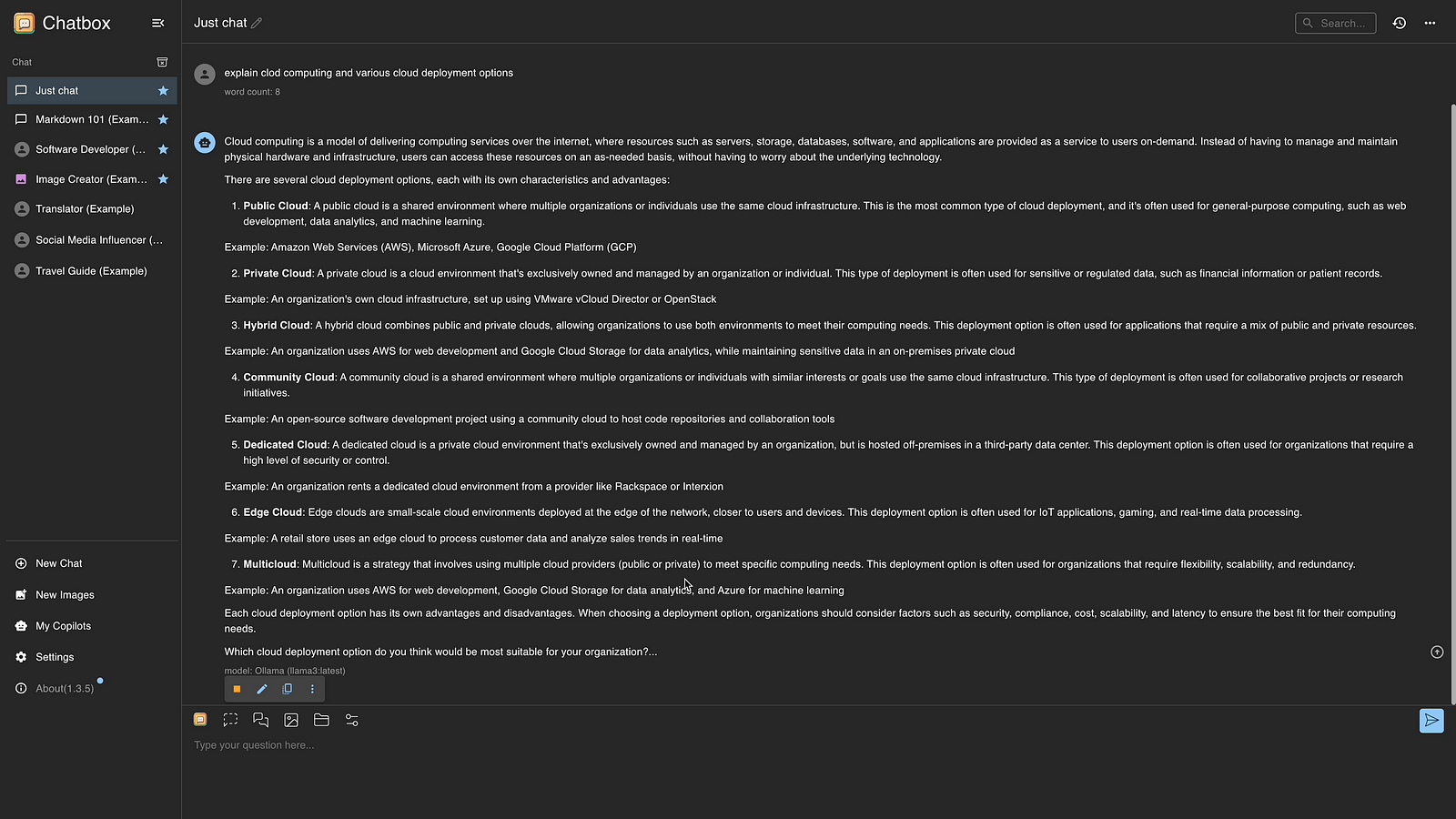
Step 15: Here is the Answer.
 TechnoFunctionalLearning