Learn to talk with your CSV and Create Automated Visualization in Natural LanguageYou can Check Installation and Connection Article here.
https://github.com/Sinaptik-AI/pandas-ai
Chat with your database (SQL, CSV, pandas, polars, mongodb, noSQL, etc). PandasAI makes data analysis conversational using LLMs (GPT 3.5 / 4, Anthropic, VertexAI) and RAG.
Ollama: Large Language Model Runner.
https://github.com/ollama/ollama
https://hub.docker.com/r/ollama/ollama
https://github.com/ollama/ollama-python
https://github.com/ollama/ollama-js
Now here is how to get started Quickly with CSV.
Step 01: make sure pandasai is installed correctly by typing below command
pip install pandasai

Step 2: Now connect Ollama Mistral llm with below command
from pandasai import SmartDataframe
from pandasai.llm.local_llm import LocalLLM
ollama_llm = LocalLLM(api_base="http://localhost:11434/v1", model="mistral") df = SmartDataframe("sales.csv", config={"llm": ollama_llm})
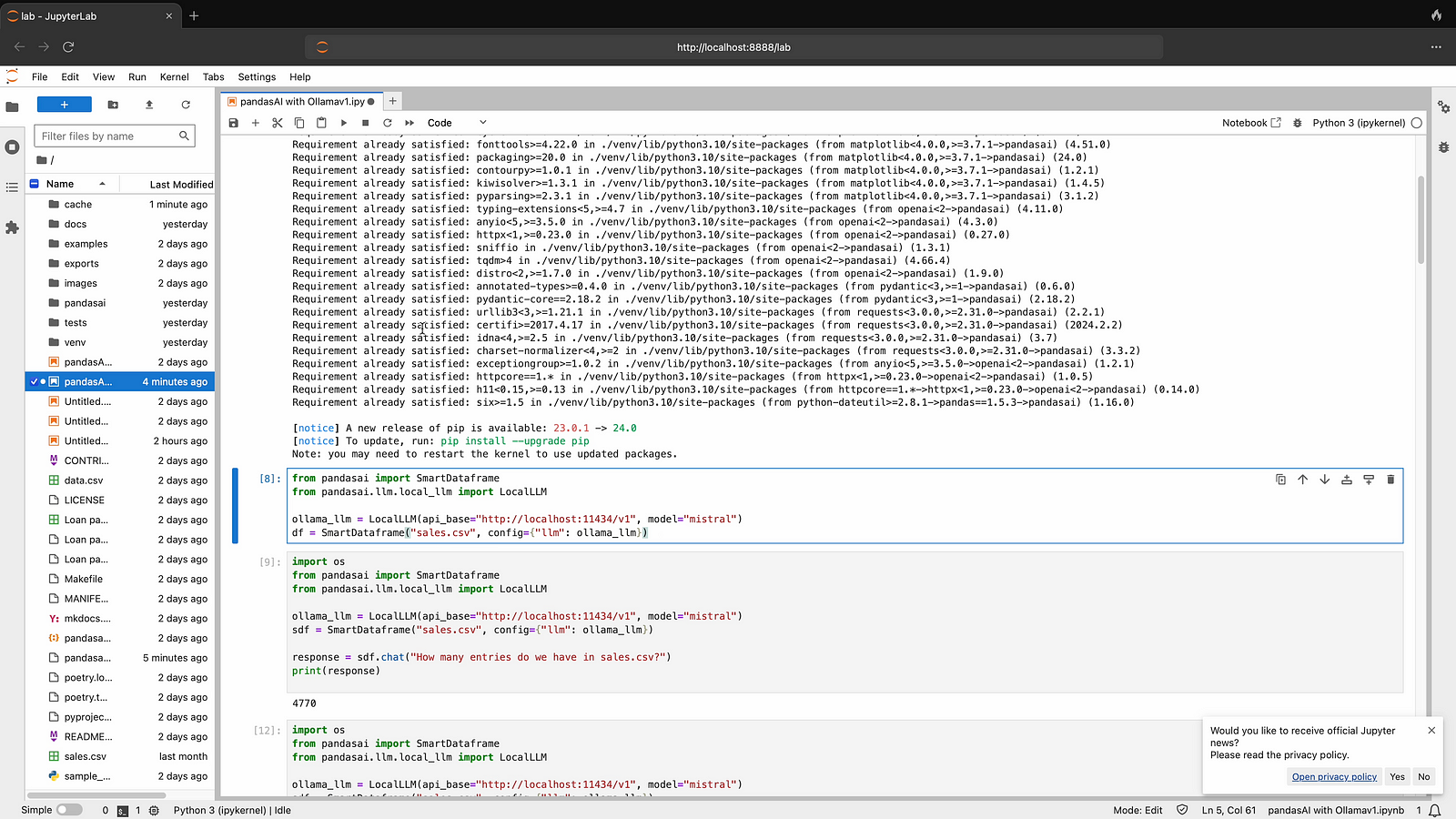
Step 03: Now Connect your CSV and ask your first question in Natural language, Just change your csv name instead of sales.csv
import os
from pandasai import SmartDataframe
from pandasai.llm.local_llm import LocalLLM
ollama_llm = LocalLLM(api_base="http://localhost:11434/v1", model="mistral") sdf = SmartDataframe("sales.csv", config={"llm": ollama_llm})
response = sdf.chat("How many entries do we have in sales.csv?") print(response)

Step 04: Now ask your second question from CSV file, sample is given below.
import os
from pandasai import SmartDataframe
from pandasai.llm.local_llm import LocalLLM
ollama_llm = LocalLLM(api_base="http://localhost:11434/v1", model="mistral") sdf = SmartDataframe("sales.csv", config={"llm": ollama_llm})
response = sdf.chat("what is total sales in sales.csv?") print(response)
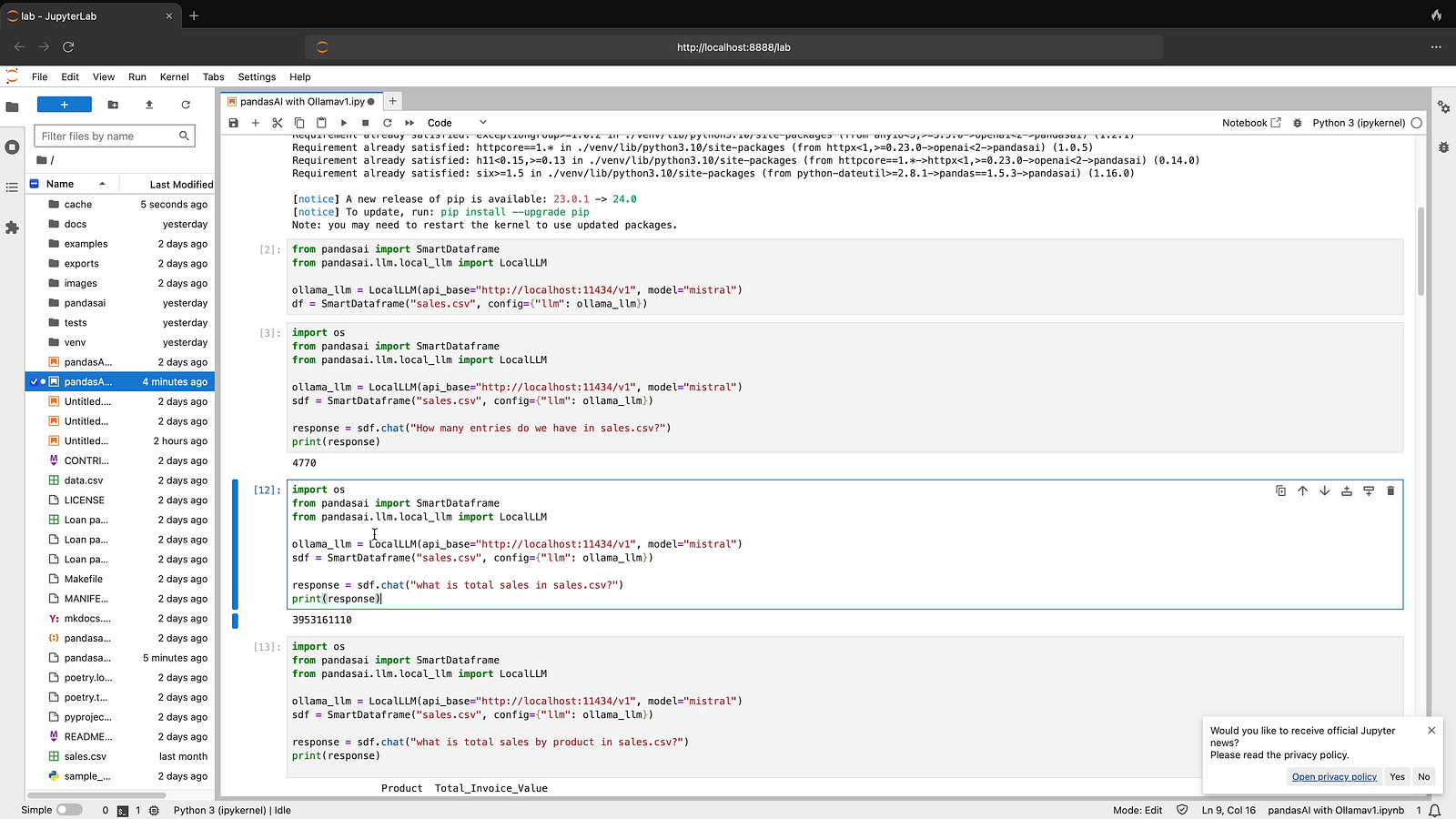
Step 05: Now ask your third question from CSV file, sample is given below.
import os
from pandasai import SmartDataframe
from pandasai.llm.local_llm import LocalLLM
ollama_llm = LocalLLM(api_base="http://localhost:11434/v1", model="mistral") sdf = SmartDataframe("sales.csv", config={"llm": ollama_llm})
response = sdf.chat("what is total sales by product in sales.csv?") print(response)
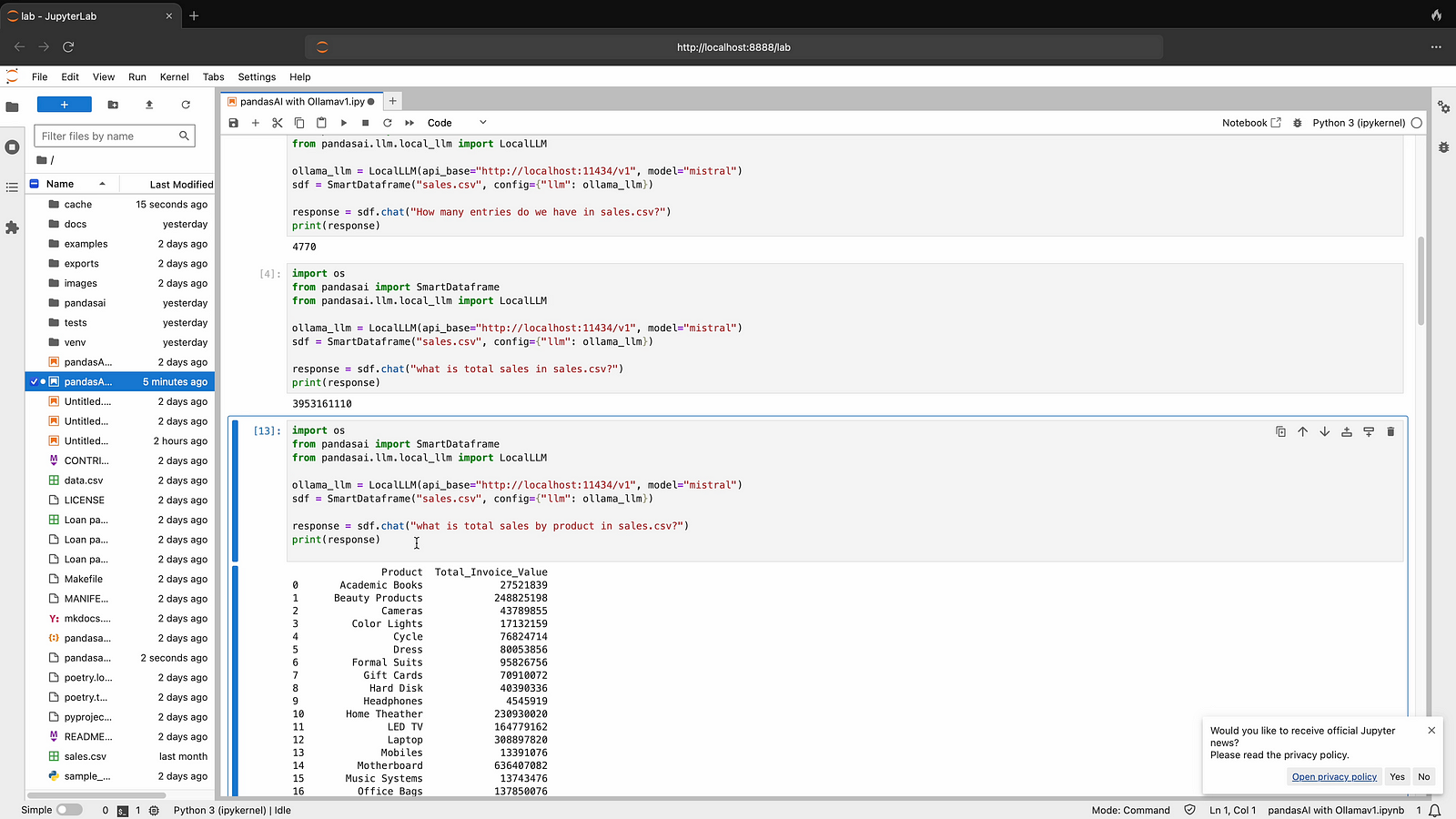
Step 06: Now ask your fourth question from CSV file, sample is given below
import os
from pandasai import SmartDataframe
from pandasai.llm.local_llm import LocalLLM
ollama_llm = LocalLLM(api_base="http://localhost:11434/v1", model="mistral") sdf = SmartDataframe("sales.csv", config={"llm": ollama_llm})
response = sdf.chat("what is total sales by product category in sales.csv?") print(response)
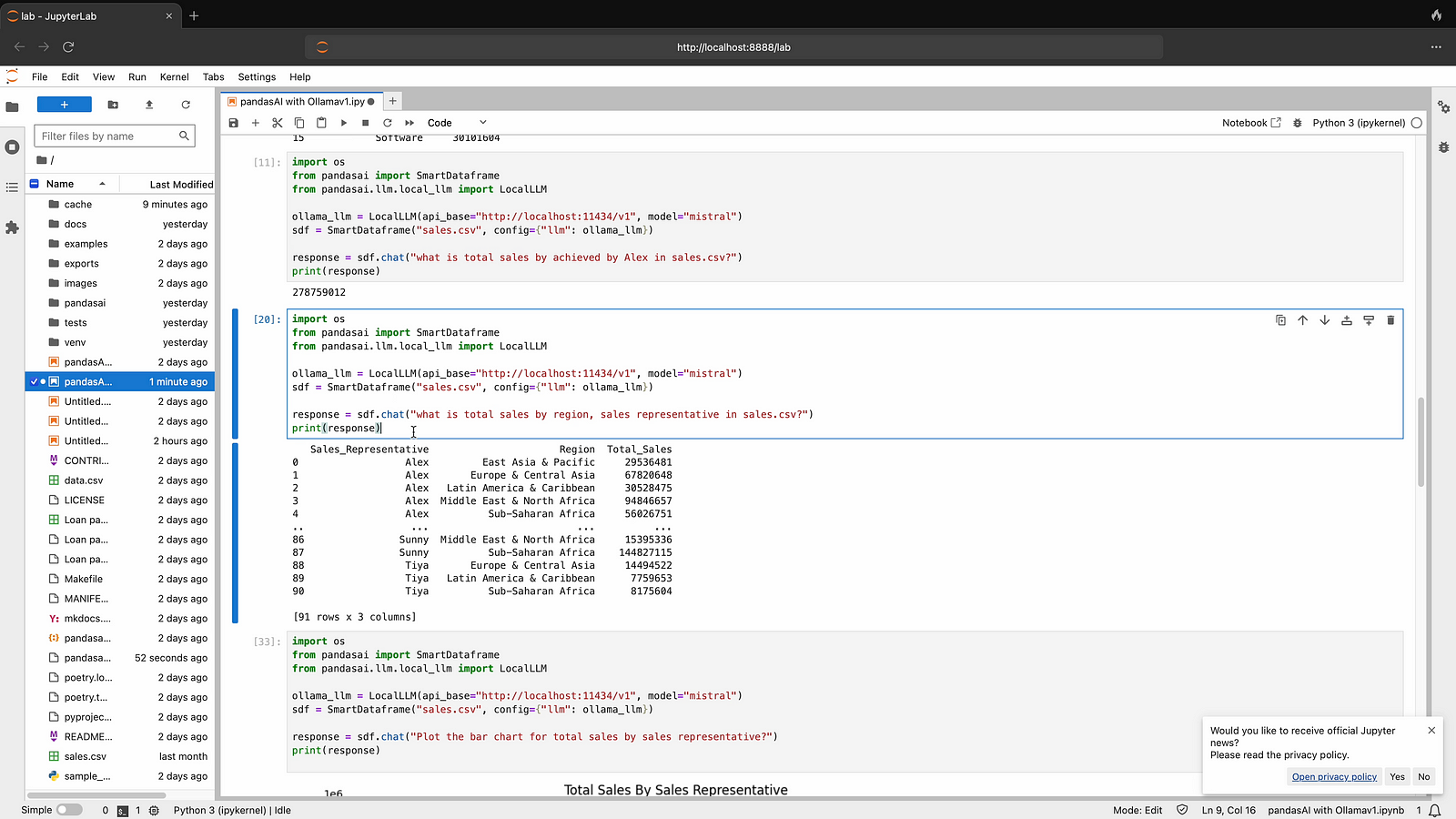
Step 07: Now ask to create Visualization in Natural Language as per below sample.
import os
from pandasai import SmartDataframe
from pandasai.llm.local_llm import LocalLLM
ollama_llm = LocalLLM(api_base="http://localhost:11434/v1", model="mistral") sdf = SmartDataframe("sales.csv", config={"llm": ollama_llm})
response = sdf.chat("Plot the bar chart for total sales by sales representative?") print(response)

Here is youtube video for visual reference
 TechnoFunctionalLearning