Learn to create automatic MindMap from your CSV File with LogSeq and Plugins (Markmap+CSV Parser)
https://github.com/logseq/logseq
A privacy-first, open-source platform for knowledge management and collaboration.
Logseq is a knowledge management and collaboration platform. It focuses on privacy, longevity, and user control. Logseq offers a range of powerful tools for knowledge management, collaboration, PDF annotation, and task management with support for multiple file formats, including Markdown and Org-mode, and various features for organizing and structuring your notes.
Logseq’s Whiteboard feature lets you organize your knowledge and ideas using a spatial canvas with shapes, drawings, website embeds, and connectors. You can visually group and link your notes and external media (such as videos and images), enabling visual thinkers to compose, remix, annotate, and connect content from their knowledge base and emerging thoughts in a new way.
In addition to its core features, Logseq has a growing ecosystem of plugins and themes that enable a wide range of workflows and customization options. Mobile apps are also available, providing access to most of the features of the desktop application. Whether you’re a student, a professional, or anyone who values a clear and organized approach to managing your ideas and notes, Logseq is an excellent choice for anyone looking to improve their productivity and streamline their workflow.
Logseq Plugin to inetgrate Markmap
https://github.com/vipzhicheng/logseq-plugin-mark-map
Colorful markmap items.
Markmap toolbar included.
Support inline code and code block.
Support inline text styles.
Support normal links.
Support inline latex syntax.
Support mouse drag and drop, double click, scrollwheel zoom.
Provice many convenient shortcuts.
Support dark mode, and up to 16 themes.
Support Logseq block reference and page reference and page tag.
Support highlight syntax == for Markdown, ^^ for Org mode.
Workflow tags are Colorized.
Image partly supported, will be converted to image link.
Mainly support Markdown mode, Org mode partly supported.
Support trigger markmap in block page.
Support open next markmap in markmap.
Support node anchor to pick sub tree as the next markmap.
Support export as PNG and SVG.
Support pen mode, so you can draw on markmap.
https://github.com/benjypng/logseq-parsecsv-plugin
Lets get started:
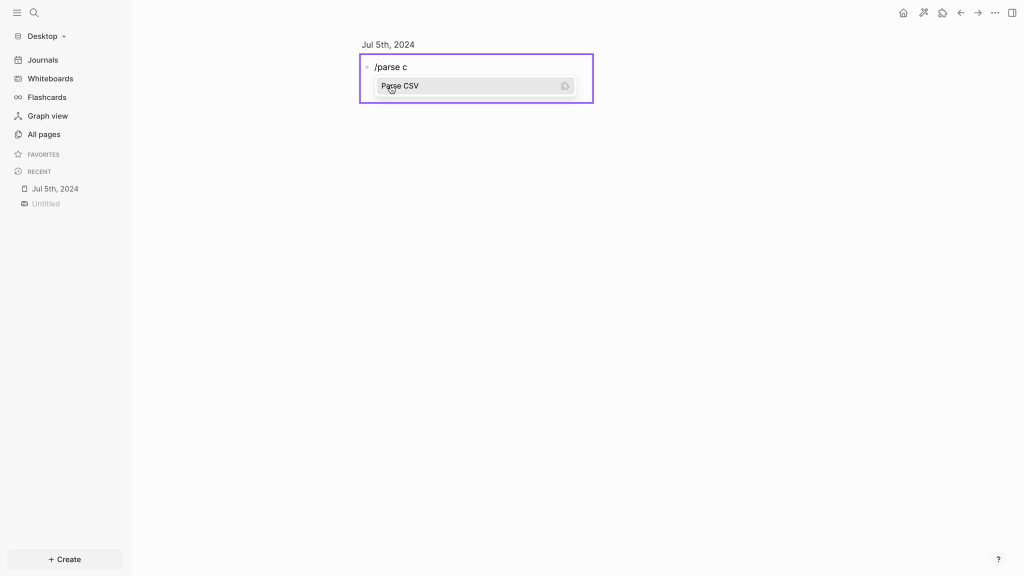
Step 01: Type /parse csv so that plugin can fetch CSV file from your computer and parse into your document.
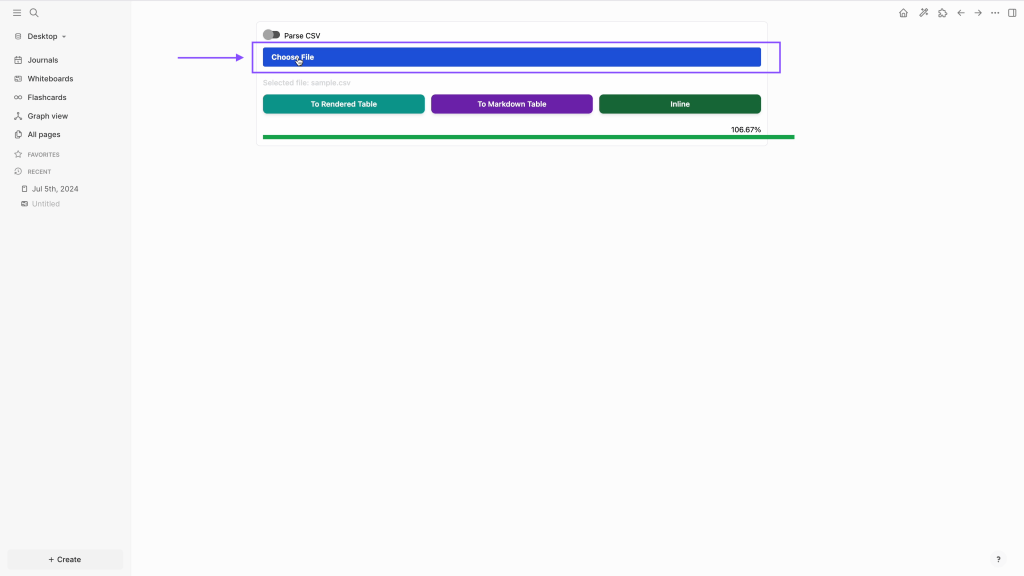
Step 02: Click on choose file
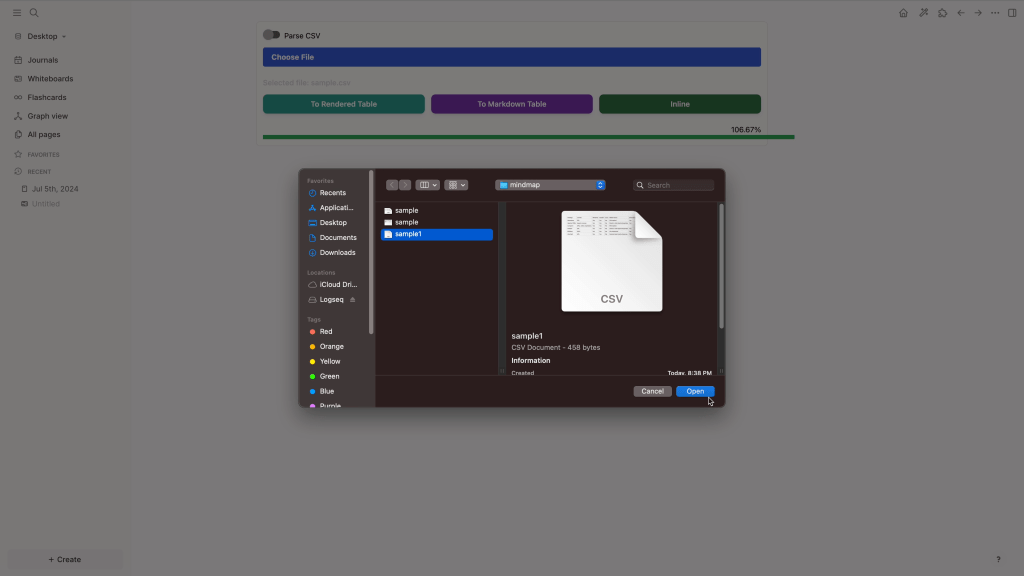
Step 03: Choose your file from your desktop
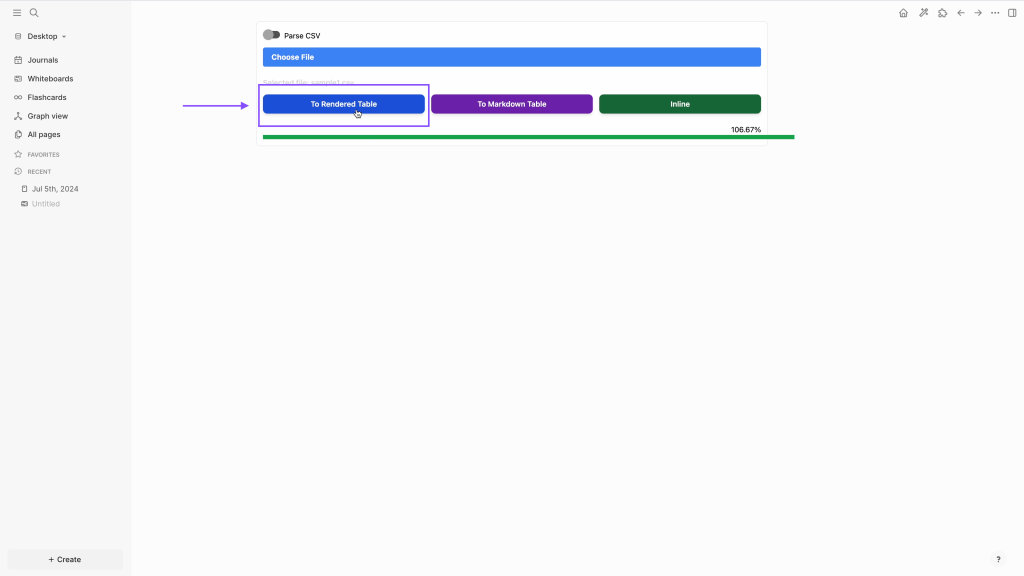
Step 04: Click on to rendered table
Step 05: Right click on circle to activate markmap
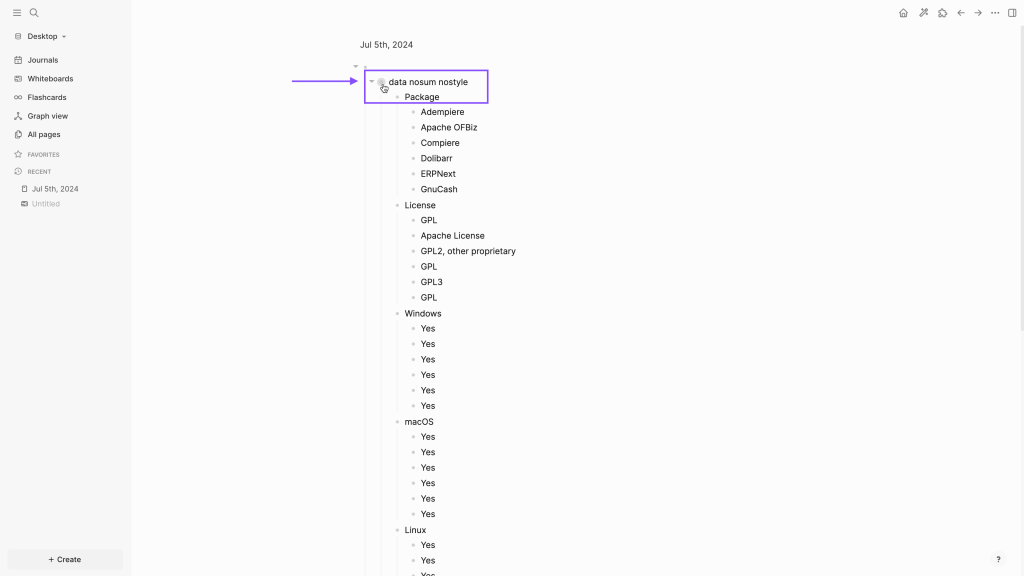
Step 06: Click on MarkMap

Step 07: Now see your data turning in Markmap
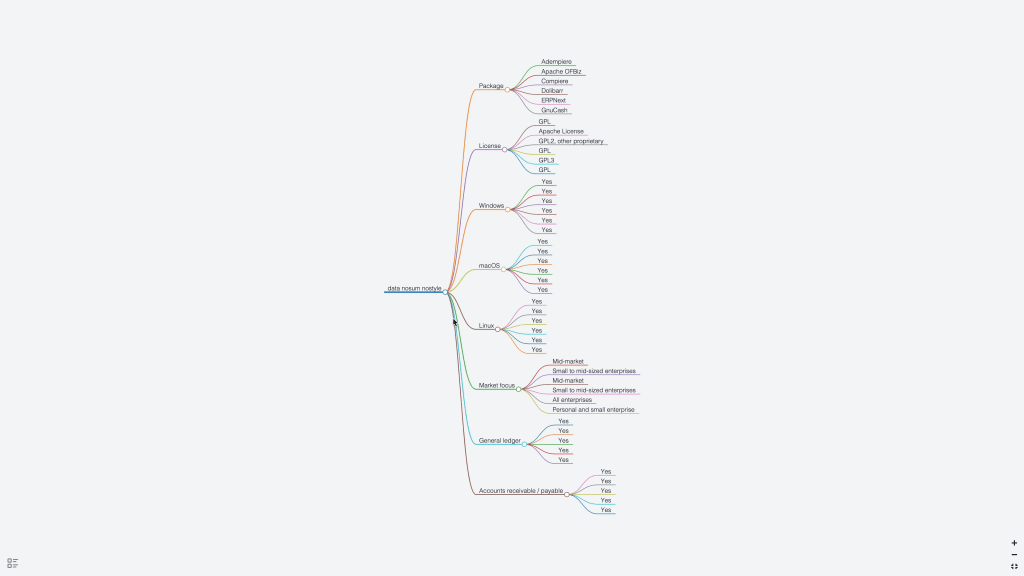
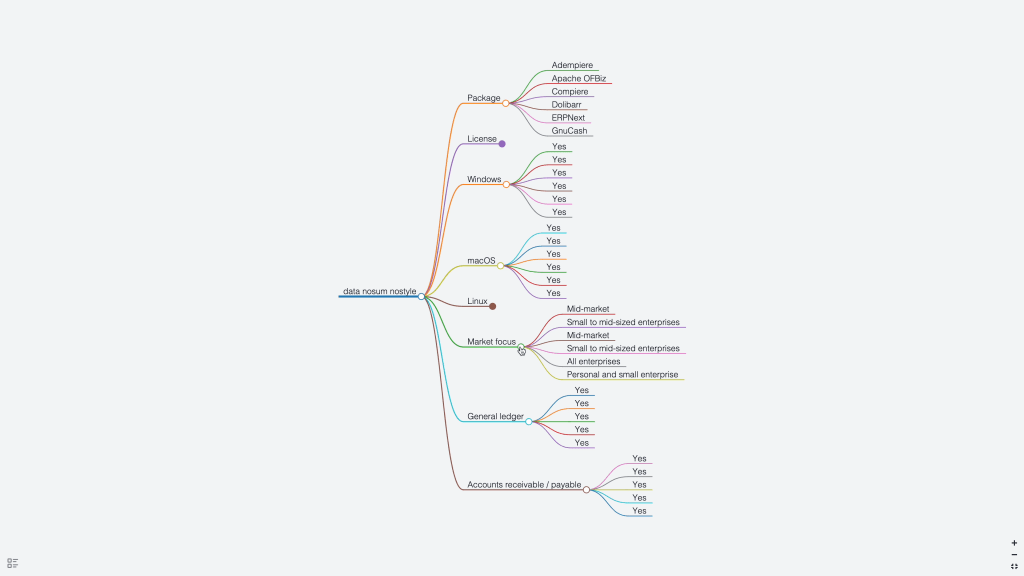
Step 08: Click on pointers to expand or collapse Mindmap
Here is Youtube Video for Quick Visual Reference
 TechnoFunctionalLearning
You must be logged in to post a comment.