Learn to Query and Visualize anything: CSV/Text/Excel/JSON/TSV/Avro/videos/Images/Parquet/NoSQL/SQL Databases etc.
https://github.com/apache/drill
Schema-free SQL Query Engine for Hadoop, NoSQL and Cloud Storage
Agility
Get faster insights without the overhead (data loading, schema creation and maintenance, transformations, etc.)
Flexibility
Analyze the multi-structured and nested data in non-relational datastores directly without transforming or restricting the data
Familiarity
Leverage your existing SQL skillsets and BI tools including Tableau, Qlikview, MicroStrategy, Spotfire, Excel and more
Query any non-relational datastore (well, almost…)
Drill supports a variety of NoSQL databases and file systems, including HBase, MongoDB, MapR-DB, HDFS, MapR-FS, Amazon S3, Azure Blob Storage, Google Cloud Storage, Swift, NAS and local files. A single query can join data from multiple datastores. For example, you can join a user profile collection in MongoDB with a directory of event logs in Hadoop.
Drill’s datastore-aware optimizer automatically restructures a query plan to leverage the datastore’s internal processing capabilities. In addition, Drill supports data locality, so it’s a good idea to co-locate Drill and the datastore on the same nodes.
https://github.com/apache/superset
Superset is fast, lightweight, intuitive, and loaded with options that make it easy for users of all skill sets to explore and visualize their data, from simple line charts to highly detailed geospatial charts.
Powerful yet easy to use
Superset makes it easy to explore your data, using either our simple no-code viz builder or state-of-the-art SQL IDE.
Integrates with modern databases
Superset can connect to any SQL-based databases including modern cloud-native databases and engines at petabyte scale.
Modern architecture
Superset is lightweight and highly scalable, leveraging the power of your existing data infrastructure without requiring yet another ingestion layer.
Rich visualizations and dashboards
Superset ships with 40+ pre-installed visualization types. Our plug-in architecture makes it easy to build custom visualizations.
Lets get started: Kindly Complete Article 01 and then proceed to below step
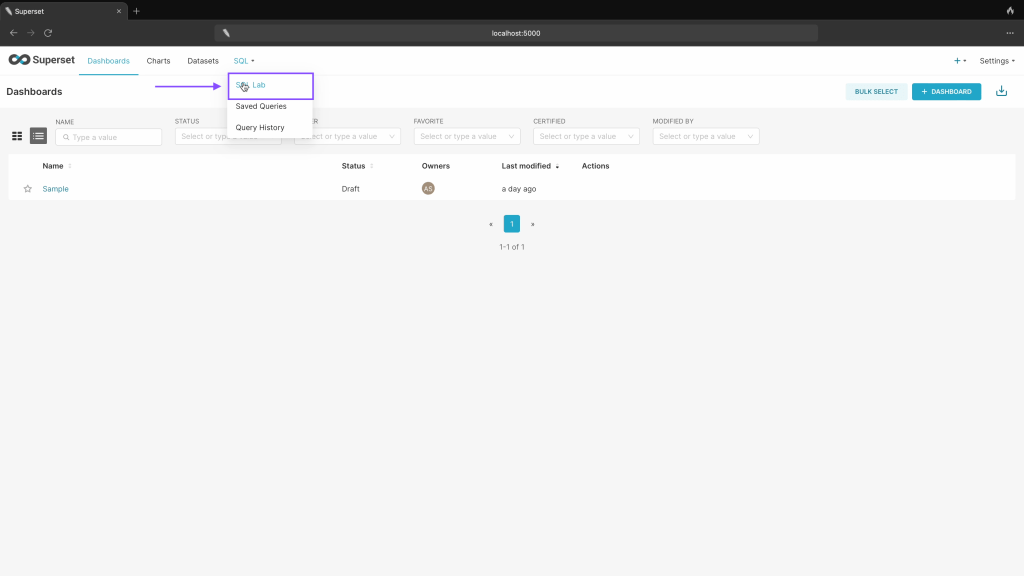
Step 01: Click on SQL Lab
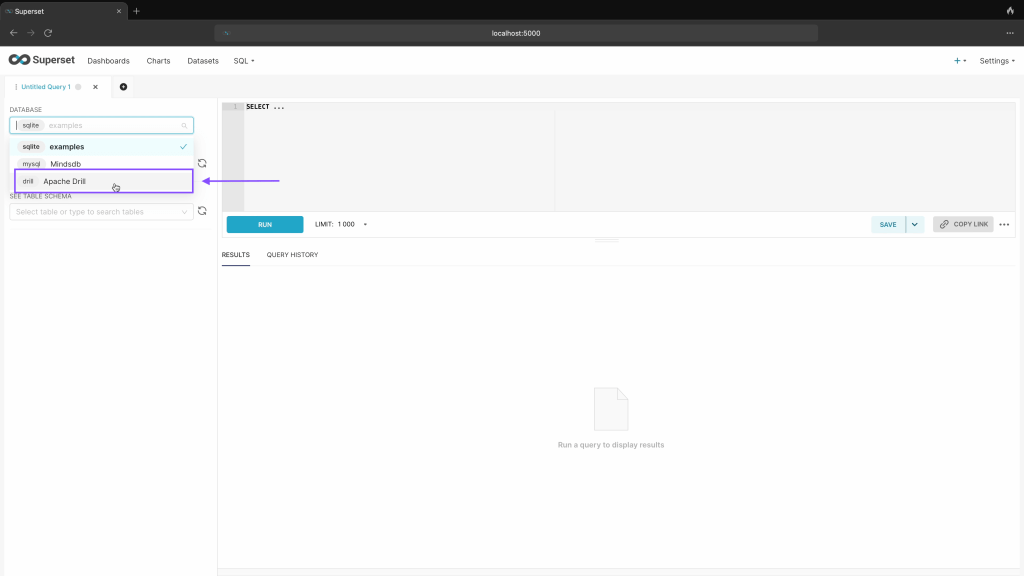
Step 02: Choose Apache Drill
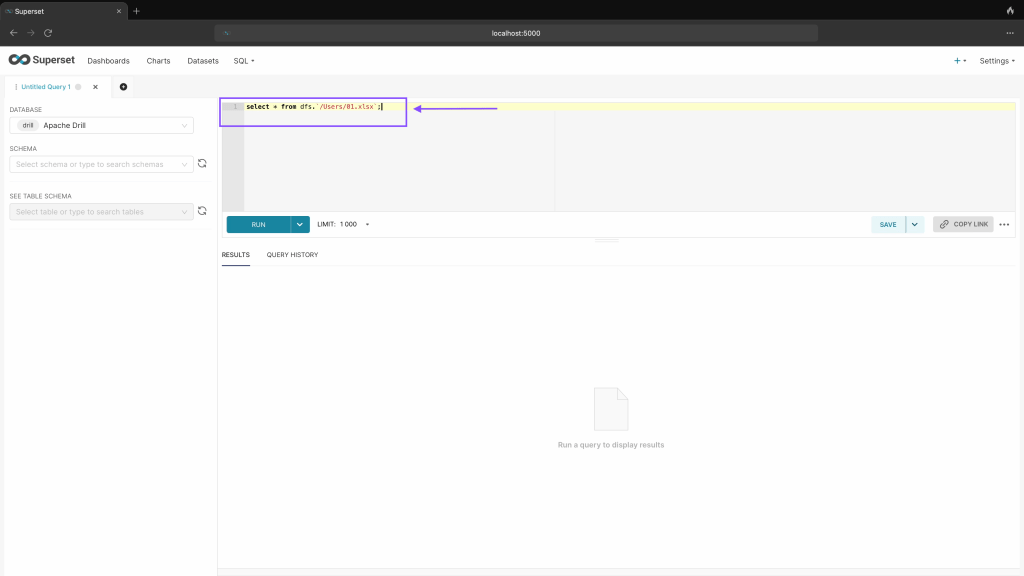
Step 03: Run Below command to query Excel file on your system
select * from dfs.’/Users/01.xlsx’;
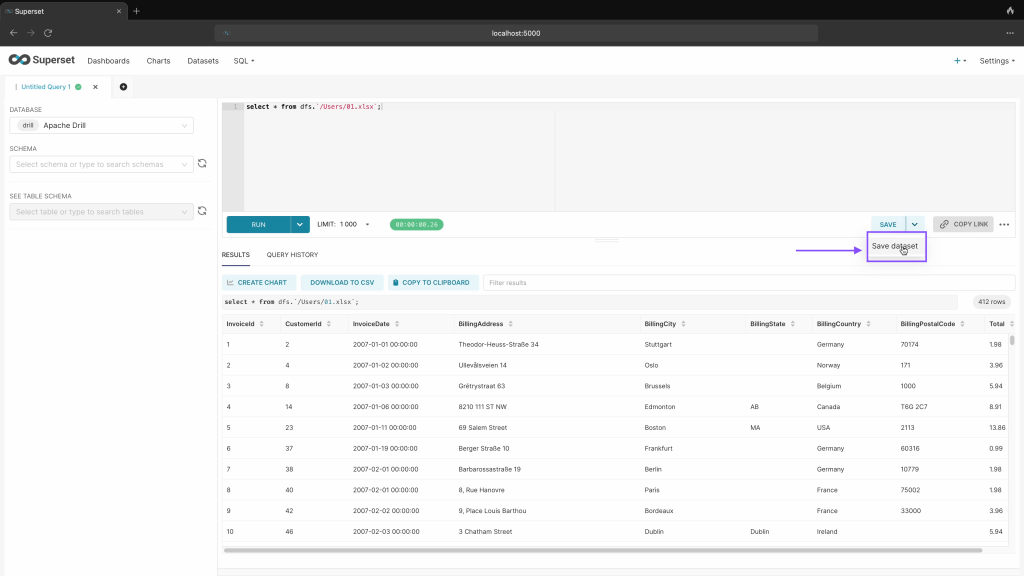
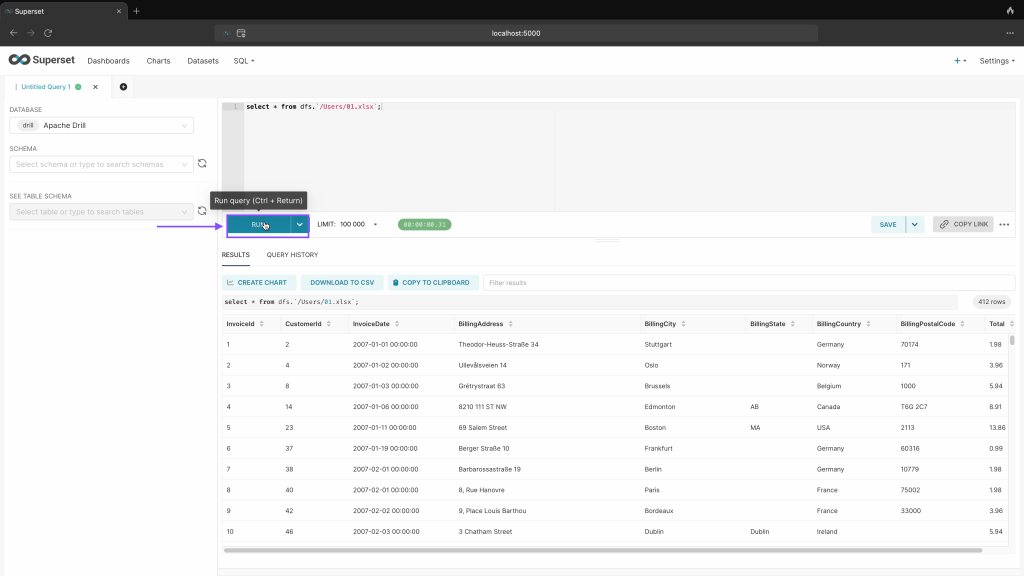
Step 04: Click on run to execute query.

Step 05: Click on save query dataset.
Step 06: Click on save & explore
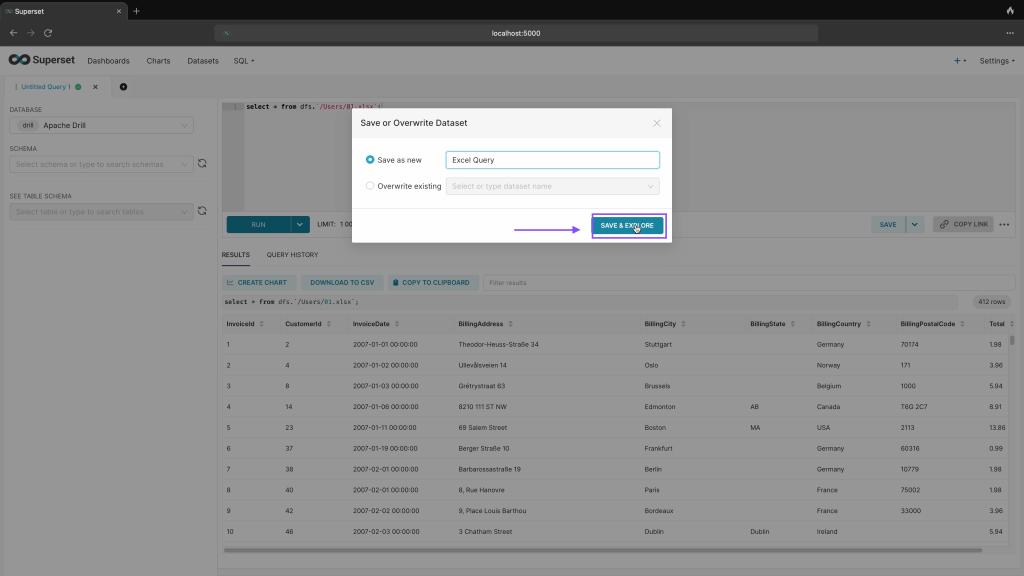
Step 07: To save full excel dataset as virtual table, click on larger limit as shown below.

Step 08: Click on run again
Step 09: Click on save dataset
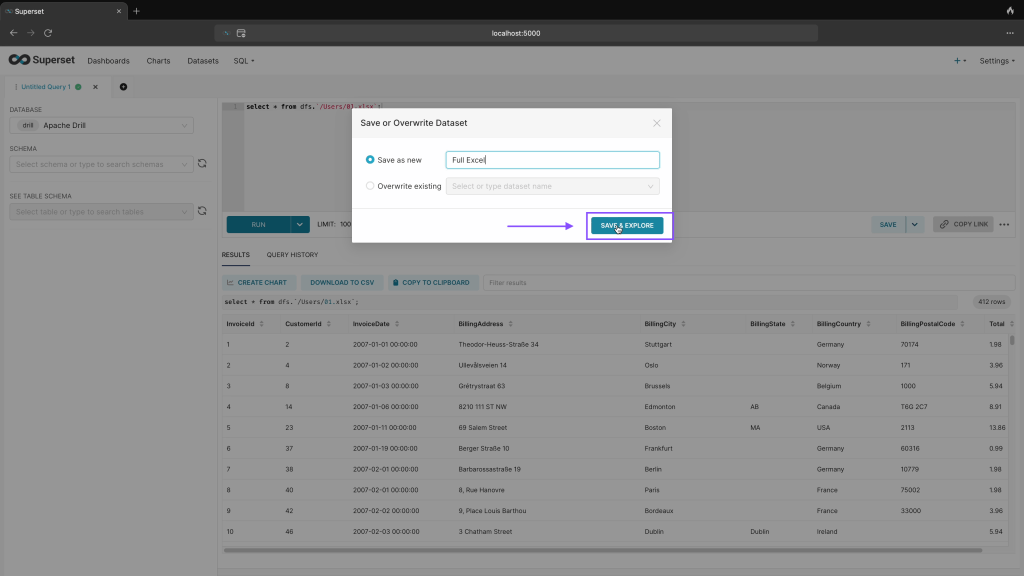
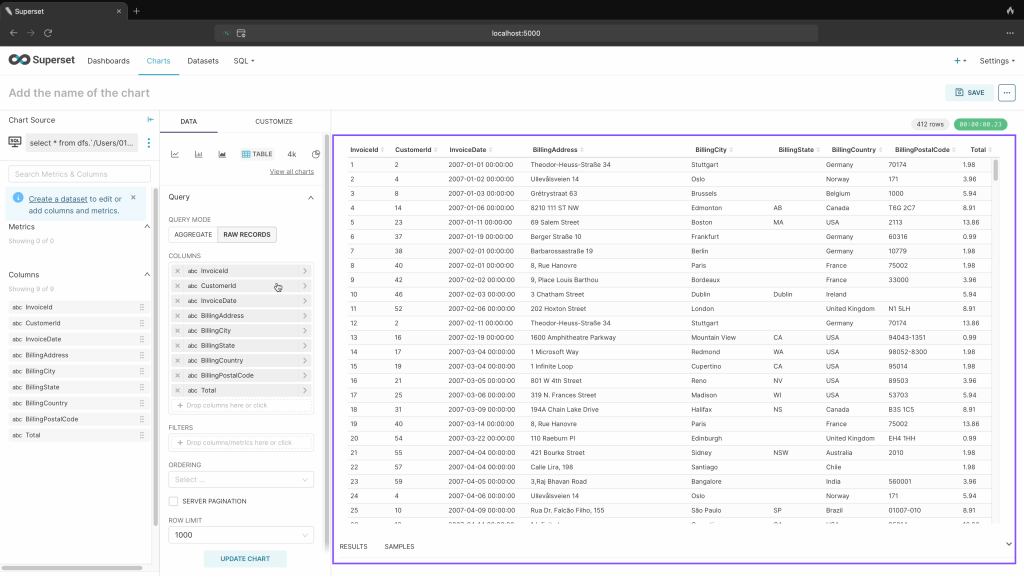
Step 10: Click on Create chart to move on chart creation and adding to dashboard as shown in Article 01.

Step 11: Here is your dataset available for creation of charts.
Stay tuned for more updates.
For this Part here is quick Youtube video for visual reference.
 TechnoFunctionalLearning
You must be logged in to post a comment.