Learn to Connect Ollama with MySQL+PostgreSQL on AnythingLLM.
https://github.com/Mintplex-Labs/anything-llm
The all-in-one Desktop & Docker AI application with full RAG and AI Agent capabilities.
A full-stack application that enables you to turn any document, resource, or piece of content into context that any LLM can use as references during chatting. This application allows you to pick and choose which LLM or Vector Database you want to use as well as supporting multi-user management and permissions.
Product Overview
AnythingLLM is a full-stack application where you can use commercial off-the-shelf LLMs or popular open source LLMs and vectorDB solutions to build a private ChatGPT with no compromises that you can run locally as well as host remotely and be able to chat intelligently with any documents you provide it.
AnythingLLM divides your documents into objects called workspaces. A Workspace functions a lot like a thread, but with the addition of containerization of your documents. Workspaces can share documents, but they do not talk to each other so you can keep your context for each workspace clean.
Some cool features of AnythingLLM
- Multi-user instance support and permissioning
- Agents inside your workspace (browse the web, run code, etc)
- Custom Embeddable Chat widget for your website
- Multiple document type support (PDF, TXT, DOCX, etc)
- Manage documents in your vector database from a simple UI
- Two chat modes conversation and query. Conversation retains previous questions and amendments. Query is simple QA against your documents
- In-chat citations
- 100% Cloud deployment ready.
- “Bring your own LLM” model.
- Extremely efficient cost-saving measures for managing very large documents. You’ll never pay to embed a massive document or transcript more than once. 90% more cost effective than other document chatbot solutions.
- Full Developer API for custom integrations!
Supported LLMs, Embedder Models, Speech models, and Vector Databases
Language Learning Models:
- Any open-source llama.cpp compatible model
- OpenAI
- OpenAI (Generic)
- Azure OpenAI
- Anthropic
- Google Gemini Pro
- Hugging Face (chat models)
- Ollama (chat models)
- LM Studio (all models)
- LocalAi (all models)
- Together AI (chat models)
- Perplexity (chat models)
- OpenRouter (chat models)
- Mistral
- Groq
- Cohere
- KoboldCPP
- LiteLLM
- Text Generation Web UI
Embedder models:
- AnythingLLM Native Embedder (default)
- OpenAI
- Azure OpenAI
- LocalAi (all)
- Ollama (all)
- LM Studio (all)
- Cohere
Audio Transcription models:
- AnythingLLM Built-in (default)
- OpenAI
TTS (text-to-speech) support:
- Native Browser Built-in (default)
- OpenAI TTS
- ElevenLabs
STT (speech-to-text) support:
- Native Browser Built-in (default)
Vector Databases:
- LanceDB (default)
- Astra DB
- Pinecone
- Chroma
- Weaviate
- Qdrant
- Milvus
- Zilliz
- Qdrant
- Milvus
- Zilliz
Ollama:Large Language Models Runner
Ollama: Large Language Model Runner.
https://github.com/ollama/ollama
https://hub.docker.com/r/ollama/ollama
https://github.com/ollama/ollama-python
https://github.com/ollama/ollama-js
Here is How to Connect Ollama with MySQL & PostgreSQL
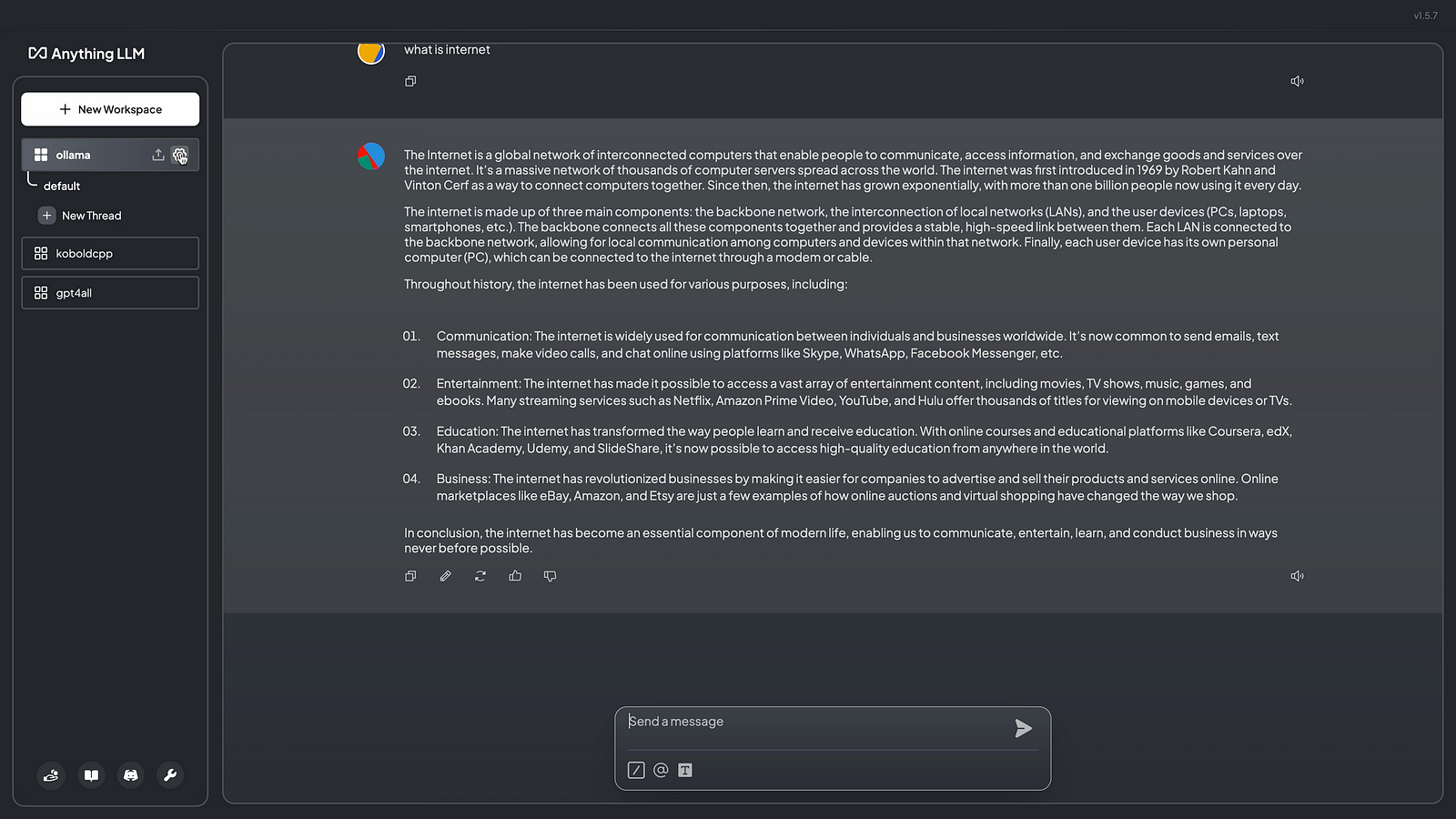
Step 01: Click on setting from Ollama workspace
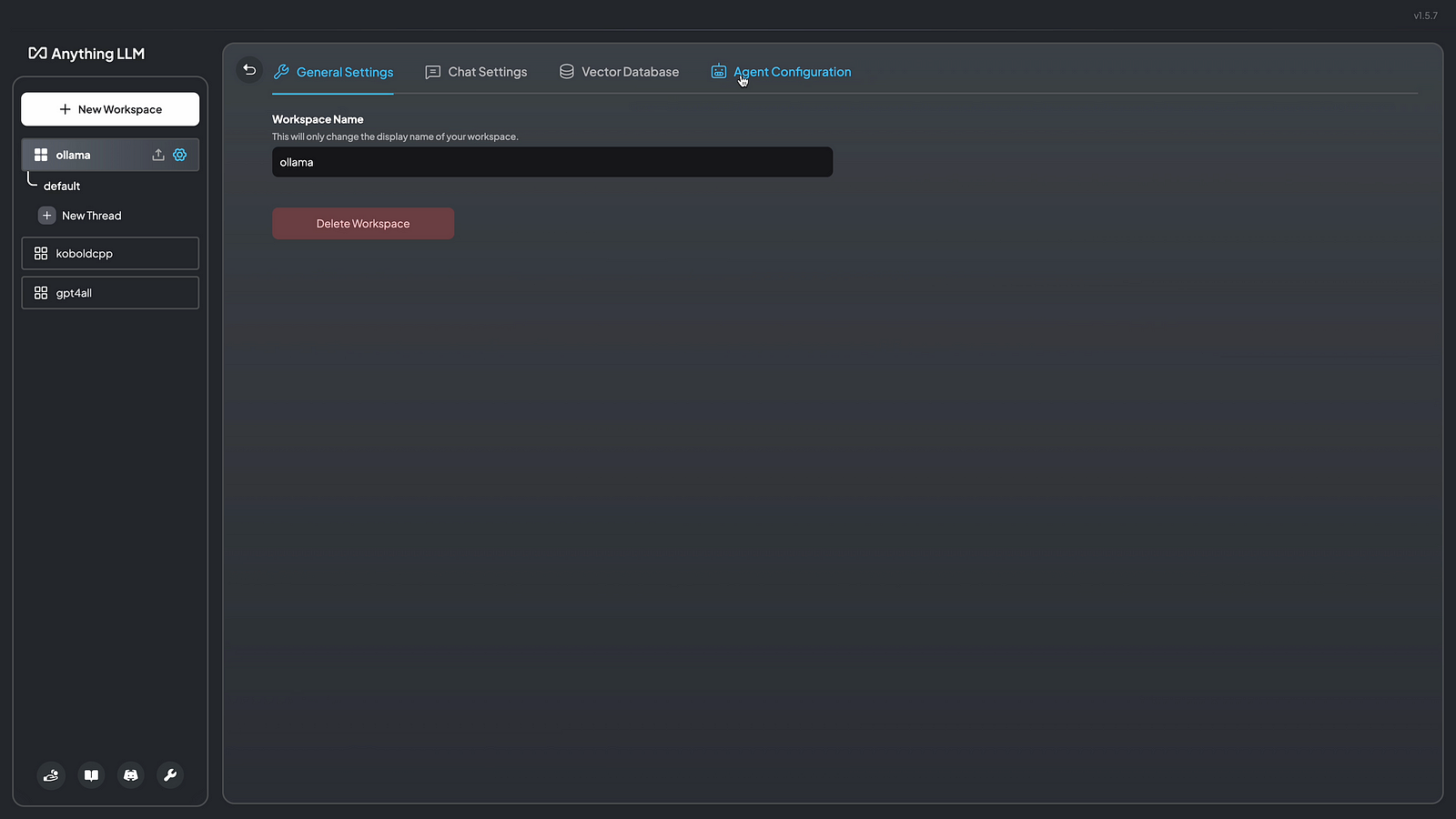
Step 02: Click on agent configuration
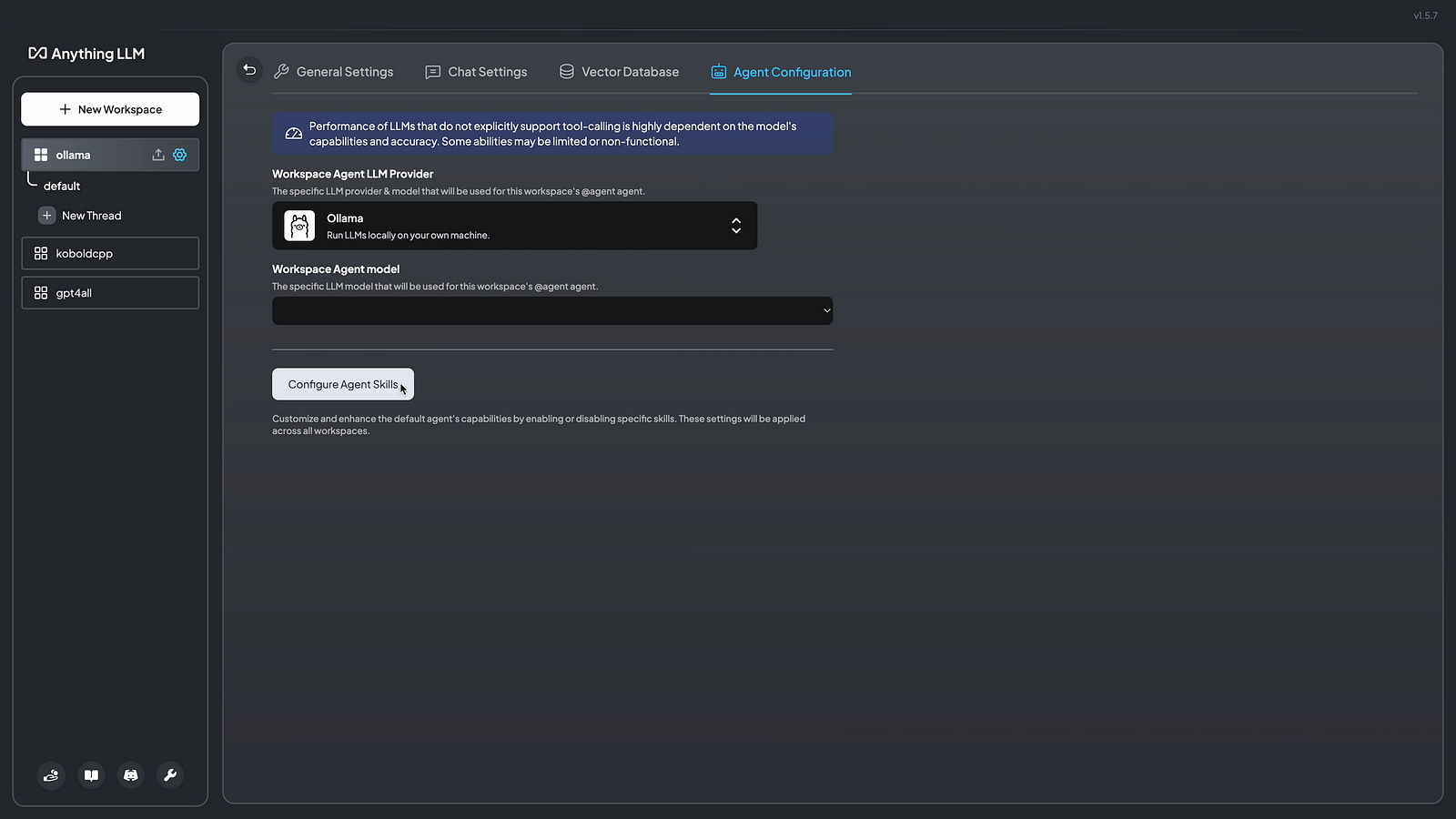
Step 03: Click on configure agent skills
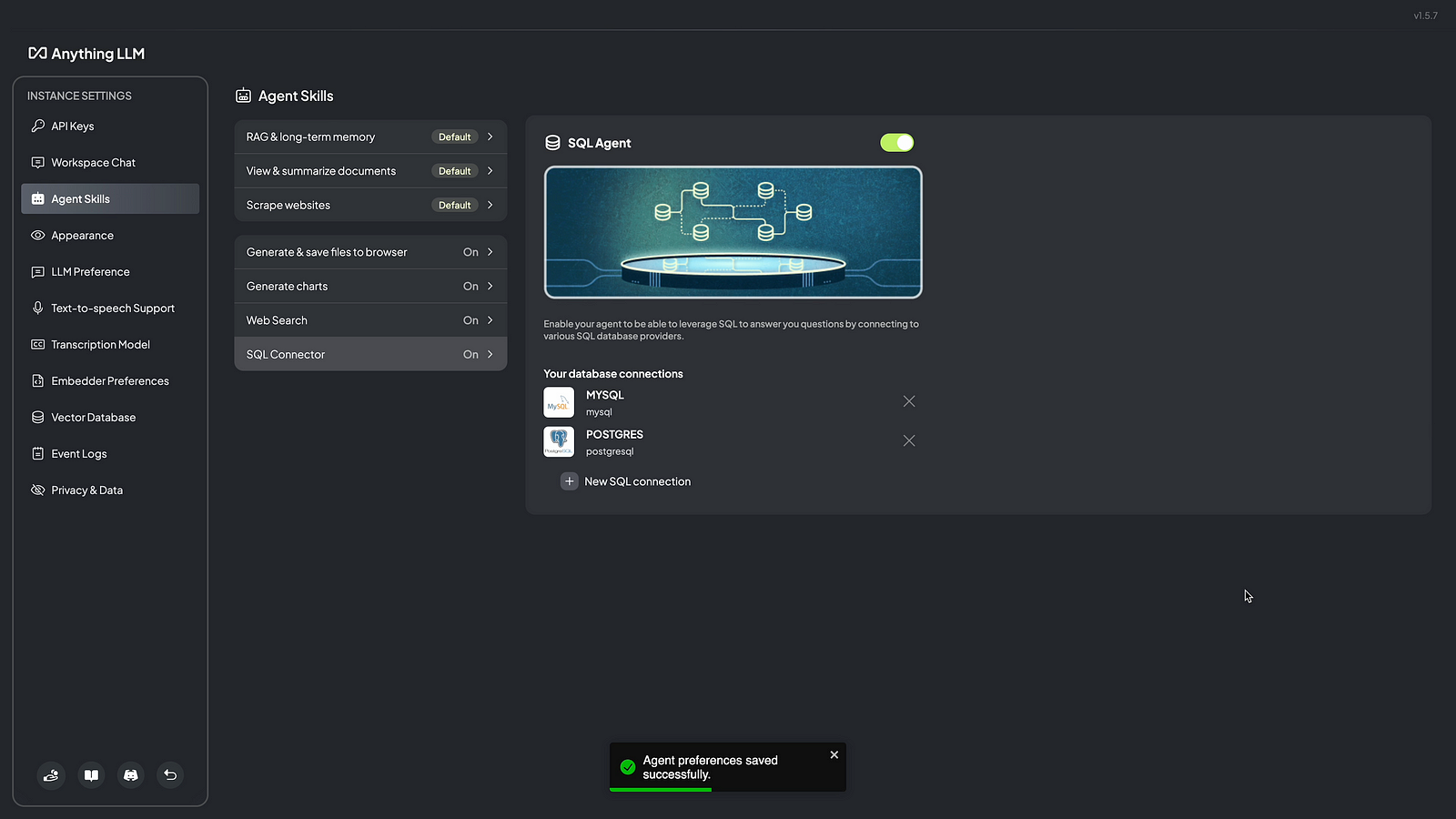
Step 04: Click on SQL Connector
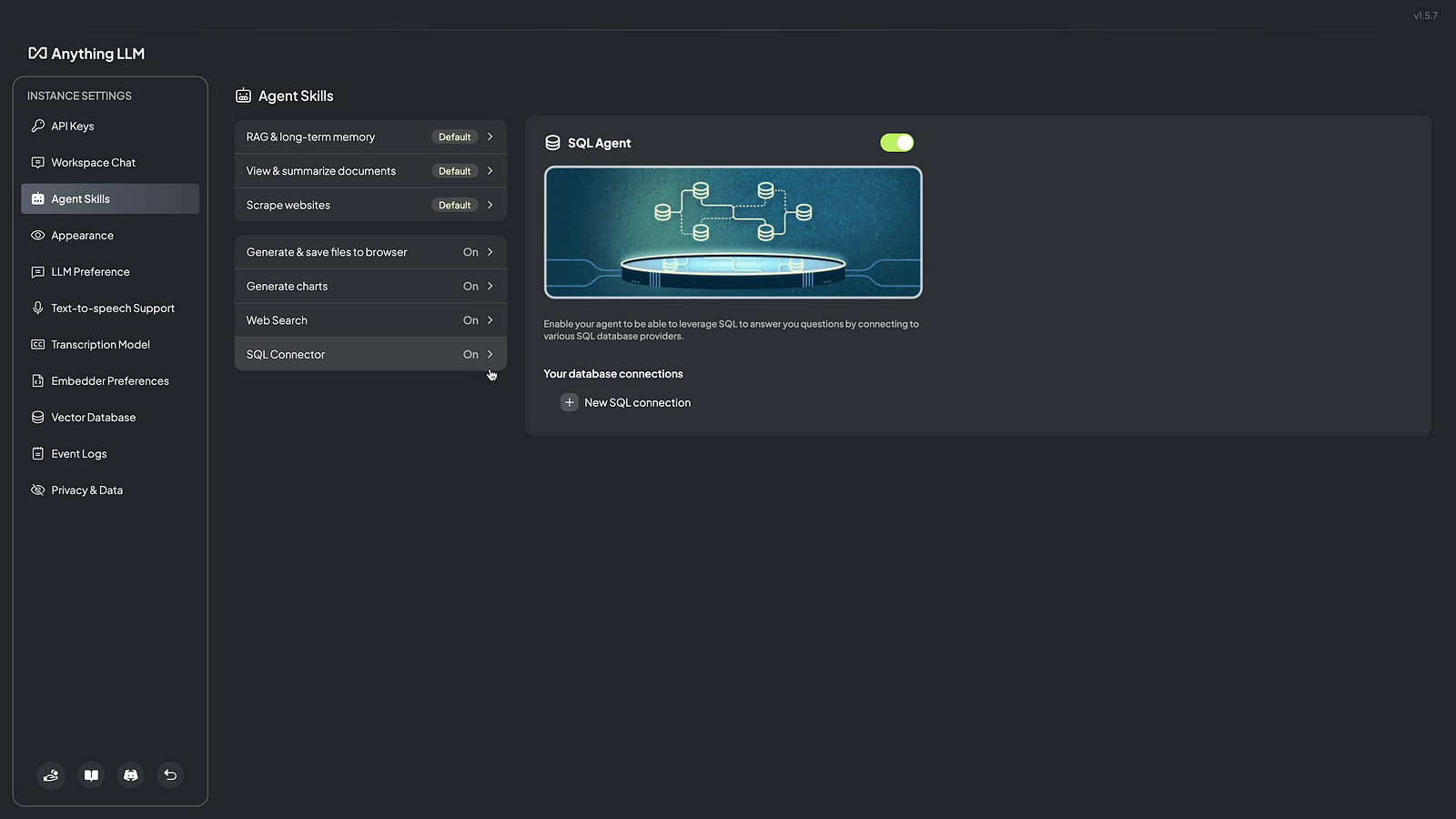
Step 05: Click on New SQL Connection
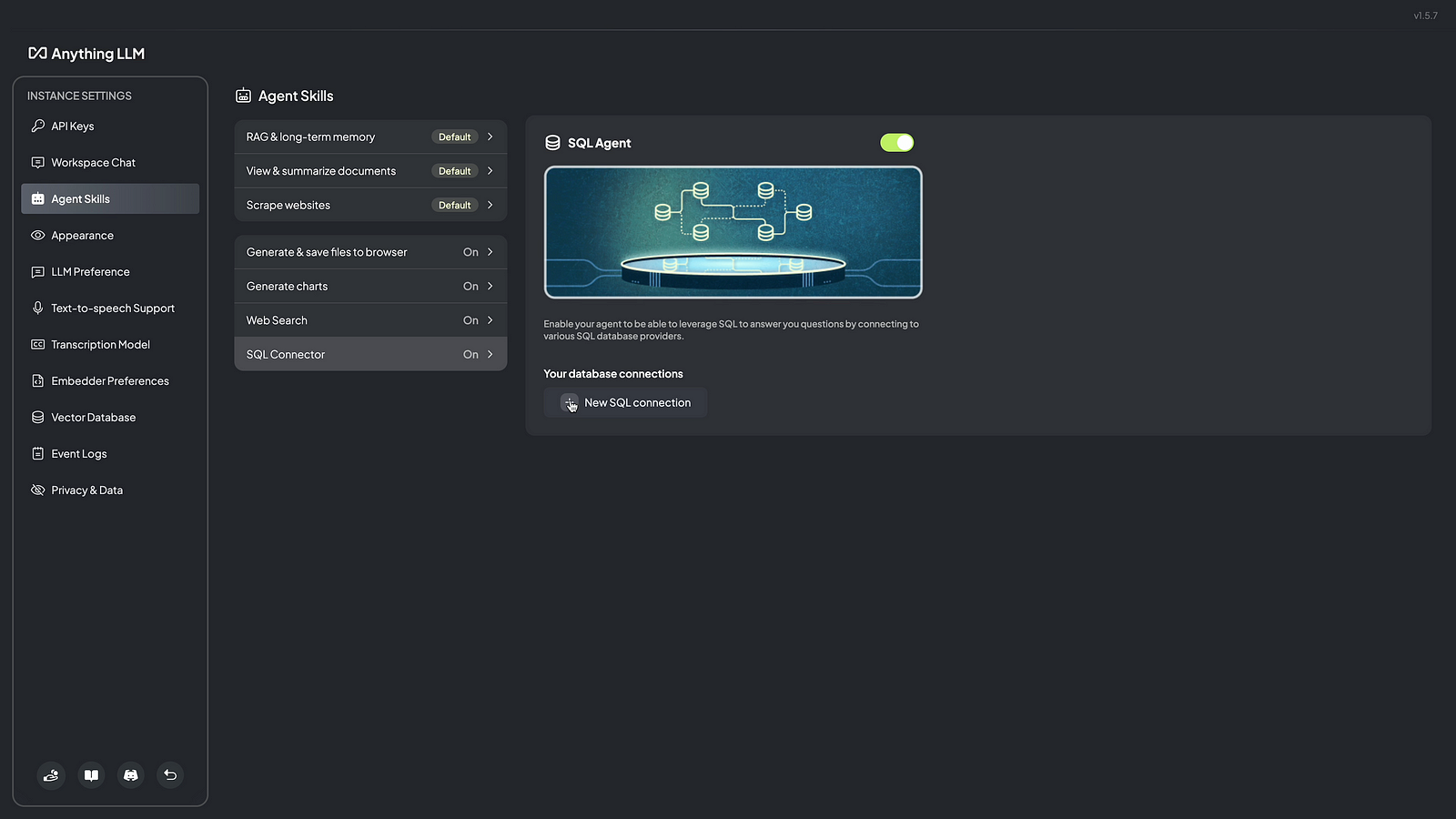
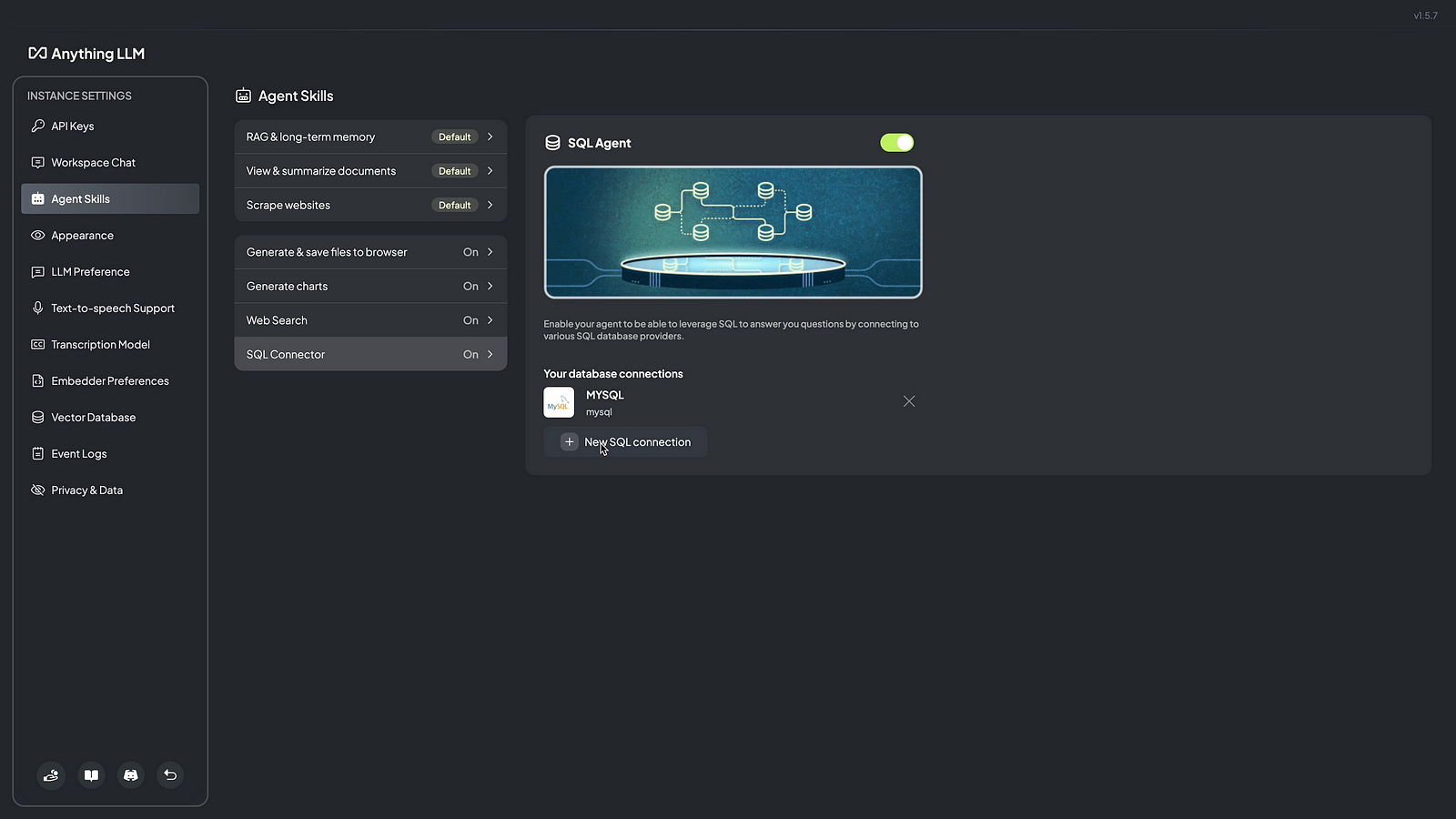
Step 06: Click on MySQL and enter connection details like name, database username, password, host, port & database name then click on save connection

Step 07: Click on save

Step 08: Click on New SQL Connection to add PostgreSQL Connection
Step 09: Click on PostgreSQL and enter connection details like name, database username, password, host, port & database name then click on save connection
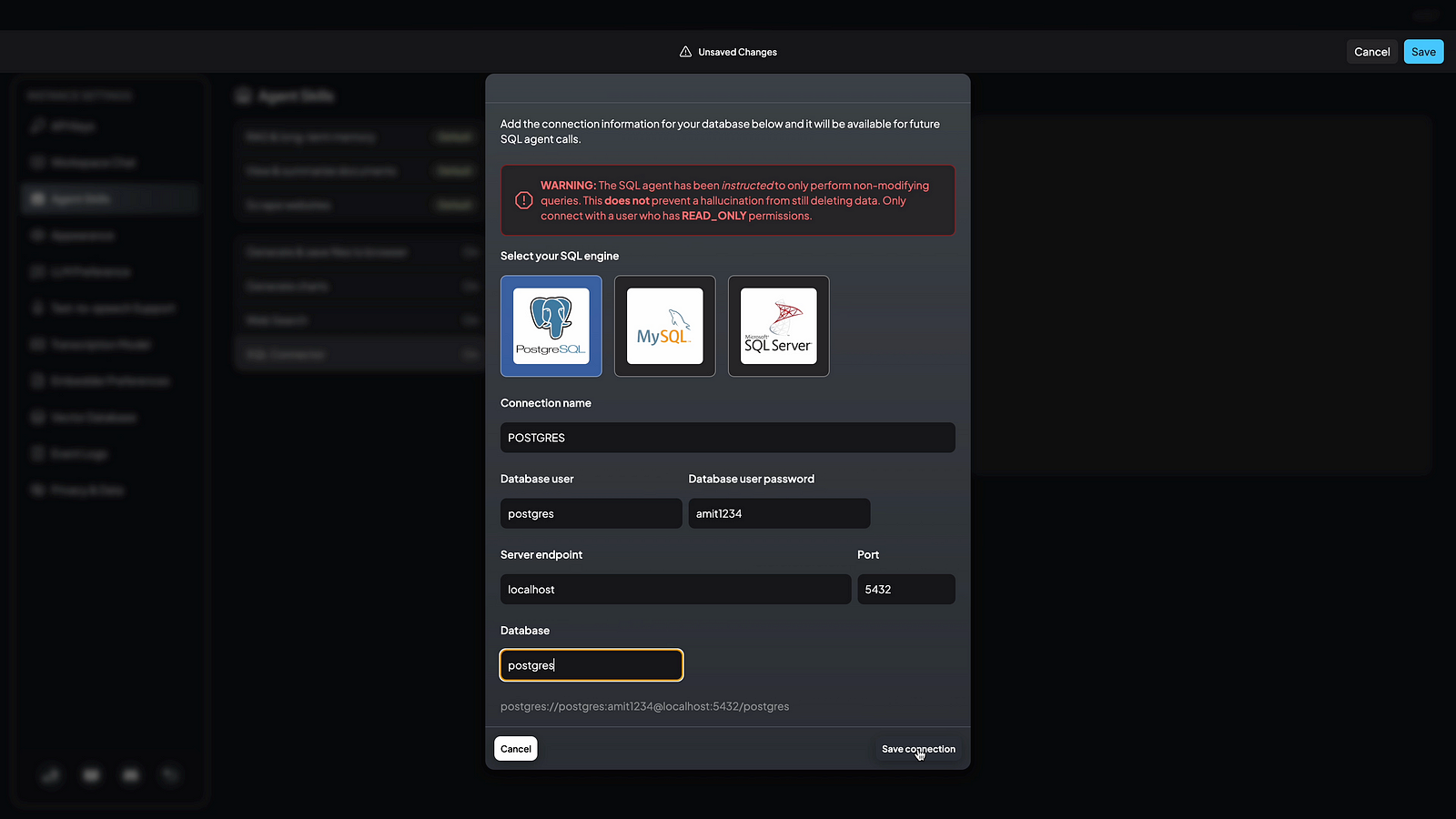
Step 10: Click on save.
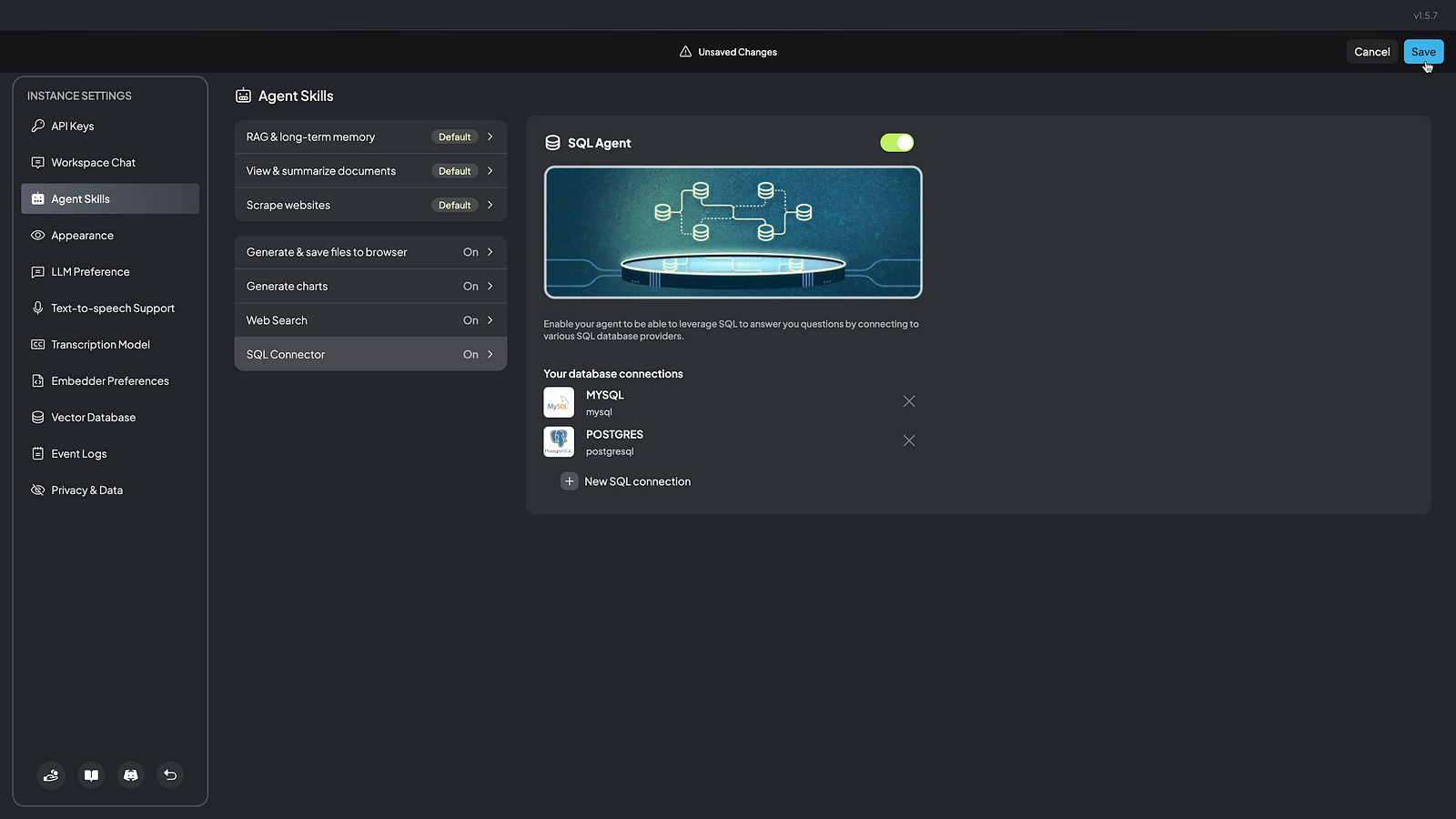
Step 11: Now your workspace will be updated with MySQL & PostgreSQL connection.
Here are Youtube Videos for quick visual reference
 TechnoFunctionalLearning