Learn to Install Termux in Waydroid on Ubuntu and Android Mobiles (Development Environment) to Install offline Generative AI and much more.
https://github.com/waydroid/waydroid
Waydroid uses a container-based approach to boot a full Android system on a regular GNU/Linux system like Ubuntu.
Main Features Of Waydroid
Waydroid uses Linux namespaces (user, pid, uts, net, mount, ipc) to run a full Android system in a container and provide Android applications on any GNU/Linux-based platform (arm, arm64, x86, x86_64). The Android system inside the container has direct access to needed hardware through LXC and the binder interface.
Free and Open-Source
The Project is completely free and open-source, currently our repo is hosted on Github.
Full app integration
Waydroid integrated with Linux adding the Android apps to your linux applications folder.
Multi-window mode
Waydroid expands on Android freeform window definition, adding a number of features.
Full UI Mode
For gaming and full screen entertainment, Waydroid can also be run to show the full Android UI
Near native performance
Get the best performance possible using wayland and AOSP mesa, taking things to the next level
Active community
Find out what all the buzz is about and explore all the possibilities Waydroid could bring
Get your favourite Android Apps on Linux.
Waydroid brings all the apps you love, right to your desktop, working side by side your Linux applications.
The Android inside the container has direct access to needed hardwares.
The Android runtime environment ships with a minimal customized Android system image based on LineageOS. The used image is currently based on Android 11
Lets get started
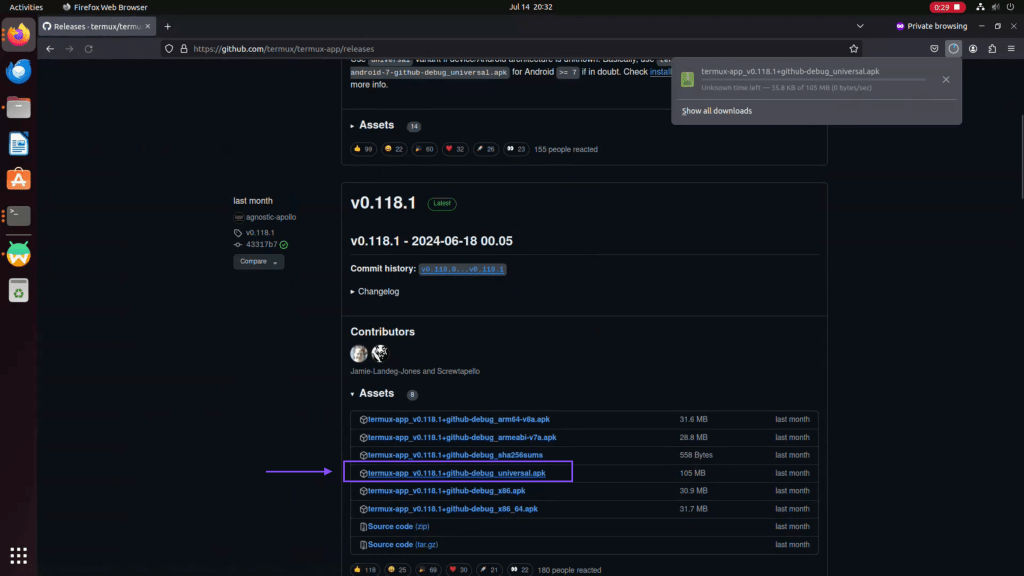
Step 01: Go to github repository as mentioned above and download the universal version of Termux
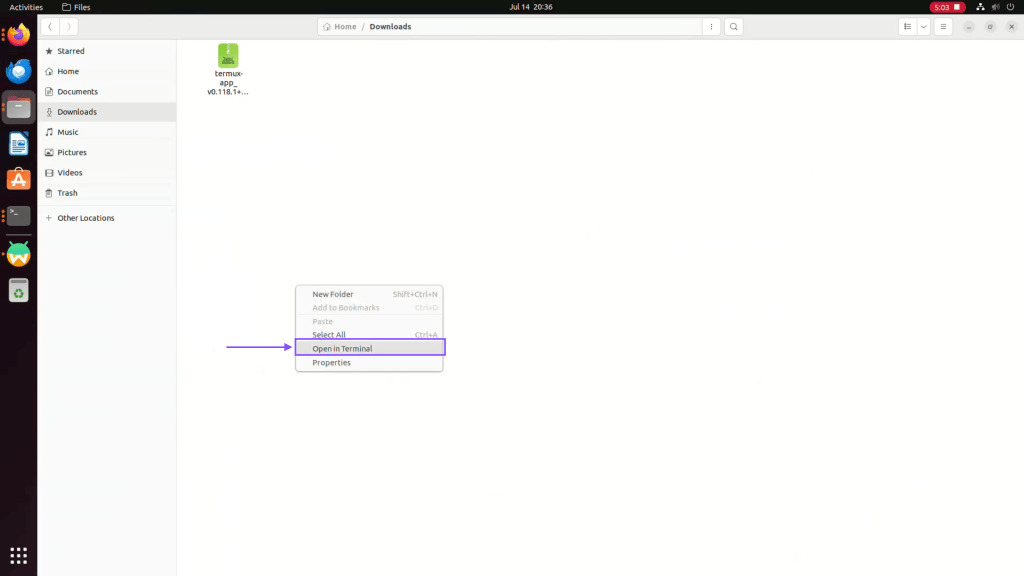
Step 02: Now go to download folder and right click to open terminal
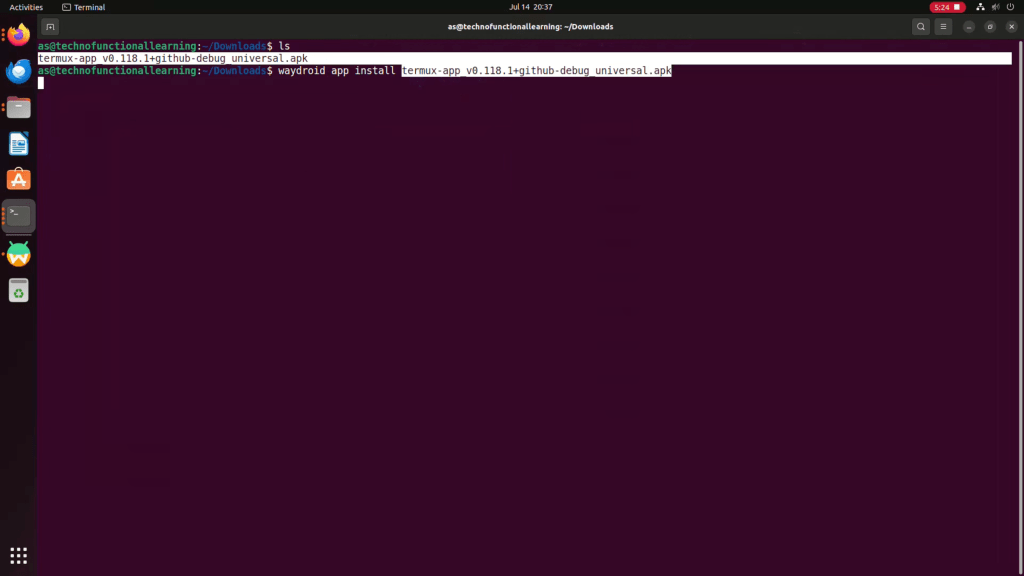
Step 03: Now type below command to install Termux app in Waydroid on Ubuntu
waydroid app install termux-app v0.118.1+github-debug universal.apk
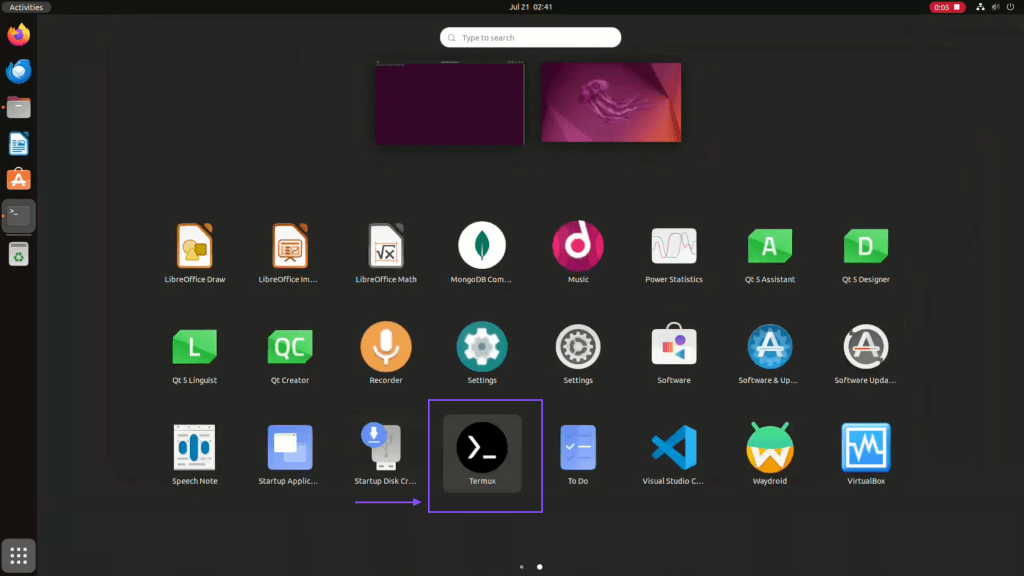
Step 04: Now open Termux from application menu in Ubuntu
Step 05: Now type below command to update Termux packages.
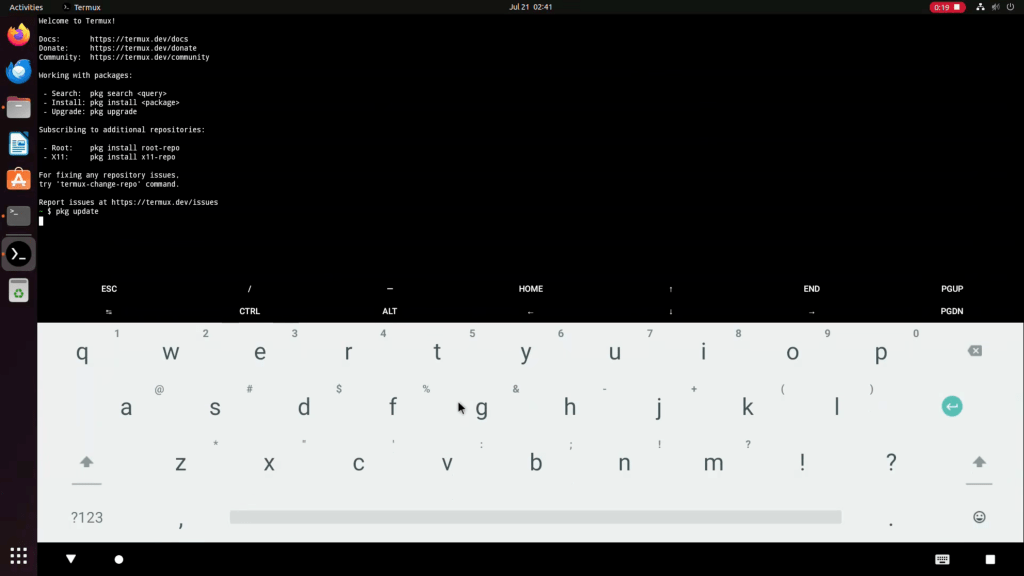
Step 06: Now to Install Python, type below command
pkg install python

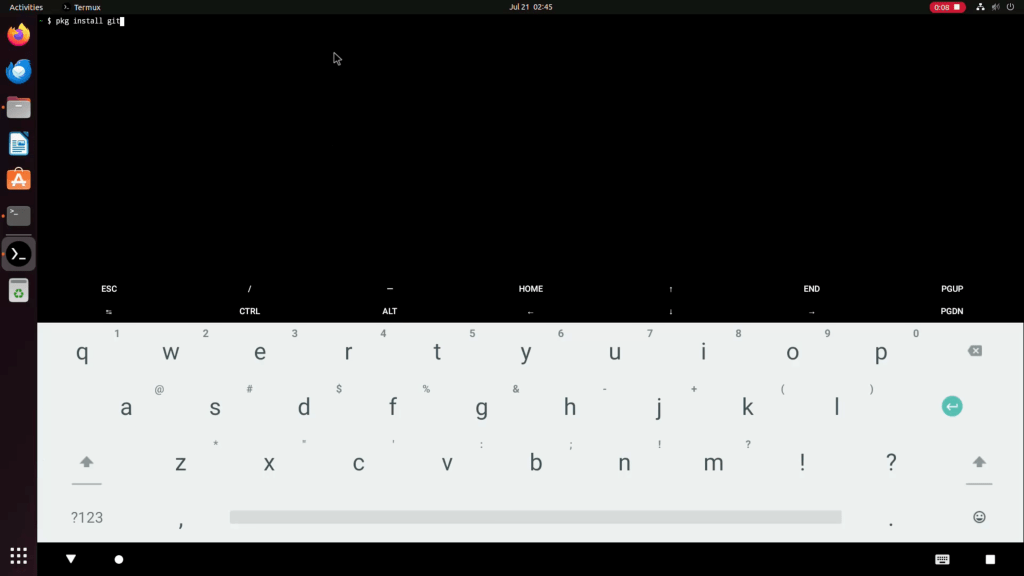
Step 07: Now to Install git, type below command.
pkg install git
Here is Youtube video for visual reference.
Stay Tuned for next update.
 TechnoFunctionalLearning
You must be logged in to post a comment.