Simple demo on How to Create Material Request/RFQ/Supplier Quotation/Purchase Order/Purchase receipt/Supplier invoice(GST)/Supplier Payment/Sales Quotation/Sales Order/Material Delivery/Sales Invoice(GST)/Sales Receipt in ERPNext
What is ERPNext?
Free and Open Source Enterprise Resource Planning (ERP). ERPNext includes the following areas for managing businesses:
- Accounting
- Warehouse Management
- CRM
- Sales
- Purchase
- HRMS
- Project Management
- Support
- Asset Management
- Quality Management
- Manufacturing
- Website Management
- Customise ERPNext
ERPNext is built on the Frappe Framework, a full-stack web app framework built with Python & JavaScript.
Where is Repository?
Here is the link for Repository
https://github.com/frappe/erpnext
Where is the Official Website?
How can I quickly Install and Run on MacOS/Ubuntu/Windows
Here are Step by Step Instructions to Quickly run ERPNext with Docker Compose on Ubuntu, For Windows there will be separate article. For MacOS refer below article.
Let’s start step by step business process.
Part 01 of the Article.
Let’s start step by step business process.
Kindly note that this Article does not include Configuration & Master data creation, It will only give you Quick Overview of how Business Process Works in ERPNext from End User side. There are various options to process data in ERPNext and I will try to Include various step by step tutorials in upcoming articles.
Step 01: Search for Material request list.
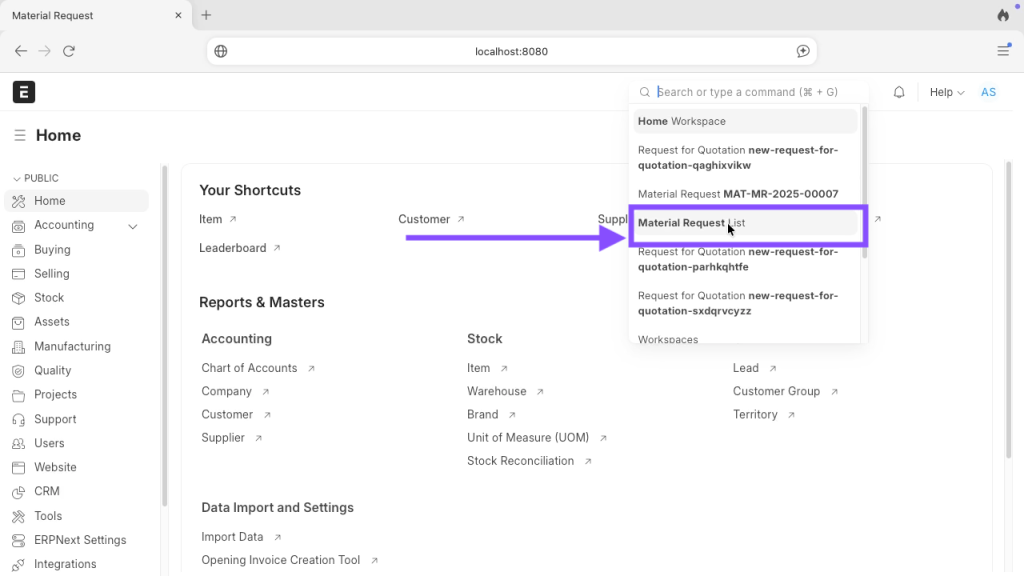
Step 02: Choose your material Request list created in previous part of article.

Step 03: Click on Create from button and click on request for quotation.

Step 04: Now scroll little bit down and click on edit button to add supplier.
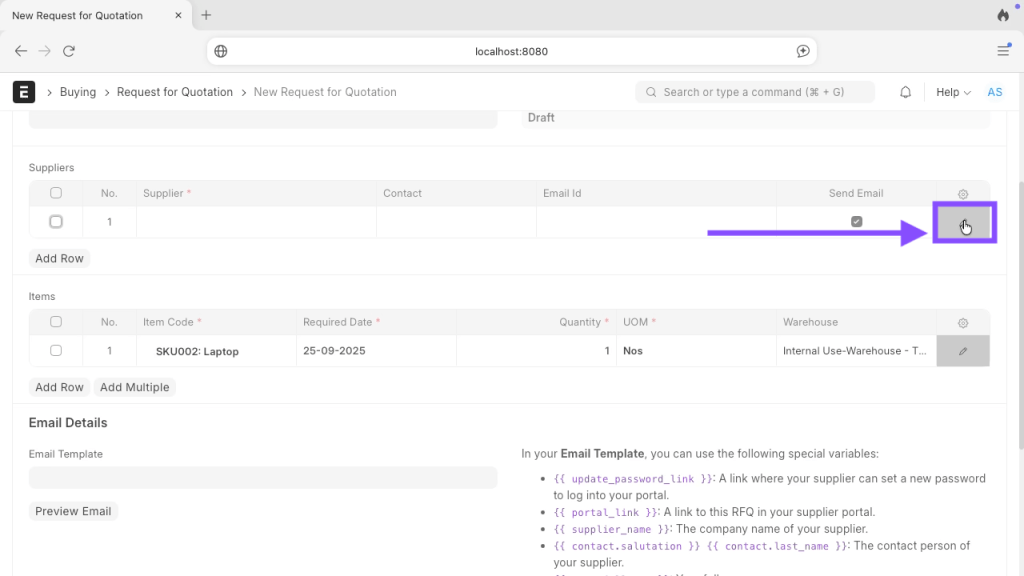
Step 05: Choose your supplier from list and if you want to send purchase order via email then keep email detail and tick mark as it is shown below.

Step 06: I am not using email for this article so I have unticked it.

Step 07: Click on Save.

Step 08: Click on Submit.
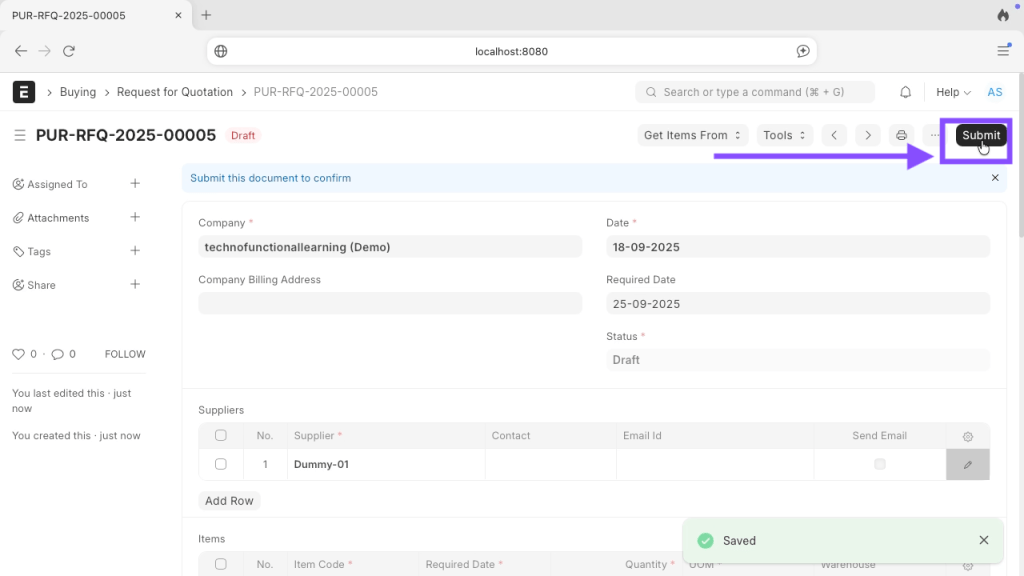
Step 09: Click on Yes

Step 10: Click on print.

Step 11: This is how Request for quotation will look like, You can customize the format as per your need.

Here is screencast on How to create Request for Quotation in ERPNext.
Stay Tuned for Next part.
 TechnoFunctionalLearning
You must be logged in to post a comment.